






About InfinityInventory
From ThunderstoreUnlimited resource storage with auto-pickup. Keep your inventory clean and never worry about weight again!
Infinity Inventory Mod
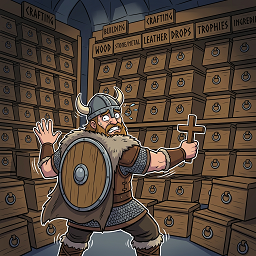
Tired of managing storage in Valheim? This mod is your new best friend. Become a walking warehouse with unlimited storage capacity and zero weight penalties for items in your custom inventory.
📦 Features
Infinite Storage
- Unlimited resource stacking — stone, wood, ore, and other materials no longer clog your regular inventory
- No weight restrictions — items in the custom inventory don't affect your carry weight
- Auto-pickup — all looted items go straight to your custom inventory
- Inventory saves items between worlds
Upon death, items are not lost from Infinity Inventory
Seamless Game Integration
- Building — resources from custom inventory are automatically used when constructing
- Crafting — all workbenches and stations detect items in your custom inventory
- Fuel — wood and coal are consumed directly from storage when using fires and smelters
- Smelters & Cooking Stations — ore and food are automatically added from custom inventory
User-Friendly Interface
- "Items" button in inventory window for quick access
- Item search — filter by name
- Category filter — weapons, armor, resources, food, etc.
- Drag & Drop — movable window
- Position and scale configuration via Configuration Manager
📝 Compatibility
Fully compatible with:
- EpicLoot (all enchantments are preserved)
- Other inventory mods
- Multiplayer (each player has their own custom inventory)
Main Window

Search by item name

Filter for the type of items

Supports custom items

Button for open Infinity Inventory (You can tern option in configure manager to Auto-open panel when main inventory opens)

Function for crafting stations. You can set a priority for the food that you go to roast or bake first


Item Management
| Action | Description | |--------|-------------| | RMB | Move 1 item to regular inventory | | Shift + RMB | Select quantity to move (for stackable items) | | Ctrl + LMB | Drop 1 item on the ground | | Shift + LMB | Drop entire stack on the ground (for stackable items) | | Ctrl + C | Instantly move entire stack from custom inventory to open container | | Ctrl + RMB | Instantly move entire stack from regular inventory/container to custom inventory | | Ctrl + X | Open quantity dialog to move items from regular inventory/container to custom inventory | | R | Press this key while hovering an item to prioritize it for cooking |
⚙️ Configuration (Configuration Manager)
| Setting | Description | Default | |---------|-------------|---------| | AutoShowWithInventory | Auto-open panel when inventory opens | false | | Scale | Panel scale multiplier | 1.0 | | PositionX | Horizontal position offset | 0 | | PositionY | Vertical position offset | 50 | | ScrollSensitivity | Mouse wheel scroll speed | 500 | | ClearInventory | Button to clear custom inventory | - | | Hotkeys Infinity Inventory-Move One Item | Move 1 piece from custom inventory to regular inventory | RMB | | Hotkeys Infinity Inventory-Select Quantity | Open quantity dialog for stackable items | Shift+RMB | | Hotkeys Infinity Inventory-Drop One Item | Drop 1 piece from custom inventory | Ctrl+LMB | | Hotkeys Infinity Inventory-Prioritize Item for Cooking | Press this key while hovering an item to prioritize it for cooking | R | | Hotkeys Infinity Inventory-Drop All Items | Drop entire stack from custom inventory | Shift+LMB | | Hotkeys Infinity Inventory-Quick Move To Container | Instantly move entire stack from custom inventory to open container | Ctrl+C | | Hotkeys regular inventory/container-Move All Stack | Instantly move entire stack from regular inventory/container to custom inventory | Ctrl+RMB | | Hotkeys regular inventory/container-Move Quantity | Open quantity dialog to move items from regular inventory/container to custom inventory | Ctrl+X |
Contacts
CHANGELOGS
# Version 1.6.1
-Added function to delete items from II

# Version 1.4.1
-Fixed with doubling resources in crafting stations
-Remove dropdown filter
-Added quick buttons for filter

# Version 1.3.7
-Fixed with display not usable custom items

# Version 1.3.6
-Fixed performance issues when pickup items

# Version 1.3.5
-Fix problems with items for crafting stations
-Added new function for crafting stations. Now you can set a priority for the food that you go to roast or bake first. Default hotkey to set priority for items "R"
- The item that is prioritized is indicated by an icon 🍖

# Version 1.2.3
-Fix with the display of items in II

# Version 1.2.2
- Added transfers items from main inventory and containers to infinity inventory (hotkeys, ctrl+rmb-Instantly move entire stack from custom inventory to open container,ctrl+x-Open quantity dialog to move items from regular inventory/container to custom inventory)
- Added the ability to change any keyboard shortcuts in configure manager.

# Version 1.1.2
- Added support for rare colors for EpicLoot items

# Version 1.0.2
- Removed unnecessary logs

# Version 1.0.1
- Fixed an issue with the first appearance of inventory
- Fixed conflict with other custom UIHighlights
From source dataLoaders
Runs on BepInEx.
Footprint
Rated a light load on a server.
Dependencies
Needs 2 other projects installed alongside it.
InfinityInventory on Nxeon
From our catalogue- One-click install
- Supported on Nxeon Valheim servers, for BepInEx servers. We download it from Thunderstore, place it, and restart the server.
- Server type needed
- BepInEx
- Server load
- light
- Smallest plan we suggest
- Valheim — 4 GB (4 GB RAM). This follows our own load rating above, not a benchmark.
- Latest build
- 1.6.3, released 2026-04-24
Game versions by loader
| Loader | Game versions | Newest |
|---|---|---|
| BepInEx |
From 17 recorded builds of InfinityInventory.
Recent builds
| Build | Released | Game versions | Loaders |
|---|---|---|---|
| 1.6.3 | 2026-04-24 | n/a | BepInEx |
| 1.6.2 | 2026-04-19 | n/a | BepInEx |
| 1.6.1 | 2026-04-19 | n/a | BepInEx |
| 1.5.3 | 2026-04-18 | n/a | BepInEx |
| 1.5.2 | 2026-04-17 | n/a | BepInEx |
| 1.5.1 | 2026-04-17 | n/a | BepInEx |
Dependencies
- Required: BepInExPack Valheim
- Required: Jotunn
Declared by the newest build that lists any. Required ones are installed with it on one-click installs.
Run InfinityInventory on a Valheim server
Pick a server or deploy a new one above; it is installed in one click.
What kind of mod it is
From the catalogQuality of life & UI
Small conveniences, tweaks and interface improvements players notice straight away.
Compatibility
- Game
- Valheim
- Loaders
- BepInEx
- Requires
- One-click install needs a BepInEx server. 2 other projects installed alongside it.
Verified at the source
- ✓ThunderstoreOfficial listing, checked 2026-10-02Open ↗
- ✓Authorlizzardfyll, as published on Thunderstore
- ✓LicenseNot published by the sourceFree












