






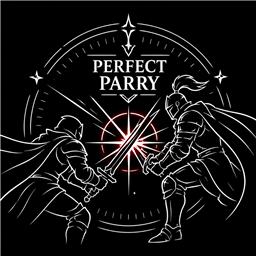
About PPR
From ThunderstorePerfect parry & counter, projectile reflect, shield role assignment, guard durability, instant equip, and Guard Sprint (sprint while guarding: shield/weapon/fists). Updating from 1.2.9: nothing to do, Guard Sprint settings are added automatically.
PPR — Perfect Parry & Reflect
A skill-based parry mod for Valheim. Block with precise timing to trigger a Perfect Parry — then counter, reflect projectiles, and take reduced damage. Every setting is configurable.
⚠️ Updating from 1.2.9 — please read
- Nothing to do. The new
[Guard Sprint]config section (see Features below) is added automatically with its defaults.
⚠️ Updating from 1.2.8 — please read
- Nothing to do. Your existing Back Shield / Auto-Equip Shield assignments are kept as-is. A new 4th cycle stage (Back + Auto-Equip, one shield holding both roles at once) is available if you want it — see Features below.
⚠️ Updating from 1.2.7 — please read
- Shields need re-assigning once: the old automatic "last-used shield" tracking is gone, replaced by explicit Shield Assignment (see Features below). After updating, your Back Shield and Auto-Equip Shield will show as unassigned — open your inventory and wheel-click each shield once to re-assign it.
- All other settings are kept. One setting was renamed (
[Auto Shield Equip] (Enable) Auto-Equip Assigned Shield, was(Enable) Auto-Equip Last Shield) — only that one setting resets to its default (on) once, since BepInEx identifies settings by name.
⚠️ Updating from 1.2.6 or earlier — please read
- Mod manager users (Thunderstore Mod Manager / r2modman / Gale): just update PPR. The old files are replaced automatically.
- Manual install users: before installing 1.2.7, delete the old
PPR.dll(and the folder that contains it) fromBepInEx/plugins. If you skip this, two copies of PPR will load at the same time and effects will be doubled or break. - Settings reset once: the plugin ID changed to
LJS.PPR, so a new config fileLJS.PPR.cfgis created and your previous PPR settings are not carried over. Please set them again once. The old PPR config file inBepInEx/configcan be deleted.
Features
⚔️ Perfect Parry
Block at the exact moment an attack lands (within 0.1s by default) to trigger a Perfect Parry.
- Counter Window (1s) — After a perfect parry, press your secondary attack to fire a fast counter at 2× animation speed
- Damage Reduction (50%) — Take half damage for the duration of the counter window
- Custom VFX — A colored effect appears to confirm the parry (default: blue
#4DB8FF)
🎨 Perfect Parry VFX Color
The vanilla white vfx_blocked is replaced on perfect parry with a custom-colored version of the same effect.
- Color is set via hex code in the config (e.g.
#FF4444red,#FFD700gold,#44FF88green) - On normal parry, the original white
vfx_blockedplays as usual - On perfect parry, the white effect is suppressed and only the colored PPR effect is shown
🏹 Projectile Reflection
Block an incoming projectile to reflect it back in the direction you're looking. Reflected damage is based on the attacker's original damage (before block reduction).
| Parry Type | Damage | Config | |---|---|---| | Perfect Parry | 3× | (Reflect) Perfect Parry Damage Multiplier | | Normal Parry | 2× | (Reflect) Normal Parry Damage Multiplier |
- Normal Parry Reflect works independently of the Perfect Parry enable toggle
- Any successful block (shield raised) will reflect projectiles at 2× if enabled
- Supports all projectile types: arrows, rocks, Greydwarf stones, troll boulders, magic
🛡️ Ranged No Stagger
Ranged attackers are not staggered when their projectile is blocked or reflected.
🔖 Shield Assignment
Wheel-click (middle mouse button by default, configurable) a shield in your inventory — including the hotbar row — to cycle its role:
Normal → Back Shield (orange "B") → Auto-Equip Shield (teal "A") → Back + Auto-Equip Shield (split "B"/"A") → Normal- Back + Auto-Equip means one shield plays both roles at once: it's worn on your back (back guard + movement speed penalty) while it's in your inventory, and automatically equipped to your off-hand the moment you draw a one-handed weapon — then it goes back to your back when you put the weapon away.
- Each role (Back, Auto-Equip) is still held by only one shield at a time. Assigning Back + Auto-Equip to a shield takes over both roles from whichever shields held them. If another shield later takes just one of those two roles away from a Back + Auto-Equip shield, the shield keeps the other role. Cycling a role away always hands it back to whichever shield held it immediately before.
- Shown as a small badge on the inventory and hotbar slot (split orange/teal for Back + Auto-Equip), plus a line in the item tooltip.
- The assignment is saved on the item itself, so it survives relogging and moving the shield through chests.
🎯 Auto Shield Equip
Switch to a one-handed weapon with an empty off-hand, and PPR automatically re-equips the shield you've assigned as the Auto-Equip Shield above (this also applies to a shield assigned Back + Auto-Equip).
🔙 Back Shield Guard
While the shield you've assigned as the Back Shield above (or Back + Auto-Equip) is in your inventory but not in your hand, it's shown on your back and passively blocks attacks that land from behind (within a configurable rear cone) — using the same block-power math as a normal front guard. The shield's movement speed penalty (if any) is also applied while worn on your back, same as if it were held in hand.
🧰 Guard Durability
When a guard (front block/parry, or the back guard above) actually reduces incoming damage, you can skip:
- Your armor's durability loss (helmet/chest/legs/cape) — on by default
- Your blocker's own durability loss — by category: Weapon/Tool (on by default), Shield (off by default, vanilla-like)
Guard failures (e.g. out of stamina) and hits that weren't guarded at all are always handled exactly like vanilla.
Highlights
From source dataLoaders
Runs on BepInEx.
Footprint
Rated a light load on a server.
Last update
Its author last shipped an update 12d ago.
PPR on Nxeon
From our catalogue- One-click install
- Supported on Nxeon Valheim servers, for BepInEx servers. We download it from Thunderstore, place it, and restart the server.
- Server type needed
- BepInEx
- Server load
- light
- Smallest plan we suggest
- Valheim — 4 GB (4 GB RAM). This follows our own load rating above, not a benchmark.
- Latest build
- 1.2.10, released 2026-10-23
Game versions by loader
| Loader | Game versions | Newest |
|---|---|---|
| BepInEx |
From 13 recorded builds of PPR.
Recent builds
| Build | Released | Game versions | Loaders |
|---|---|---|---|
| 1.2.10 | 2026-10-23 | n/a | BepInEx |
| 1.2.9 | 2026-10-13 | n/a | BepInEx |
| 1.2.8 | 2026-10-10 | n/a | BepInEx |
| 1.2.7 | 2026-10-03 | n/a | BepInEx |
| 1.2.6 | 2026-09-26 | n/a | BepInEx |
| 1.2.5 | 2026-08-29 | n/a | BepInEx |
Dependencies
- Required: BepInExPack Valheim
Declared by the newest build that lists any. Required ones are installed with it on one-click installs.
Pick a server or deploy a new one above; it is installed in one click.
What kind of mod it is
From the catalogQuality of life & UI
Small conveniences, tweaks and interface improvements players notice straight away.
Compatibility
- Game
- Valheim
- Loaders
- BepInEx
- Requires
- One-click install needs a BepInEx server.
Verified at the source
- ✓ThunderstoreOfficial listing, checked 2026-10-24Open ↗
- ✓AuthorLJS, as published on Thunderstore
- ✓LicenseNot published by the sourceFree












