






About EarthWright
From ThunderstoreTerraforming for the hoe and cultivator: brush size and shapes, exact heights, ramps and roads, undo, costs, height limits, wards. Server synced. Required on the server too.
EarthWright
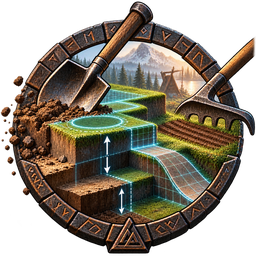
Terraforming for Valheim's hoe and cultivator, inside the game's build menu.
Features
- Brush: size (Alt + mouse wheel), five shapes (circle, square, rectangle, ring, frame), rotation, soft or hard edge,
grid snapping.
- Exact target heights and three level styles for flat ground (below).
- New hoe and cultivator entries (below); the game's own gain the brush, and each entry's description lists its keys.
- Ramps and curved roads, coloured by slope for carts.
- Undo and redo (
Ctrl + Z/Ctrl + Y) and named area snapshots. - A preview of every changed point, the cost on the HUD, a world grid and an exact-values panel (
F6). - Server rules: costs, height limits per biome (past the game's 8 m too), terrain lock, admin zones; wards cover the
whole brush.
- Custom entries: server admins add menu entries that run console commands.
- Tools: longer reach, a light, a left-hand torch, levels up to 6; faster sprinting on roads; a seed grid.
Hoe entries
- Level ground: levels toward the target height in the chosen level style.
- Raise ground / Lower ground: raises or digs by an exact amount, up to the height limits.
- Pathen / Paved road: paints a dirt path, or levels and paves a road.
- Smooth ground: evens out bumps and ridges, keeping the slope.
- Paint ground: paints only: dirt, paved, tilled, grass, original, vegetation and more.
- Reset ground: returns the ground to the world's original height and texture.
- Ramp: three clicks build a ramp: straight, soft joins, soft ends or S-curve.
- Road: click waypoints, then carve a curved road through them.
- Groundbreaker: levels and paves in one swing, clearing trees and rocks first when allowed.
- Clear objects: removes trees, stumps, logs, shrubs, rocks and pickables (when the server allows).
- Terraform (admins): sets the whole brush to the target height in one swing.
Cultivator entries
- Cultivate / Replant: tills while levelling, or brings the grass back.
- Till: tills without changing the height.
- Uproot: pulls up wild berries, mushrooms, flowers and stones; crops are left alone.
Level styles
- Ease: moves gently toward the target, as the unmodded game does.
- Step: moves straight toward the target, at most one step per click.
- Instant: sets every point to the target at once: a flat plateau.
Target heights
- Feet: the ground under you, as the game does.
- Aimed: the ground under the crosshair.
- Continued: the height of earlier flat ground next to the crosshair.
- Locked: one fixed height for every click until released.
- Exact: a typed or stepped height.
- Floor: the top of the building piece under the crosshair.
Install
Needed on the server and every client. Install with r2modman or the Thunderstore app, or put EarthWright.dll in BepInEx/plugins. Keep it installed once you have raised or dug past 8 m, or that ground is drawn clamped to the game's limits.
Configuration
BepInEx/config/milkyteam.earthwright.cfg and YAML files (brushes, costs, entries, limits, zones). Every setting is described in the file and applies without a restart; the server's values bind every player, keys and display options stay your own. Console: ew help; all commands with arguments: https://github.com/geraldjglasgow/ValheimMods/blob/main/EarthWright/CLAUDE.md#console-commands Translate: save a copy of English.yml as EarthWright.translations.<Language>.yml in BepInEx/config.
Links
Discord: https://discord.gg/Q2sMPGQ4T3
Bugs and ideas: https://github.com/geraldjglasgow/ValheimMods/issues (name the mod and version). Licence: GPL-3.0.
Shout outs
- The BepInEx and Harmony teams, for the tools every Valheim mod stands on.
- Iron Gate Studio, for Valheim.
- Thunderstore, for hosting this page.
- The Valheim modding community, for the hard work and dedication that keeps enhancing an already great game.
- Every modder who keeps their mods open source so others can collaborate, learn and build on them.
Highlights
From source dataLoaders
Runs on BepInEx.
Footprint
Rated a light load on a server.
Last update
Its author last shipped an update 10d ago.
EarthWright on Nxeon
From our catalogue- One-click install
- Supported on Nxeon Valheim servers, for BepInEx servers. We download it from Thunderstore, place it, and restart the server.
- Server side
- Optional on the server
- Server type needed
- BepInEx
- Server load
- light
- Smallest plan we suggest
- Valheim — 4 GB (4 GB RAM). This follows our own load rating above, not a benchmark.
- Latest build
- 0.5.2, released 2026-10-25
Game versions by loader
| Loader | Game versions | Newest |
|---|---|---|
| BepInEx |
From 14 recorded builds of EarthWright.
Recent builds
| Build | Released | Game versions | Loaders |
|---|---|---|---|
| 0.5.2 | 2026-10-25 | n/a | BepInEx |
| 0.5.1 | 2026-10-23 | n/a | BepInEx |
| 0.5.0 | 2026-10-22 | n/a | BepInEx |
| 0.4.2 | 2026-10-17 | n/a | BepInEx |
| 0.4.1 | 2026-10-07 | n/a | BepInEx |
| 0.4.0 | 2026-10-06 | n/a | BepInEx |
Dependencies
- Required: BepInExPack Valheim
Declared by the newest build that lists any. Required ones are installed with it on one-click installs.
Run EarthWright on a Valheim server
Pick a server or deploy a new one above; it is installed in one click.
What kind of mod it is
From the catalogGameplay & overhauls
New mechanics, content and overhauls that change how the game plays.
Works on a server
From source side supportThunderstore lists server-side support for EarthWright as optional: it can run on a server, but isn’t required there.
Compatibility
- Game
- Valheim
- Loaders
- BepInEx
- Runs on
- Serveroptional on the server
- Requires
- One-click install needs a BepInEx server.
Verified at the source
- ✓ThunderstoreOfficial listing, checked 2026-10-26Open ↗
- ✓AuthorMilkyTeam, as published on Thunderstore
- ✓LicenseNot published by the sourceFree















