About EasyRelocate
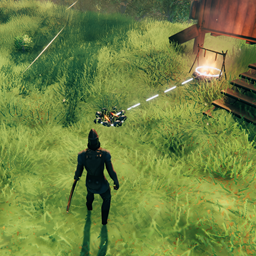
From ThunderstoreRelocate interactable placed pieces with a ghost preview. Press U to grab, aim, scroll to rotate, and left-click to confirm.
Easy Relocate
Relocate placed items in Valheim without breaking them down and rebuilding.
Works on interactable pieces like chests, workbenches, torches, beds, beehives, and other furniture. Look at a piece, press U, move it where you want, and confirm.
How to use
- Look at a placed piece you can interact with.
- Press U to pick it up.
- Aim at the new spot — a ghost preview shows where it will go.
- Scroll the mouse wheel to rotate.
- Left-click to confirm.
- Right-click or U to cancel.
Requirements
- Valheim (PC)
- BepInEx Pack Valheim
Installation
r2modman / Thunderstore (recommended)
- Install r2modman.
- Create or open a Valheim profile.
- Install BepInEx Pack Valheim.
- Search for Easy Relocate and click Install with Mod Manager.
- Launch Valheim through r2modman.
If you still have the old Press U To Relocate package, update it to 1.0.3 — it will pull in Easy Relocate automatically.
Manual (BepInEx)
- Install BepInEx Pack Valheim and launch the game once.
- Put
EasyRelocate.dllin:
<Valheim folder>\BepInEx\plugins\EasyRelocate\- Launch the game.
If you downloaded a zip, extract it so the .dll is inside that EasyRelocate folder.
Multiplayer
All players need this mod installed for relocates to show up correctly for everyone.
Settings
After your first run, open:
BepInEx\config\ModdedWolf.EasyRelocate.cfg
If you used the old mod, settings from dev.modded.pressutorelocate.cfg are copied here automatically on first launch.
Useful options:
- GrabKey — default
U - ShowHoverHint — show
[U] Relocateon hovered pieces (turn off for a vanilla-looking HUD; grab still works) - MaxGrabDistance — how far you can grab a piece
- MaxPlaceDistance — how far you can place the ghost
- RespectWards / RequireBuildAccess — ward and build permission checks
Restart the game or reload the config after changing values.
Questions or bugs? Discord
Highlights
From source dataLoaders
Runs on BepInEx.
Footprint
Rated a light load on a server.
Last update
Its author last shipped an update 13d ago.
EasyRelocate on Nxeon
From our catalogue- One-click install
- Supported on Nxeon Valheim servers, for BepInEx servers. We download it from Thunderstore, place it, and restart the server.
- Server side
- Optional on the server
- Server type needed
- BepInEx
- Server load
- light
- Smallest plan we suggest
- Valheim — 4 GB (4 GB RAM). This follows our own load rating above, not a benchmark.
- Latest build
- 1.1.1, released 2026-10-03
Game versions by loader
| Loader | Game versions | Newest |
|---|---|---|
| BepInEx |
From 12 recorded builds of EasyRelocate.
Recent builds
| Build | Released | Game versions | Loaders |
|---|---|---|---|
| 1.1.1 | 2026-10-03 | n/a | BepInEx |
| 1.1.0 | 2026-09-22 | n/a | BepInEx |
| 1.0.9 | 2026-09-19 | n/a | BepInEx |
| 1.0.8 | 2026-09-11 | n/a | BepInEx |
| 1.0.7 | 2026-09-11 | n/a | BepInEx |
| 1.0.6 | 2026-09-09 | n/a | BepInEx |
Dependencies
- Required: BepInExPack Valheim
Declared by the newest build that lists any. Required ones are installed with it on one-click installs.
Run EasyRelocate on a Valheim server
Pick a server or deploy a new one above; it is installed in one click.
What kind of mod it is
From the catalogQuality of life & UI
Small conveniences, tweaks and interface improvements players notice straight away.
Works on a server
From source side supportThunderstore lists server-side support for EasyRelocate as optional: it can run on a server, but isn’t required there.
Compatibility
- Game
- Valheim
- Loaders
- BepInEx
- Runs on
- Serveroptional on the server
- Requires
- One-click install needs a BepInEx server.
Verified at the source
- ✓ThunderstoreOfficial listing, checked 2026-10-03Open ↗
- ✓AuthorModdedWolf, as published on Thunderstore
- ✓LicenseNot published by the sourceFree