






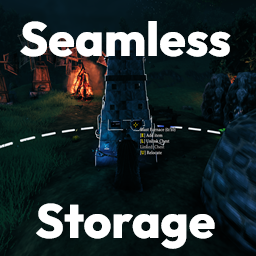
About SeamlessStorage
From ThunderstoreStore items in nearby chests, Craft and Build from them without walking back and forth. More than one player can open the same chest, and you can name it yourself. Sort your inventory or the chest, search or combine stacks, and restock food and mead.
Seamless Storage
Store items into nearby chests and craft or build using what’s already in those chests — without walking back and forth.
- Auto deposit — chests can pull matching ground items; hotkeys send inventory into nearby chests; favoriting, search, and pause controls

- Craft from chests — crafting, building, and station fuel/ore use containers in range
- Shared chests — multiple players can open and use the same chest
- Chest rename — click the chest title while it is open to rename it; the name syncs to all players

- Sort — "Sort Inventory" and "Sort Chest" buttons between the inventory and chest panels; left-click sorts, right-click switches between Type, Name, Weight and Value (the current mode shows when you hover). Hotbar, favorites, equipped items and ExtraSlots/AzuEPI slots stay put; partial stacks are merged.
Sort Buttons Locationmoves the buttons to the right of the inventory or below the ExtraSlots equipment panel instead - Restock — with only your inventory open (no chest), a Restock button sits next to Sort Inventory; it tops up the food, mead and potion stacks you already carry from chests within Player Store Range. Right-click to include ammo

- Single Item Deposit — while holding a picked-up stack, right-click a slot to place 1 item there. Hold right-click and drag across slots to drop 1 into each one. Both can be turned off in
1 - General - Trash — a Trash tab sits between the Armor and Weight tabs; its icon follows the game's day/night look. Pick up an item from your inventory and click the tab to drop it there: items with a crafting recipe are broken down one level into their materials (base cost plus upgrade levels) which go back to your inventory, extras drop at your feet. Items with no recipe (raw materials, cooked food from stations, etc.) are destroyed. Equipped and favorited items are refused; stacks smaller than one craft batch (e.g. 7 arrows when the recipe makes 20) are left alone
- Station chest links — press
Lon a chest, thenLon a smelter, kiln, blast furnace, refinery, spinning wheel or windmill; the station pulls fuel and ore from that chest on its own (server can turn this off) - Clear BepInEx config for everyday options; optional YAML for advanced filters
- Works with ServerSync on dedicated servers
Install with Gale
- Install Gale.
- Select Valheim and choose or create a profile.
- Search for Seamless Storage and click Install. BepInExPack Valheim is installed with it automatically,
or go to Import → Local mod and pick the zip.
- Click Launch game.
Manual install (BepInEx)
- Install BepInExPack Valheim.
- Extract the zip into:
Valheim\BepInEx\plugins\ModdedWolf-SeamlessStorage\
You should have at least SeamlessStorage.dll, manifest.json, icon.png, and README.md. ServerSync, YamlDotNet, and soft-compat APIs are merged into the single DLL — Epic Loot / Jewelcrafting / Backpacks remain optional.
- Launch Valheim once so the config files generate.
Configuration
After the first launch, settings are saved here:
BepInEx/config/ModdedWolf.SeamlessStorage.cfg
Advanced container / station include-exclude rules:
BepInEx/config/ModdedWolf.SeamlessStorage.Deposit.ymlBepInEx/config/ModdedWolf.SeamlessStorage.Pull.yml
In-game editing (recommended)
Use my Mod Configs to change the .cfg options from the pause menu without editing files by hand:
- Thunderstore: https://thunderstore.io/c/valheim/p/ModdedWolf/ModConfigs/
- Nexus Mods: https://www.nexusmods.com/valheim/mods/3491
With Lock Configuration on, gameplay ranges and toggles are ServerSync’d: clients see the server values in Mod Configs as read-only. Chest ping VFX, highlight color/intensity, and hotkeys stay personal and remain editable on each client. Chest Access Policy is server-synced (default AnyAccessible).
PVP recommendation: set Chest Access Policy to OwnChestsOnly (or OwnPrivateOnly) and turn Lock Configuration on so clients cannot loosen it. There is no clan/ward-allies mode — shared bases either stay on AnyAccessible, or each player builds their own chests. Own checks use the piece creator (who placed it); rebuild/repair/transfer can make a chest fail Own until you place it yourself. Under Own*, Item Drawers without a Piece are blocked; your own backpack still works. Search (seamlesssearch) respects the same policy.
Config sections (overview)
Highlights
From source dataLoaders
Runs on BepInEx.
Footprint
Rated a light load on a server.
Last update
Its author last shipped an update 23d ago.
SeamlessStorage on Nxeon
From our catalogue- One-click install
- Supported on Nxeon Valheim servers, for BepInEx servers. We download it from Thunderstore, place it, and restart the server.
- Server side
- Optional on the server
- Server type needed
- BepInEx
- Server load
- light
- Smallest plan we suggest
- Valheim — 4 GB (4 GB RAM). This follows our own load rating above, not a benchmark.
- Latest build
- 1.0.1, released 2026-10-12
Game versions by loader
| Loader | Game versions | Newest |
|---|---|---|
| BepInEx |
From 2 recorded builds of SeamlessStorage.
Recent builds
| Build | Released | Game versions | Loaders |
|---|---|---|---|
| 1.0.1 | 2026-10-12 | n/a | BepInEx |
| 1.0.0 | 2026-10-11 | n/a | BepInEx |
Dependencies
- Required: BepInExPack Valheim
Declared by the newest build that lists any. Required ones are installed with it on one-click installs.
Run SeamlessStorage on a Valheim server
Pick a server or deploy a new one above; it is installed in one click.
What kind of mod it is
From the catalogQuality of life & UI
Small conveniences, tweaks and interface improvements players notice straight away.
Works on a server
From source side supportThunderstore lists server-side support for SeamlessStorage as optional: it can run on a server, but isn’t required there.
Compatibility
- Game
- Valheim
- Loaders
- BepInEx
- Runs on
- Serveroptional on the server
- Requires
- One-click install needs a BepInEx server.
Verified at the source
- ✓ThunderstoreOfficial listing, checked 2026-10-12Open ↗
- ✓AuthorModdedWolf, as published on Thunderstore
- ✓LicenseNot published by the sourceFree












