






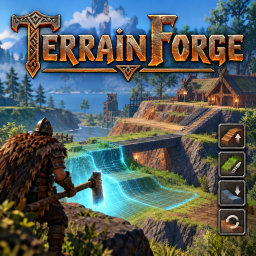
About TerrainForge
From ThunderstoreFree-form terrain brush for Valheim: 9 modes including dedicated terrain copy/paste (snow is a Paint type), 5 selection shapes, undo/redo, path ramps, terrain stamps, snapshots, radial menu, presets, 14 languages, server + client.
TerrainForge

A free-form terrain brush for Valheim. Flatten, raise, lower, smooth, build ramps (two-point, fixed-angle and path), shape shorelines, paint and restore terrain of any size — beyond the vanilla ±8 m limit — with undo/redo, five brush shapes, a radial menu, saved profiles, terrain stamps (copy/paste), terrain snapshots and 14 in-game languages with auto-detect.
> Free to download: You can download and use TerrainForge at no cost from Thunderstore or GitHub Releases. The source code is public so it can be viewed on GitHub. Please contact the author and get permission before redistributing the files, publishing modified versions, or using this project in another project. GitHub still allows anyone to fork a public repository, so this request cannot technically prevent forks. No open-source license is granted by this notice.
> 📖 Full documentation & translations (14 languages): Wiki — see the Documentation languages list below.
What's New in 0.3.8 — Hotfix for 0.3.7
- Fixes for TerrainForge Rod registration — the 0.3.7 logs showed repeated failures when its network prefab hash was already registered (
same key ... 506871212), alongside invalid item entries during ObjectDB registration. This hotfix reuses a matching existing network entry, removes invalid ObjectDB entries before index rebuilding, and cleans up the tool clone if registration fails. - Tool state cleanup — terrain editing and its HUD stop when the required tool is unequipped, including while free camera remains active. Equipped-inventory detection covers cases where free camera hides hand slots; press
Fto exit free camera safely. - Verification status: these changes address the failures identified in the supplied logs. Confirm the rod is handed out and terrain editing works in Valheim before treating the hotfix as ready to publish.
Features carried forward from 0.3.6
- F5 layout refined — six tabs use two clear rows; the window opens larger and adapts to the screen. Controls are grouped by the selected operation.
- Ramp tools surfaced — the Ramp panel puts Two-Point, Fixed-Angle, and Connected Path modes up front, with width, softness, and fixed-angle controls where relevant. The Connected mode marks a continuous ramp through 3+ points.
- Circular ramp planned for 0.4.0 — the roadmap tracks a level circular ring and a height-changing spiral as candidate designs.
- Unified operation UI — F5 glyphs now appear in the Q wheel, beside the terrain target, and in a compact HUD card with key brush status.
- Dedicated Copy/Paste tab — copy a marked area, start/confirm a paste preview, cycle clipboard history, and manage saved stamps from one visible place in F5.
- Dedicated Copy / Paste brush mode in the Q wheel; Apply selects the area according to the active shape, and the configured paste shortcut starts or confirms placement. Snow is available as DeepSnow under Paint, including the existing hold-to-clear modifier.
- Copy/Paste supports precise Rectangle (two corners), Line (two endpoints), Polygon (vertices), and Circle/Square (brush footprint) selection. The HUD shows the next selection step.
- F5 holds local player controls and camera still, dims the world, and uses a resolution-aware window. The ESC menu still pauses the whole world in single-player.
- Free camera safeguard — flying camera is kept above terrain so descending controls cannot take it underneath the map.
- TerrainForge now registers and synchronizes its own TerrainForge Rod. Jotunn is no longer required.
- The rod registration is repeated for rebuilt world databases, and network registration is retried after the item database is ready. Plugin, project, and Thunderstore versions were aligned at 0.3.6 at that time.
- The live ObjectDB is also revalidated during gameplay to recover if another mod rebuilds its item index after TerrainForge's initial registration.
- Free camera (
F) fixed — while flying, right-click no longer triggers lock-on, brush drift or a screenshot;Ctrl+wheel adjusts the brush radius; brush adjustments take priority. - Docs & wiki in 14 languages — README and CHANGELOG in English, and the full manual on the Wiki (
Home+ 13 translations).
Description
TerrainForge ships its own TerrainForge Rod (a Hammer clone) as the brush tool. It is handed to you automatically when you join a world and everything is explained in an in-game Help tab (menu key, default F5).
Why client AND server
Terrain edits are stored in the world and the server replicates them to every player. Because the game clamps edits to ±8 m, TerrainForge must also be installed on the server; otherwise the server regenerates the clamped terrain while clients see the full edit → desync.
Requirements
- BepInEx 5 (x64, Mono) on both client and server. Thunderstore users already have it.
Installation
- Download the latest version from Thunderstore or GitHub Releases.
- Place it at:
- Client:
...\BepInEx\plugins\TerrainForge\TerrainForge.dll - Server:
<server>\BepInEx\plugins\TerrainForge\TerrainForge.dll
- Restart the game / server.
> ⚠️ Must be on both (client and server) for edits greater than ±8 m and correct replication.
Usage
Equip the TerrainForge Rod (given on world join; get it again with F8), aim at the ground and hold right-click to sculpt.
Highlights
From source dataLoaders
Runs on BepInEx.
Footprint
Rated a light load on a server.
Last update
Its author last shipped an update 15d ago.
TerrainForge on Nxeon
From our catalogue- One-click install
- Supported on Nxeon Valheim servers, for BepInEx servers. We download it from Thunderstore, place it, and restart the server.
- Server side
- Optional on the server
- Server type needed
- BepInEx
- Server load
- light
- Smallest plan we suggest
- Valheim — 4 GB (4 GB RAM). This follows our own load rating above, not a benchmark.
- Latest build
- 0.3.8, released 2026-10-21
Game versions by loader
| Loader | Game versions | Newest |
|---|---|---|
| BepInEx |
From 10 recorded builds of TerrainForge.
Recent builds
| Build | Released | Game versions | Loaders |
|---|---|---|---|
| 0.3.8 | 2026-10-21 | n/a | BepInEx |
| 0.3.7 | 2026-10-21 | n/a | BepInEx |
| 0.3.6 | 2026-10-21 | n/a | BepInEx |
| 0.3.5 | 2026-10-17 | n/a | BepInEx |
| 0.3.4 | 2026-10-17 | n/a | BepInEx |
| 0.3.3 | 2026-10-15 | n/a | BepInEx |
Dependencies
- Required: BepInExPack Valheim
Declared by the newest build that lists any. Required ones are installed with it on one-click installs.
Run TerrainForge on a Valheim server
Pick a server or deploy a new one above; it is installed in one click.
What kind of mod it is
From the catalogAdmin & protection
Permissions, moderation, anti-cheat and land protection for the people running the server.
Works on a server
From source side supportThunderstore lists server-side support for TerrainForge as optional: it can run on a server, but isn’t required there.
Compatibility
- Game
- Valheim
- Loaders
- BepInEx
- Runs on
- Serveroptional on the server
- Requires
- One-click install needs a BepInEx server.
Verified at the source
- ✓ThunderstoreOfficial listing, checked 2026-10-21Open ↗
- ✓AuthorMRAnalytics, as published on Thunderstore
- ✓LicenseNot published by the sourceFree











