






About TidyChests
From ThunderstoreQuick stack into nearby chests and restock marked slots, food and arrows from them, a Sort button for the open chest (works with MultiUserChest), a find hotkey, Ctrl+O to search nearby chests, and recipes unlocked by team mates' materials.
Tidy Chests
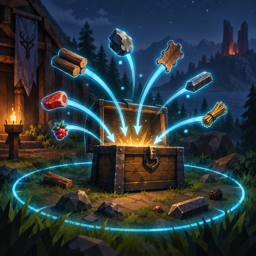
Terraria-style quick stack for Valheim 1.0. A Stash button in the inventory moves your materials, food, ammo and trophies into the nearby chests that already hold that kind of item (10 m by default). Equipment, tools, weapons, equipped items, quest items and the slots of your quick slot mod stay where they are. And when you wonder where you put something, point at it in the inventory and press T: the inventory closes and every chest in range that holds it lights up, with an arrow and the count on screen. Ctrl+O lists everything the chests around you hold, with a search box. And in co-op, the materials your team mates drop in those chests unlock their recipes for you, without hunting down every new stack to touch it. A Restock button does the opposite of Stash: it refills the slots you marked, and the food and arrows in your quick slots and quiver, from the chests around you. A Sort button on the chest panel tidies the open chest, and both work with MultiUserChest, even while another player has the same chest open.
Client-side: install it on every player's game that should use it. Nothing is needed on the server, and players without the mod can play on the same server.
Source, issues and releases: github.com/egor-muindor/ValheimMods.
Features
- Stash button: every stackable regular item in the inventory goes to the
nearest chest within the radius that already contains an item with the same name. Existing stacks are topped up first, then empty slots are used, and what is left continues to the next chest. Chests, reinforced and black metal chests, carts and ship cargo all count. A chest that holds none of your items is never touched, so your sorting stays yours. A new stack goes to the empty cell where it fits the chest's sort order ([Sort] SortOrder and SortLayout), next to the same item when there is room, but nothing already in the chest is moved: only the Sort button does that.
- What stays: equipped items; tools, weapons, armour and other equipment;
quest items; the hotbar (optional); quick, equipment, food, ammo and misc slots of Extra Slots, every slot of EquipmentAndQuickSlots, the quiver rows of Better Archery; anything in the blacklist; locked items and slots; slots marked for restocking; item types not in the allowed list.
- Locks: point at an item and press
Shift+Lto lock it, and the Stash
button leaves that item alone wherever it lies. Point at a slot and press Shift+K to lock the slot itself, so whatever is put there stays. Hold Shift with the inventory open to see the locks, a grey padlock on a locked item and a red one on a locked slot, and a tooltip on the slot under the pointer with the keys. Pressing again unlocks. The keys and the locks themselves are in the config, so they survive a restart and can be edited.
- Restock button, under the Stash button: tops up slots from the chests
within the stash radius, nearest chest first. Point at a slot and press Shift+R to mark it: the first press keeps a full stack there, the second half a stack, the third removes the mark. Hold Shift to see the marks, a green arrow into a tray for a full stack and a red one for half. A marked slot remembers the item it held, so a slot you have emptied is refilled with the same thing, and the Stash button never takes from it. The slots of your slot mod are topped up without marking: food to half a stack, arrows and bolts to a full one, the rest (meads included) left alone, each configurable. Only stacks of the same quality and world level are taken.
- Sort button: sorts the chest you have open, and only when you press it.
Stacks of the same item are merged, then the items are laid out by their ID (or by name, or by type), every item starting a new column by default. Rows or one gapless run are a config switch away. Chests have no locked slots, so everything in the chest takes part. Presses closer than 0.2 s apart are ignored.
- Works with MultiUserChest: when another player opened the chest first and
owns it, the Sort button sends MultiUserChest's own move requests to that player's game, which carries them out in order. If they move something in the same moment, the requests that no longer fit are refused, so the chest may end up partly sorted, but nothing is lost or duplicated. Without MultiUserChest, or when you own the chest, it is rewritten in one go and saved once, which costs no more than moving a single item.
- Find key (
Tby default): with the inventory open, point at an item and
press the key. Every chest in range that holds the item gets a pulsing light, an emissive tint and a screen marker with the count and the distance, for 8 seconds by default. The inventory closes so you can look around; if no chest holds the item, a message says so and the inventory stays open. Works for items in an open chest and in the crafting panel too: point at an ingredient of the selected recipe, at the recipe's icon or at an entry of the recipe list to see which chests hold that item.
- Chest list (
Ctrl+Oby default): every item in the chests within the scan
radius, one row per kind, with the total, how many chests hold it and how far the nearest one is. Type to filter by name; click a row to close the list and light up every chest holding that item, or press Enter to pick the first row. Escape or the same key closes it. While it is open the character stands still and the wheel scrolls the list rather than zooming the camera. The header sorts by name or by count, and the diamond on the left of a row pins the item to the top of the list - where it stays, with a count of 0, even after the last of it is gone.
- Learning from chests: the items lying in the chests around you count as
Highlights
From source dataLoaders
Runs on BepInEx.
Footprint
Rated a light load on a server.
Dependencies
Needs 1 other project installed alongside it.
TidyChests on Nxeon
From our catalogue- One-click install
- Supported on Nxeon Valheim servers, for BepInEx servers. We download it from Thunderstore, place it, and restart the server.
- Server side
- Optional on the server
- Server type needed
- BepInEx
- Server load
- light
- Smallest plan we suggest
- Valheim — 4 GB (4 GB RAM). This follows our own load rating above, not a benchmark.
- Latest build
- 1.5.0, released 2026-09-29
Game versions by loader
| Loader | Game versions | Newest |
|---|---|---|
| BepInEx |
From 10 recorded builds of TidyChests.
Recent builds
| Build | Released | Game versions | Loaders |
|---|---|---|---|
| 1.5.0 | 2026-09-29 | n/a | BepInEx |
| 1.4.0 | 2026-09-28 | n/a | BepInEx |
| 1.3.1 | 2026-09-24 | n/a | BepInEx |
| 1.3.0 | 2026-09-21 | n/a | BepInEx |
| 1.2.2 | 2026-09-21 | n/a | BepInEx |
| 1.2.1 | 2026-09-16 | n/a | BepInEx |
Dependencies
- Required: BepInExPack Valheim
Declared by the newest build that lists any. Required ones are installed with it on one-click installs.
Run TidyChests on a Valheim server
Pick a server or deploy a new one above; it is installed in one click.
What kind of mod it is
From the catalogQuality of life & UI
Small conveniences, tweaks and interface improvements players notice straight away.
Works on a server
From source side supportThunderstore lists server-side support for TidyChests as optional: it can run on a server, but isn’t required there.
Compatibility
- Game
- Valheim
- Loaders
- BepInEx
- Runs on
- Serveroptional on the server
- Requires
- One-click install needs a BepInEx server. 1 other project installed alongside it.
Verified at the source
- ✓ThunderstoreOfficial listing, checked 2026-10-01Open ↗
- ✓AuthorMuindor, as published on Thunderstore
- ✓LicenseNot published by the sourceFree












