About HUDCompass
From ThunderstoreA Heads Up Display compass with map pins and dynamic markers for Ships, Carts and Portals. New - custom map names for Ships and Carts
HUD Compass
Heads-Up Compass with Dynamic Map Markers for Ships, Carts & Portals
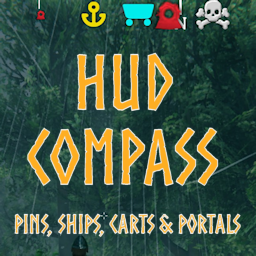
Dude, where's my boat? Never lose track of your boats, carts or portals again. A heads-up compass that includes standard pins and dynamic map markers for ships, carts, active and inactive portals on the compass and the map.
HUD Compass brings a complete experience to location aids. (see credits below)
- The scalable compass appears across the top of your screen.
- Toggle the compass on and off in-game.
- Dynamic pins (ships, carts, portals) are shown on the compass and the map, with or without labels.
- Portal pins display the name you give them.
- Ship labels can specify the type of ship (Karve, Longship, Raft), as well as custom ships.
- Don't want generic names? Add custom names to your Carts and Ships.
- Supports custom ships and carts.
- Active and inactive portals can have different colors.
- Configurations for fog, mist, in combat and while running for better immersion.
- Pin types to include/exclude are configurable.
- Pin size is relative to marker distance, with configurable limits.
- Configuration to use external images for custom compass and dynamic icon appearance. See Notes
New
- Fixed "disconnect" between show/hide types and show/hide map/compass config settings
- Added feature to name Carts and Ships for display on map
- Removed server authoritative hook for Ignored Pin Names and Types, and Show Carts, Ships and Portals
Configuration
A - HUD Compass
- Enable Compass: Enable or Disable the Compass HUD.@
- Show Compass: Show or Hide the HUD compass. Use the Toggle Compass key to change in-game.
- Toggle Compass Key: Key used in-game to toggle the compass visibility.
B - Compass Display
- Use Player Direction: Orient the compass based on the direction the player is facing, rather than the middle of the screen.
- Compass Scale: Sets the overall scale of the compass on the screen
- Offset (Y): Offset from the top of the screen in pixels.
- Distance (Minimum): Minimum distance from pin to show on compass.@
- Distance (Maximum): Maximum distance from pin to show on compass.@
- Player Pin Visibility: Force player pins (multiplayer) to appear or not appear on the compass and map, or let the player decide. Overrides Show My Player Pin if not set to PlayerChoice.@
- Show My Player Pin: Shows or hides your player pin (multiplayer) on the compass if playing no-map where visibility setting is not available. Overridden by server if Player Pin Behavior is not set to PlayerChoice.
- Pins Scale: Sets the overall scale of the pins on the on the screen
- Minimum Pin Size: Enlarge or shrink the scale of the pins at their furthest visible distance.
- Show Center Mark: (Optional) Show center mark graphic.
- Hide HUD While Map Open: Hide the HUD display while the large map is open.
C - Ignore
- Pin Names: Ignore location pins with these names (comma separated, no spaces). End a string with asterisk (*) to denote a prefix.
- Pin Types: Ignore location pins of these types (comma separated, no spaces). Types include: Fire,House,Pin,Portal,Start,Haldir,Hildir,BogWitch,Death,Bed,Shout,Boss,Player,RandomEvent,Ping,EventArea.
E - Compass Colors
- Compass Color: (Optional) Adjust the main color of the compass.
- Pin Color: (Optional) Adjust the color of the location pins on the compass.
- Center Mark Color: (Optional) Adjust the color of the center mark graphic.
F - Dynamic Pins
- Show dynamic pins on map: Display pins for ships, carts and portals on the main and minimap. Controlled individually below.@
- Show dynamic pins on compass: Display pins for ships, carts and portals on the compass. Controlled individually below.@
- Player pin refresh pin interval: Interval in seconds between refresh of player pins on map and compass. Decrease for 'smoother' updates of player pins. Zero refreshes every frame. NOTE: Valheim default for Player pin refresh is 2 seconds. Decreasing can reduce multiplayer performance.@
G - Dynamic Types
- Show Ships: Show ships on the map and compass.@
- Show Carts: Show carts on the map and compass.@
- Show Portals: Show portals on the map and compass.@
H - Dynamic Names
- Show dynamic names on map: Display boat and cart types (i.e., Raft, Karve, Longship) and Portal names on the large map.
I - Dynamic Map Colors
- Active portal color on map: Color of portal icons with active connections.
- Portal color: Color of portal icons on map.
- Ship color: Color of ship icons on map.
- Cart color: Color of cart icons on map.
- Use colors on compass: Use colors for dynamic pins on the compass
J - Visibility
- Always Visible: Always display pins of these types or names (comma separated, no spaces) at full size regardless of distance, except if icon is hidden on map.@
K - Immersion
- Hide Compass in Mist: Turn off the compass in mist.@
- Hide Compass in Combat: Turn off the compass while in combat.@
- Hide Compass in Combat delay: The amount of time after combat actions before the compass is re-displayed.@
- Hide Compass in Fog: Turn off the compass in dense fog.@;
- Hide Compass Indoors: Turn off the compass when you're in dungeons or sheltered.@
- Hide Compass While Running: Turn off the compass while running. Stop or walk to get your bearings.@
L - Death Pin Management
-- Auto Remove Death Pin: Automatically remove death pin when Tombstone is emptied, or if no Tombstone is created.
M - Naming
- Allow Naming: Allow naming ships and carts to display on the map.@
- Max Name Length: Maximum length of the Ship or Cart name.@
- Use Key Modifier: Key when pressed along with your 'Use' key will open the Ship or Cart Naming dialog.
Z - Utility
Highlights
From source dataLoaders
Runs on BepInEx.
Footprint
Rated a light load on a server.
Dependencies
Needs 1 other project installed alongside it.
HUDCompass on Nxeon
From our catalogue- One-click install
- Supported on Nxeon Valheim servers, for BepInEx servers. We download it from Thunderstore, place it, and restart the server.
- Server type needed
- BepInEx
- Server load
- light
- Smallest plan we suggest
- Valheim — 4 GB (4 GB RAM). This follows our own load rating above, not a benchmark.
- Latest build
- 1.2.1, released 2026-10-09
Game versions by loader
| Loader | Game versions | Newest |
|---|---|---|
| BepInEx |
From 23 recorded builds of HUDCompass.
Recent builds
| Build | Released | Game versions | Loaders |
|---|---|---|---|
| 1.2.1 | 2026-10-09 | n/a | BepInEx |
| 1.2.0 | 2026-09-11 | n/a | BepInEx |
| 1.1.9 | 2026-07-11 | n/a | BepInEx |
| 1.1.8 | 2026-07-10 | n/a | BepInEx |
| 1.1.7 | 2025-12-23 | n/a | BepInEx |
| 1.1.6 | 2025-09-20 | n/a | BepInEx |
Dependencies
- Required: BepInExPack Valheim
Declared by the newest build that lists any. Required ones are installed with it on one-click installs.
Run HUDCompass on a Valheim server
Pick a server or deploy a new one above; it is installed in one click.
What kind of mod it is
From the catalogQuality of life & UI
Small conveniences, tweaks and interface improvements players notice straight away.
Compatibility
- Game
- Valheim
- Loaders
- BepInEx
- Requires
- One-click install needs a BepInEx server. 1 other project installed alongside it.
Verified at the source
- ✓ThunderstoreOfficial listing, checked 2026-10-10Open ↗
- ✓AuthorNeobotics, as published on Thunderstore
- ✓LicenseNot published by the sourceFree