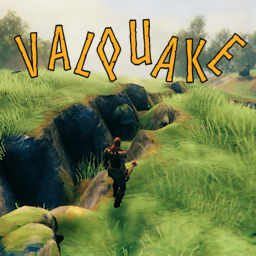
About Valquake
From ThunderstoreLoki is writhing, causing earthquakes all over Valheim! Add random, localized earthquakes that shake and rumble, damage pieces, fell trees, heave and crack the ground and scatter creatures.
Valquake
Loki is thrashing, causing earthquakes all over Valheim!
Loki, bound in chains, is writhing in torment. His thrashings are causing small earthquakes all over Valheim.
Add random, localized earthquakes that shake and rumble, damage pieces, fell trees, heave and crack the ground and scatter creatures.
The quake area, amount of damage, effects of the quake, affected biomes and other behaviors are configurable.
IMPORTANT: See notes on _Tuning Valquake_ below.
Read the WARNING before adding Valquake to an existing world. By default _Allow Piece Destruction_ is disabled.
New
- Updated for Valheim 1.0
- Added more realistic shake effects
- Moved resources and extra configuration to BepInEx/config/Neobotics
Configuration
Biomes
Meadows: Earthquakes trigger in the Meadows.@
Swamp: Earthquakes trigger in the Swamp.@
Black Forest: Earthquakes trigger in the Black Forest.@
Mountains: Earthquakes trigger in the Mountains.@
Plains: Earthquakes trigger in the Plains.@
Mistlands: Earthquakes trigger in the Mistlands.@
Ashlands: Earthquakes trigger in the Ashlands.@
Deep North: Earthquakes trigger in the Deep North.@
Camera
Camera Sway Override: If enabled, will override Valheim's camera shake setting (just for quakes) and 'sway' camera. If disabled, will use Valheim's setting.
Camera Sway Intensity: Sets how _much_ the camera 'sways'. Lower values will reduce the amount of camera movement.
Camera Sway Frequency: Sets how _fast_ the camera 'sways'. Lower values will reduce how quickly the camera moves.
Control
A. Quake Radius: Radius (in meters) of the earthquake damage zone. Effects will diminish farther from the epicenter.@
B. Min Interval: Minimum possible time (in minutes) between earthquakes. Minimum value is 1.@
C. Max Interval: Maximum possible time (in minutes) between earthquakes. Value must be equal to or greater than Min Interval.@
D. Fault Zone Chance: The percent chance of a zone having a 'fault line'. Quakes will only create a fissure in a zone with a fault line. A value of 0% will prevent any fissures from forming.@
E. Max Piece Damage: The maximum damage that can be applied to pieces in the quake zone. A value of 0 will not apply any damage. Damage is attenuated by distance from the epicenter and degree of support.@
F. Max Tree Damage: The maximum damage that can be applied to trees in the quake zone. A value of 0 will not apply any damage. Damage is attenuated by distance from the epicenter.@
G. Max Fissure Depth: The maximum depth (in meters) of the fissure for the first quake along a fault line. Subsequent quakes along the same fault line are controlled by _Successive Quake Depth_ as a percentage of this value.@
H. Successive Quake Depth: Sets the percent of the _Max Fissure Depth_ to apply to each successive quake along the same fault line. A value of 0% will not deepen the fissure.@
I. Active Wards Reduce Damage: If enabled, an active ward will reduce damage to pieces if the quake epicenter is within the ward's area of protection.@
J. Active Shields Reduce Damage: If enabled, a fueled Shield Generator will reduce damage to pieces if the quake epicenter is within the shield's area of protection.@
Effects
A. Show Dust: If enabled, will display a cloud of dust along the fault line during a quake. Only meaningful if _Fault Zone Chance_ is > 0%.@
B. Creatures Scatter: If enabled, creatures close enough to quake zone will scatter for a short time.@
C. Staggering: If enabled, players and creatures may stagger during the quake while inside the quake zone.@
D. Allow Piece Destruction: If enabled, allows the full destruction of pieces during the quake (dropping materials). If disabled, pieces can only be reduced to 1 health.@
E. Piece Displacement Chance: The percent chance pieces are displaced in the horizontal plane during a quake. A value of 0 never displaces pieces.@
F. Items Can Fall: If enabled, things mounted on items stands can be shaken loose and fall during a quake.@
G. Things Can Move: If enabled, some 'active' things like carts & ships, will move along with the quake.@
Utility
LogLevel: Controls the level of information contained in the log
Settings with descriptions ending in "@" are server authoritative.
In-game reconfiguration
You can use Configuration Manager (or similar) mod to change the configuration without exiting the game, or change the config file manually.
Notes
- Revised shake distance intensity; Shake magnitude now drops off geometrically and frequency diminishes with distance, using (mostly) realistic models. Note that the _Quake Radius_ setting affects the quake's damage zone, but the quake "shake effect" will always occur in a 200m radius.
- You can add your own quake sounds. Replace the files (keep the same names) in config/Neobotics/Valquake.
- Camera Motion: Valquake uses camera motion to simulate the shaking & swaying effects of an earthquake. The 'shake' is more of an undulating motion than the combat impact shake in Valheim. Valquake will respect the Valheim 'camera shake', setting, but you can override that just for earthquake undulations with _Camera Sway Override_. You can also adjust the 'amount' of sway with _Camera Sway Intensity_ and how fast it sways with _Camera Sway Frequency_.
- If a player is close enough to a fissure's epicenter, there is one intense shake as the fissure is created, however this always uses Valheim's camera shake setting.
- Valquake is not hooked into the Valheim event system. It is independently controlled.
- Valquake does not currently save the time to the next quake across saves, so every player spawn 'restarts' the random event for that player.
Highlights
From source dataLoaders
Runs on BepInEx.
Footprint
Rated a light load on a server.
Last update
Its author last shipped an update 35d ago.
Valquake on Nxeon
From our catalogue- One-click install
- Supported on Nxeon Valheim servers, for BepInEx servers. We download it from Thunderstore, place it, and restart the server.
- Server type needed
- BepInEx
- Server load
- light
- Smallest plan we suggest
- Valheim — 4 GB (4 GB RAM). This follows our own load rating above, not a benchmark.
- Latest build
- 1.0.0, released 2026-09-11
Game versions by loader
| Loader | Game versions | Newest |
|---|---|---|
| BepInEx |
From 9 recorded builds of Valquake.
Recent builds
| Build | Released | Game versions | Loaders |
|---|---|---|---|
| 1.0.0 | 2026-09-11 | n/a | BepInEx |
| 0.1.7 | 2025-03-10 | n/a | BepInEx |
| 0.1.6 | 2025-03-06 | n/a | BepInEx |
| 0.1.5 | 2024-07-13 | n/a | BepInEx |
| 0.1.4 | 2024-05-29 | n/a | BepInEx |
| 0.1.3 | 2024-05-17 | n/a | BepInEx |
Dependencies
- Required: BepInExPack Valheim
Declared by the newest build that lists any. Required ones are installed with it on one-click installs.
Run Valquake on a Valheim server
Pick a server or deploy a new one above; it is installed in one click.
What kind of mod it is
From the catalogQuality of life & UI
Small conveniences, tweaks and interface improvements players notice straight away.
Compatibility
- Game
- Valheim
- Loaders
- BepInEx
- Requires
- One-click install needs a BepInEx server.
Verified at the source
- ✓ThunderstoreOfficial listing, checked 2026-10-02Open ↗
- ✓AuthorNeobotics, as published on Thunderstore
- ✓LicenseNot published by the sourceFree