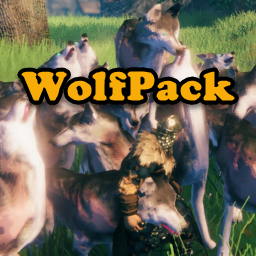
About WolfPack
From ThunderstoreBecome a Pack Master: Control all your tame creatures at the same time! NEW: Target your tames! Hover over a target and send them to attack.
WolfPack
Become a Pack Master: Control all your tame creatures at the same time!
Hover over a target and command your tames to attack.
No more bunching, nudging and pushing of following tames.
You've tamed them, fed them, bred them and love them. They love you too, but they're always looking for attention and getting in the way. And you have to pet each of them to get them to do what you want.
What you need is a little obedience training. With WolfPack, one keystroke will get all your tame wolves, and other tame creatures to follow or stay at the same time.
New
- Updated for Valheim 1.0
Key Features
- Command your tames to attack a selected target
- Supports all tame creatures
- Configure a list of creatures to call by name, (e.g., Wolf, Boar, Lox)
- Configure groups of creatures to call with wildcards (e.g., Human, \Spider, )
Configuration
General
- DetectionRange: The maximum distance from a player that creatures will be affected by a Follow or Stay command. Default value is 50. Can be set from 1 to 150.@
- TrainableCreatures: a comma delimited list of creature names that will respond to Follow and Stay. Only tamed creatures will be affected. Default value is "wolf". NOTE: Values can be a creature, display, or prefab name.@
- Example 1: [ wolf,boar,lox ] Calls either wolves, boars, or loxes (loxen?), depending on which was the current selection (see _CharacterSelectionKey_ below).
- Example 2: [ Human,\dwarf,\spider ] You can add an asterisk (*) as the _first and/or last_ character in a partial creature name to include all creatures whose name begins with, ends with or contains the partial text.
- Human*: calls all creatures whose name begins with "Human", e.g., Human Commoners and Human Guards, etc.
- \*dwarf: calls all creatures whose name ends with "dwarf", e.g. Dwarf, Greydwarf, etc.
- \spider: calls all creatures who have "spider" somewhere in their name, e.g., Spider, Tree Spider, Jumping Spider, etc.
- Example 3: [ * ] Calls all tamed creatures.
- MaxTames: Maximum number of tame creatures that can be summoned at one time. Min 1; Max 50.@
- RestrictPetting: If enabled, prevents petting other player's tames from re-setting to Stay.@
- PackBehaviorShortcut: The keystroke to toggle between Follow and Stay for the currently selected creature. If you set _UseTwoKeys_ to True (see below), this key will only issue the Follow command. Default is LeftAlt+T
- TamesAttackShortcut: The keystroke to command tames to attack a target being hovered over.
- TamesAttackRange: The maximum distance at which enemies can be targeted by hovering and tames will attack. Set to 0 to disable targeting.@
- UseTwoKeys: If set to True will use a separate keystroke for the Stay command as configured in _AlternateStayShortcut_ (see below). Default is False
- AlternateStayShortcut: The keystroke to call creatures to Stay. Only used if _UseTwoKeys_ (above) is set to True. Default is LeftAlt+Y
- CreatureSelectorShortcut: The keystroke to rotate through the list of _TrainableCreatures_ (above). Pressing this key repeatedly will cycle through the configured list. If _UseMouseWheel_ (see below) is set to True, holding this key down while spinning the mouse wheel will cycle through the configured list. The current selected creature will appear in the message area in the center of the screen (or top left under the hot bar as configured by _Notifications_ below). Default is LeftAlt+U
- MinimumCreatureLevel: The \'lowest' level of creature (in \'stars') affected by Follow and Stay. Default is 0. Can be set from 0 to 2. Affects all creatures.
- UseMouseWheel: If set to True, the mouse wheel is used to cycle through the _TrainableCreatures_ list to set the current creature. Hold down the _CreatureSelectorShortcut_ key while spinning the mouse wheel. If you don't have a mouse with a wheel or use another input device that makes this difficult, set to False. Default is True
- Notifications: The location of the creature selector message. Default is "Center" in the middle of the screen. You can also set this value to TopLeft under the hot bar, however the center text has a much quicker response.
- StrictObedience: Sets the amount of 'wandering' when creatures are 'stayed'. If set to 0, creatures will obediently remain in one place. Default is 10. Can be set from 0 to 20. Affects all creatures.
- FollowRadius: The radius in which following creatures will randomly distribute around the player to prevent 'bunching'. Default is 10. Can be set from 3 to 30.
Audio
- UseSound: If set to True, will use the sound configured in _PackCallSound_ (below) whenever creatures are called to follow.
- PackCallSound: The audio clip played when creatures are called to Follow. Default is Whistle.wav. WolfPack is distributed with three audio clips; Whistle.wav, Horn1.wav, and Horn2.wav.
- Whistle is a sharp finger whistle, Horn1 is a traditional hunting horn, and Horn2 is a deeper battle horn. These clips are located in the same folder as WolfPack.dll (...\BepInEx\plugins\Neobotics-WolfPack)
- NOTE: You can put your own audio clips in this folder, and set _PackCallSound_ to your file name. Be advised, however, this is 'at your own risk'. WolfPack has only been tested with the three included files, which are 16-bit uncompressed PCM .wav files sampled at 44100. WolfPack will attempt to load .wav, .mp3 and .wma files.
- If you add your own clips, all players in multiplayer must have the same clip installed locally if they want to hear the calls of their fellow players. WolfPack will play the clip configured by each player, as long as it has that clip present locally in the mod folder.
Utility
Highlights
From source dataLoaders
Runs on BepInEx.
Footprint
Rated a light load on a server.
Last update
Its author last shipped an update 36d ago.
WolfPack on Nxeon
From our catalogue- One-click install
- Supported on Nxeon Valheim servers, for BepInEx servers. We download it from Thunderstore, place it, and restart the server.
- Server type needed
- BepInEx
- Server load
- light
- Smallest plan we suggest
- Valheim — 4 GB (4 GB RAM). This follows our own load rating above, not a benchmark.
- Latest build
- 1.2.0, released 2026-09-11
Game versions by loader
| Loader | Game versions | Newest |
|---|---|---|
| BepInEx |
From 18 recorded builds of WolfPack.
Recent builds
| Build | Released | Game versions | Loaders |
|---|---|---|---|
| 1.2.0 | 2026-09-11 | n/a | BepInEx |
| 1.1.4 | 2025-09-09 | n/a | BepInEx |
| 1.1.2 | 2025-05-18 | n/a | BepInEx |
| 1.1.0 | 2024-08-26 | n/a | BepInEx |
| 1.0.5 | 2024-05-14 | n/a | BepInEx |
| 1.0.4 | 2023-08-22 | n/a | BepInEx |
Dependencies
- Required: BepInExPack Valheim
Declared by the newest build that lists any. Required ones are installed with it on one-click installs.
Run WolfPack on a Valheim server
Pick a server or deploy a new one above; it is installed in one click.
What kind of mod it is
From the catalogQuality of life & UI
Small conveniences, tweaks and interface improvements players notice straight away.
Compatibility
- Game
- Valheim
- Loaders
- BepInEx
- Requires
- One-click install needs a BepInEx server.
Verified at the source
- ✓ThunderstoreOfficial listing, checked 2026-10-02Open ↗
- ✓AuthorNeobotics, as published on Thunderstore
- ✓LicenseNot published by the sourceFree