







About Muninn
From ThunderstoreA live website for your Valheim server: who is online, bosses, raids, builds, the world clock and a comfort planner. Server-side only; players install nothing.
Muninn gives your Valheim guild its own website. This plugin runs on the dedicated server and reports what happens in the world to your guild's Muninn site. Players install nothing.
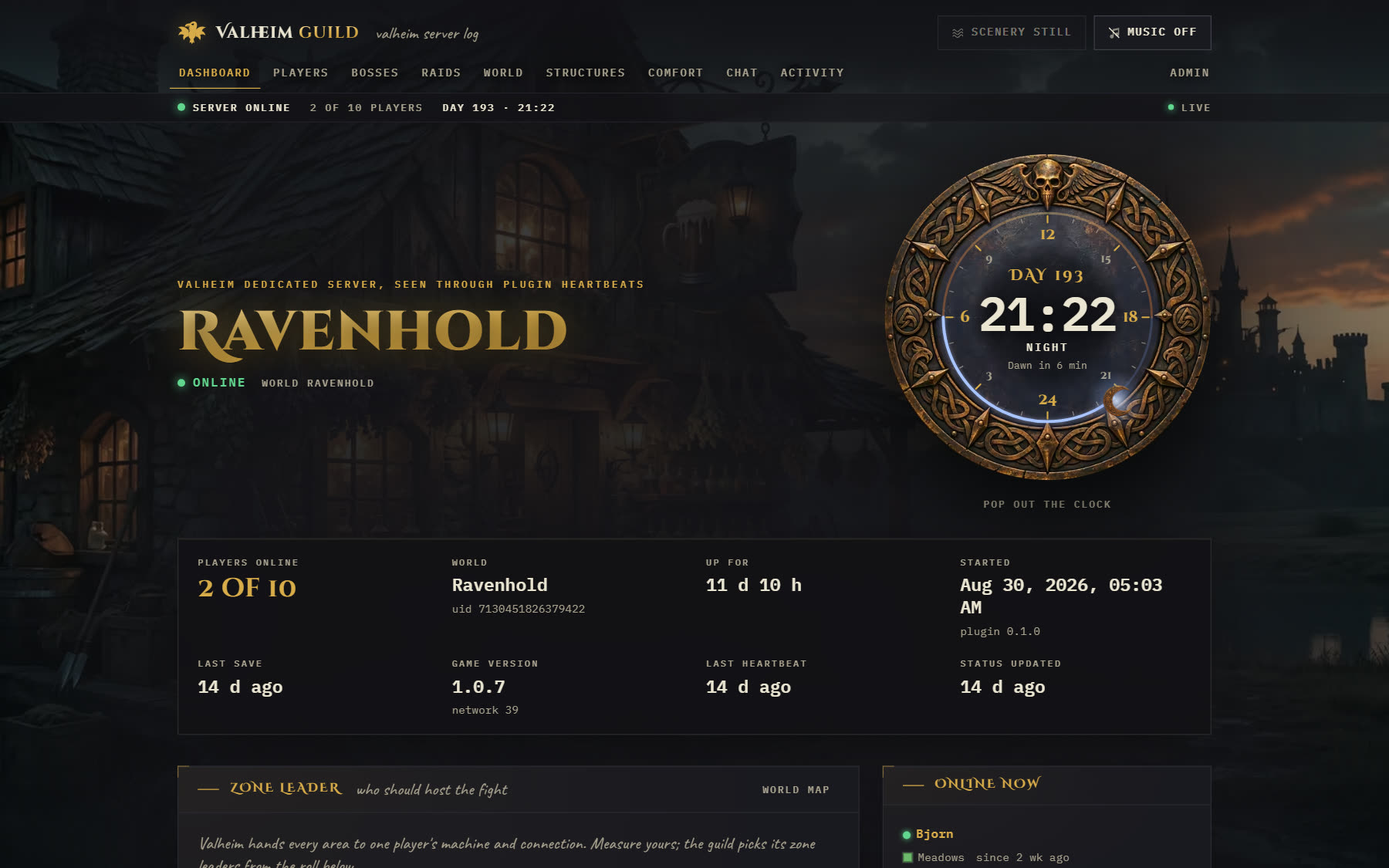
Only in Muninn
- World clock: the in-game day and hour on a bronze dial, live from the server, in its own pop-out window if you like.
- Zone leader: each player measures their machine in the browser, and the guild sees who should host the fight.
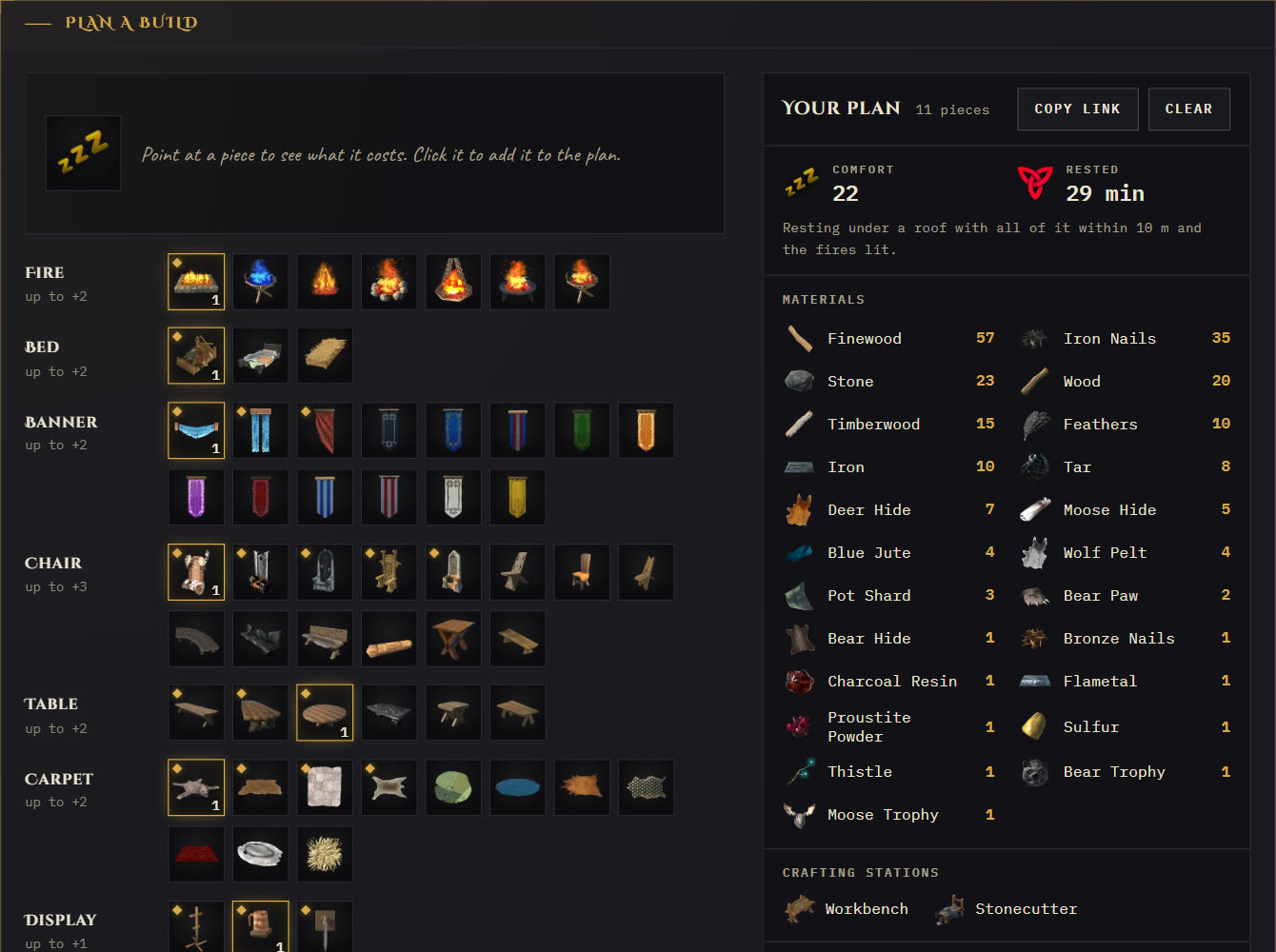
- Comfort planner: every comfort piece from the game your server runs, with icons and recipes; it adds up comfort, Rested time and materials.
Also: who is online, bosses, raids, deaths, structures, the world map, the activity feed and chat.
Install
This plugin only works with a Muninn site.
- Deploy the site: https://oddessentials.github.io/muninn/
- Open
/adminon your site, set the password, and downloadcom.guildsite.telemetry.cfgfrom the Plugin page. - Install this package on the server with BepInExPack_Valheim, or copy
GuildTelemetry.dlltoBepInEx/plugins/. - Put the config in
BepInEx/config/and restart the server. The Plugin page shows when it first reports in.
What it sends
Only to the address in its config, signed with the secret from your site:
- Server starts, stops and heartbeats, world saves and global keys
- Players joining, spawning and leaving, with their platform id (for example a Steam id) and character name
- Deaths, creatures killed near players, biome changes and each online player's position every 20 seconds
- Boss summons, fights and defeats, raids, and structures built and destroyed
- Chat messages
- The world's biome map image and the comfort pieces of the running game
It also shows the site admins' announcements in game. Site admins can hide chat, positions, the map and platform ids on the site.
Source and licence (MIT): https://github.com/oddessentials/muninn
Highlights
From source dataLoaders
Runs on BepInEx.
Footprint
Rated a light load on a server.
Last update
Its author last shipped an update 41d ago.
Muninn on Nxeon
From our catalogue- One-click install
- Supported on Nxeon Valheim servers, for BepInEx servers. We download it from Thunderstore, place it, and restart the server.
- Server side
- Required on the server
- Server type needed
- BepInEx
- Server load
- light
- Smallest plan we suggest
- Valheim — 4 GB (4 GB RAM). This follows our own load rating above, not a benchmark.
- Latest build
- 0.7.0, released 2026-09-24
Game versions by loader
| Loader | Game versions | Newest |
|---|---|---|
| BepInEx |
From 1 recorded build of Muninn.
Dependencies
- Required: BepInExPack Valheim
Declared by the newest build that lists any. Required ones are installed with it on one-click installs.
Run Muninn on a Valheim server
Pick a server or deploy a new one above; it is installed in one click.
What kind of mod it is
From the catalogCreatures & NPCs
Adds or changes creatures, NPCs and how they behave.
Runs on your server
From source side supportThunderstore lists Muninn as required on the server. Check its Thunderstore page to see whether players need it too.
Compatibility
- Game
- Valheim
- Loaders
- BepInEx
- Runs on
- Serverrequired on the server
- Requires
- One-click install needs a BepInEx server.
Verified at the source
- ✓ThunderstoreOfficial listing, checked 2026-10-01Open ↗
- ✓Authoroddessentials, as published on Thunderstore
- ✓LicenseNot published by the sourceFree















