






About Quads Feed From Chests
From ThunderstoreSmelters, kilns, cooking racks, fires and fermenters can use items from nearby chests, and smelters and kilns can run themselves.
<!-- This page is made by tools/modpages/make_pages.py from the mod's DESCRIPTION.txt, CHANGELOG.txt, settings and the repo's README. Change those (or the HAND-WRITTEN part below), not the rest of this page. -->
🔥 FeedFromChests
Version 1.6.1 · all the mods · install it from Thunderstore (r2modman, Thunderstore Mod Manager) or the in-game mod manager (F7)
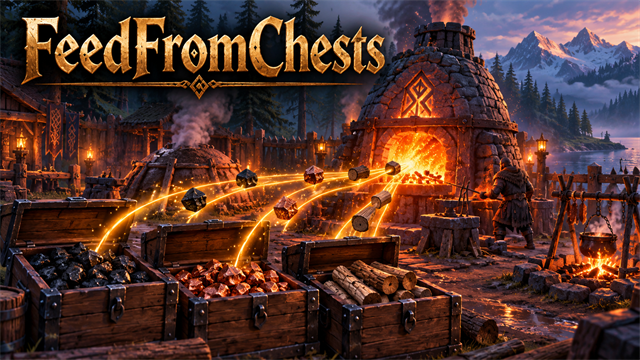
Feed smelters, kilns, cooking racks, fires and fermenters straight from your chests, and let smelters and kilns run themselves: choose what they use, keep a minimum in stock, and send what they make into your assigned chests.
<!-- HAND-WRITTEN: kept when this page is made again -->
📸 Screenshots
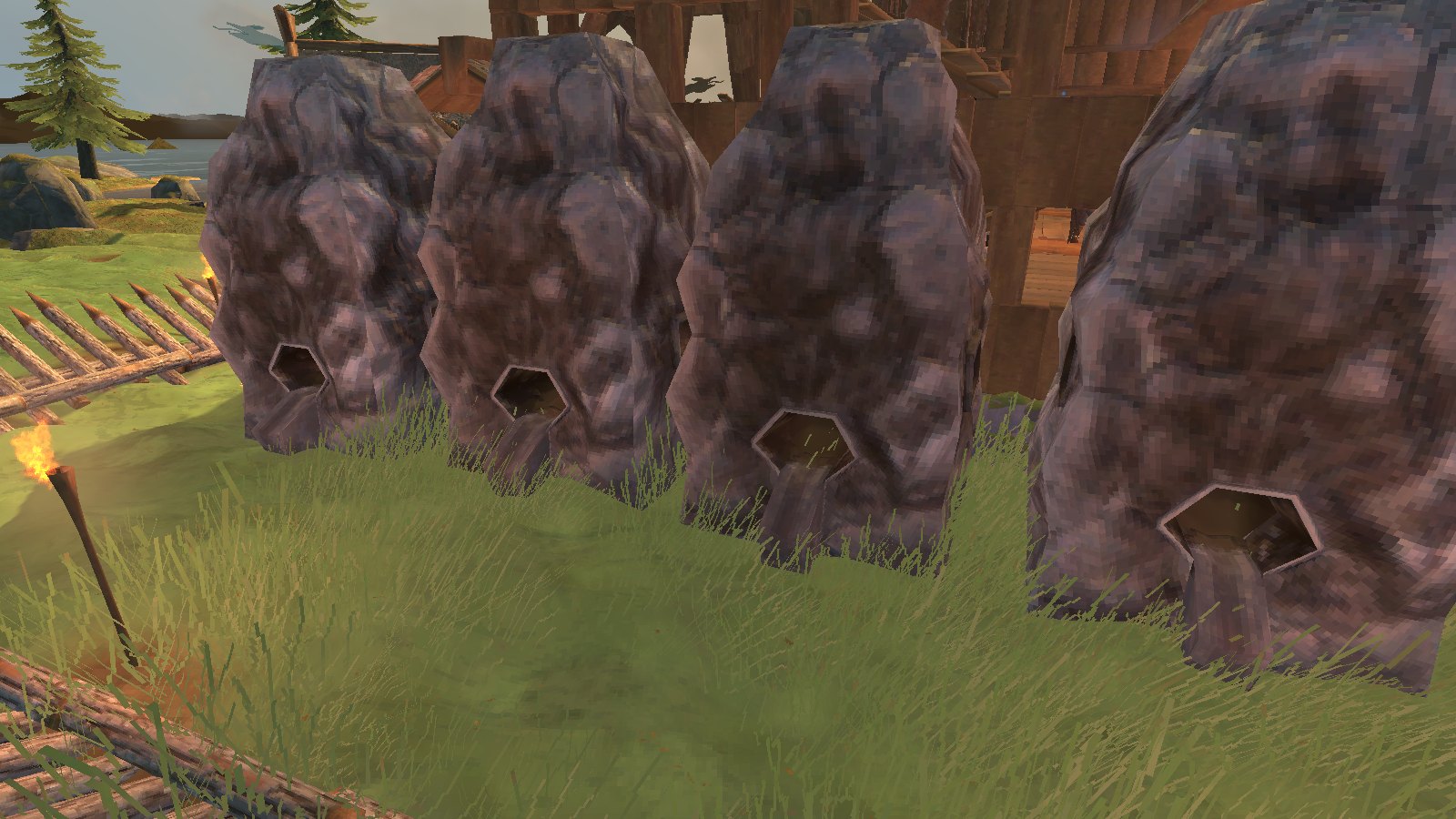
A row of smelters that feed themselves from the chests round them
⚠️ Known clashes
- ValheimPlus with
autoDepositon for a smelter, kiln or the like: handled. ValheimPlus puts the output in a chest first and this mod
then leaves it alone (before 1.6.0 both did, and the output was doubled). The same for mead from a fermenter and food from a cooking station when another mod delivers it.
- CraftFromChests, BuildFromChests (ours), Adventure Backpacks: fine together; each pays only what the others left.
- What a station makes goes only into chests a player assigned to it (by item or kind, with the chest assign menu, K, from QualityOfLife);
with no such chest it drops as in the game.
- Only built chests are used: graves, carts, ships, a companion's bag and chest, and a backpack you carry are left alone.
<!-- END HAND-WRITTEN -->
🔍 How it works
Smelters, kilns, cooking racks, fires and fermenters can use items from nearby chests, and smelters and kilns can run themselves.
How it works
- Press E at a smelter, kiln or furnace to open its menu, whatever you are carrying. Add 1 and Fill put items in by hand; the Auto-feed panel at the top sets the station up to feed itself.
- The menu also shows what is loaded inside: the ore waiting in the queue, the fuel, and anything ready to collect. The same line appears when you look at the smelter.
- Auto-feed: turn it on, tick which items it may use (for a kiln, just plain wood to start with, and tick fine wood, core wood and so on if you want them used), and it keeps itself stocked from the chests nearby. Coal comes first, then the lowest-tier item you ticked.
- Limits that fit the station: a kiln makes coal until the chests hold 100 (or what you set); a smelter always leaves some coal; a windmill always leaves 20 barley for planting; ovens, spits and fermenters stop once you have enough of each food or mead. The menu says why each item is or is not being fed.
- Output to chests: what the station makes goes into the chests assigned to that item (the chest assign menu from QualityOfLife, K), nearest first. With none assigned it drops on the ground as usual.
- Cooking stations (spit, iron spit, oven): food that is done comes off by itself, so it never burns: into a chest assigned to it or to Food, else it slides off the side of the spit towards you. E takes everything that is done into your inventory, or opens the menu (what is cooking, Add 1 / Fill, auto-feed with the raw food you tick). Alternate-place key + E puts food on by hand.
- Torches, sconces and braziers keep themselves lit: when one has room for more resin or coal, it takes one from a chest near it. One setting for all of them (on); campfires and hearths can do the same with wood (off unless you turn it on). They always leave 10 of the fuel in the chests.
- Fermenters load themselves with the mead bases you tick (from chests, only when they have their roof), tap themselves when ready, and put the mead into a chest assigned to it or to Potions, or one that already holds it. E on an empty one opens its menu.
- Beehives empty themselves into a chest (assigned to honey or to Food, or one that already has honey), so they never stop full; their tooltip says when the next honey comes, or why none is coming (biome, too much cover).
- Other stations: press E when you carry nothing it takes and a chest has some, and one is added for you (a menu opens if there is a choice). Turn on AlwaysOpenMenu in the config to always get the menu.
- Nothing is created from nothing: every item comes out of a chest or your inventory, and a station that is full is left alone.
Settings: range (default 15 m), auto-feed on or off, how often it tops up, how near you must be for it to run, and the Fill limit.
- Shield generators keep their fuel, ballistas reload themselves, and sap extractors empty into a chest, all from nearby chests.
⌨️ Keys
| Key | What it does | |---|---| | E | Open a smelter or kiln menu (auto-feed settings, Add, Fill); add items to other stations |
⚙️ Settings
In BepInEx/config/com.quad.feedfromchests.cfg (made the first time the game runs with the mod).
AutoFeed
Highlights
From source dataLoaders
Runs on BepInEx.
Footprint
Rated a light load on a server.
Last update
Its author last shipped an update 26d ago.
Quads Feed From Chests on Nxeon
From our catalogue- One-click install
- Supported on Nxeon Valheim servers, for BepInEx servers. We download it from Thunderstore, place it, and restart the server.
- Server type needed
- BepInEx
- Server load
- light
- Smallest plan we suggest
- Valheim — 4 GB (4 GB RAM). This follows our own load rating above, not a benchmark.
- Latest build
- 1.6.1, released 2026-10-10
Game versions by loader
| Loader | Game versions | Newest |
|---|---|---|
| BepInEx |
From 1 recorded build of Quads Feed From Chests.
Dependencies
- Required: BepInExPack Valheim
Declared by the newest build that lists any. Required ones are installed with it on one-click installs.
Run Quads Feed From Chests on a Valheim server
Pick a server or deploy a new one above; it is installed in one click.
What kind of mod it is
From the catalogWeapons, items & crafting
New weapons, gear, items and the recipes to make them.
Compatibility
- Game
- Valheim
- Loaders
- BepInEx
- Requires
- One-click install needs a BepInEx server.
Verified at the source
- ✓ThunderstoreOfficial listing, checked 2026-10-10Open ↗
- ✓AuthorQuads_Lab, as published on Thunderstore
- ✓LicenseNot published by the sourceFree















