






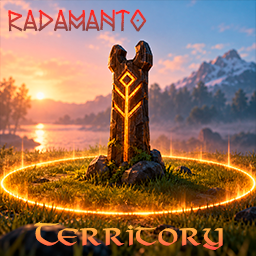
About Territory
From ThunderstoreServer-defined territories with ownership, member management, configurable protections, terrain customization, and map integration.

Territory
Territories defined by the server, each with an owner, members and its own rules.
- Required on the server and on every client.
- Territories are created by the administrator, one CFG file per territory, on the server only.
For Players
- Entering a territory shows its name on screen and at the top-left of the minimap.
- On the large map, hovering a territory shows its name, owner and whether you have access.
- Without access, blocked actions show NO ACCESS at the spot.
- The owner, members and administrators are never blocked.
For Owners
Use the totem at the center of your territory (only the owner and administrators can open it).
- Territory: information and rename.
- Members: add online players with
+, remove with-. - Settings: push visitors out, and choose the biome and ground.
- Biome and ground changes have a waiting time between them.
For Administrators
Territory files
Create one .cfg per territory in BepInEx/config/Territory/ on the server. Changes are reloaded automatically.
[id_01]
Enabled = true
Name = Skjoldheim
OwnerID = 76561198000000000
Members =
MaxMembers = 10
Priority = 1
Coordinates = -865, -3895
Size = 60
ProtectionBorderEnabled = true
ProtectionBorderWidth = 10
ForceGroundHeight = true
GroundHeight = 36
GroundSlopeWidth = 20
NoBuild = true
NoPickaxe = true
NoMonsters = true
ForceBiome = false
Biome = Meadows
CustomPaint = false
GroundPaint = GrassCoordinatesis the center (X, Z);Sizeis the side of the square in meters.ProtectionBorderWidthadds a protected ring around the main area.ForceGroundHeightflattens the main area;GroundSlopeWidthadds a smooth, rounded slope around it (0 = vertical edge).ForceBiomeandCustomPaintlet the owner pick the biome and ground at the totem.- The owner can also be set in the Admin tab of the totem.
Highlights
From source dataLoaders
Runs on BepInEx.
Footprint
Rated a light load on a server.
Last update
Its author last shipped an update 21d ago.
Territory on Nxeon
From our catalogue- One-click install
- Supported on Nxeon Valheim servers, for BepInEx servers. We download it from Thunderstore, place it, and restart the server.
- Server type needed
- BepInEx
- Server load
- light
- Smallest plan we suggest
- Valheim — 4 GB (4 GB RAM). This follows our own load rating above, not a benchmark.
- Latest build
- 1.0.3, released 2026-10-14
Game versions by loader
| Loader | Game versions | Newest |
|---|---|---|
| BepInEx |
From 1 recorded build of Territory.
Dependencies
- Required: BepInExPack Valheim
Declared by the newest build that lists any. Required ones are installed with it on one-click installs.
Run Territory on a Valheim server
Pick a server or deploy a new one above; it is installed in one click.
What kind of mod it is
From the catalogMaps & scenarios
Custom maps, arenas and scenarios to play on.
Compatibility
- Game
- Valheim
- Loaders
- BepInEx
- Requires
- One-click install needs a BepInEx server.
Verified at the source
- ✓ThunderstoreOfficial listing, checked 2026-10-15Open ↗
- ✓AuthorRadamanto, as published on Thunderstore
- ✓LicenseNot published by the sourceFree















