






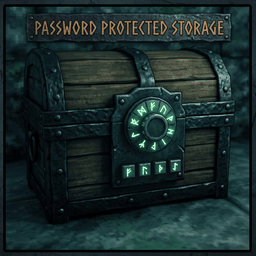
About Password Protected Storage
From ThunderstoreTired of your friends stealing your loot? Introducing Password Protected Storage for multiplayer & dedicated servers!
Password Protected Storage
Tired of your friends “borrowing” your loot? Personal chest not enough? Want a stash only the people with the password can open?
This mod turns existing chests you list in the config into password-locked storage. No new furniture. No fancy asset pack. Just locks.
⚠️ Important
- Do not use with Guild Structures — that mod already includes password storage. Use one, not both.
- Does nothing until you add prefabs in the CFG. Empty lists = zero effect.
- Does not add new storage. You pick existing prefab names (e.g.
piece_chest_wood).
Optional tip: use WackyDatabase to clone a chest, then list only the clone — so normal chests stay normal and only your “vault” clones get passwords.
Features
- SHIFT+E — owner sets / changes / removes password (empty = remove)
- E — owner always opens; others enter the password once
- Grants stick on the piece (survive reconnect & server restart)
- While passworded: only the owner can de-hammer
- Hover shows Owner / Permitted (light green labels)
- Clear center messages (set / wrong password / access granted / remove denied)
- Dedicated + Steam listen-host friendly
- Prefab lists server-synced
- CFG live reload on host/server (edit + save, no restart)
- Optional World Edit Commands — readable
PP_*fields in data dump
Install
- Install on server and every client
- Launch once →
BepInEx/config/com.rdmods.passwordprotectedstorage.cfg - Fill Exact Names and/or Name Contains, save (or restart)
Controls
| Who | Action | |-----|--------| | Owner | SHIFT+E set/change/remove password | | Owner | E open anytime | | Others | E → enter password once | | Anyone | de-hammer freely if no password | | Non-owner | cannot de-hammer while passworded |
CFG Guide
File: BepInEx/config/com.rdmods.passwordprotectedstorage.cfg
| Setting | What it does | |---------|----------------| | Enabled | Master on/off | | Debug Logging | Extra log spam while testing — leave off normally | | Lock Configuration | Clients can’t override server settings (keep on) | | Exact Names | Exact prefab names, comma-separated — e.g. piece_chest_wood | | Name Contains | Match any prefab with that word — e.g. chest |
Prefab lists are server-synced. On a dedicated/listen host, edit + save the CFG and it reloads live — no restart needed.
Don’t know a prefab name? Place one, check the log, or start with a known name like piece_chest_wood.
Support
Bugs & questions: Discord
Highlights
From source dataLoaders
Runs on BepInEx.
Footprint
Rated a light load on a server.
Last update
Its author last shipped an update 3 mo ago.
Password Protected Storage on Nxeon
From our catalogue- One-click install
- Supported on Nxeon Valheim servers, for BepInEx servers. We download it from Thunderstore, place it, and restart the server.
- Server type needed
- BepInEx
- Server load
- light
- Smallest plan we suggest
- Valheim — 4 GB (4 GB RAM). This follows our own load rating above, not a benchmark.
- Latest build
- 1.0.0, released 2026-08-20
Game versions by loader
| Loader | Game versions | Newest |
|---|---|---|
| BepInEx |
From 1 recorded build of Password Protected Storage.
Dependencies
- Required: BepInExPack Valheim
Declared by the newest build that lists any. Required ones are installed with it on one-click installs.
Run Password Protected Storage on a Valheim server
Pick a server or deploy a new one above; it is installed in one click.
What kind of mod it is
From the catalogAdmin & protection
Permissions, moderation, anti-cheat and land protection for the people running the server.
Compatibility
- Game
- Valheim
- Loaders
- BepInEx
- Requires
- One-click install needs a BepInEx server.
Verified at the source
- ✓ThunderstoreOfficial listing, checked 2026-10-02Open ↗
- ✓AuthorRDMods, as published on Thunderstore
- ✓LicenseNot published by the sourceFree











