







About Visuals Modifier
From ThunderstoreAllows the modification of materials at runtime based on configuration files.
Visuals Modifier
Allows the modification of materials at runtime based on configuration files. This mod can be used with or without WackysDatabase.
Features
- Modify material properties values at runtime.
- File watcher support for realtime material updates based on file changes, these will effect existing prefabs already in the world.
- Realtime effects based on proximity, time, and biome.
- Includes support for WackysDatabase
- ServerSync
Initial Workflow
- Run ``
vm_describe <Prefab>`in the console to export a description of an items materials. The file will be exported to`./BepInEx/config/Visuals/Describe_<Prefab>.yml``. See an example output below. - Make note of the material properties as these are the values you can modify.
- Create a new file: ``
./BepInEx/config/Visuals/Visual_<Prefab>.yml`` - Inside the file start by setting the prefab name ``
prefabName: <Prefab>`` - From here there are a few different things you can do, the customizations can be as lite as you need them to be.
Customizations
- Update all materials with a single configuration.
- Updating specific materials with a more precise configuration targeting each individual material.
- Update an underlying texture of a material
- Add a material change based on a realtime effect
- Update a light on an item
Results
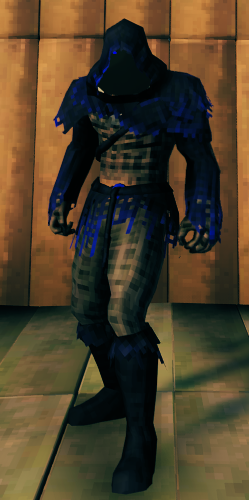
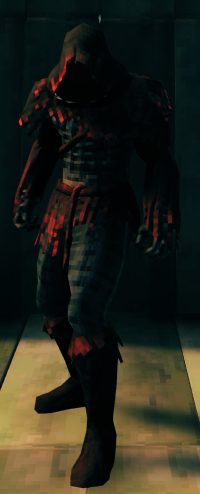


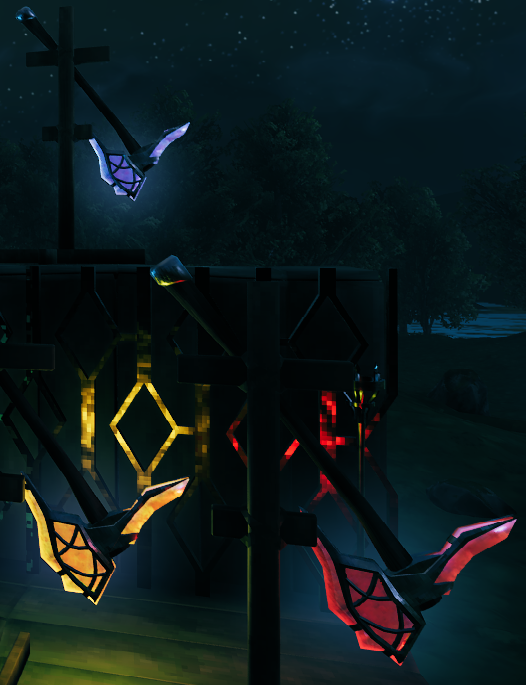
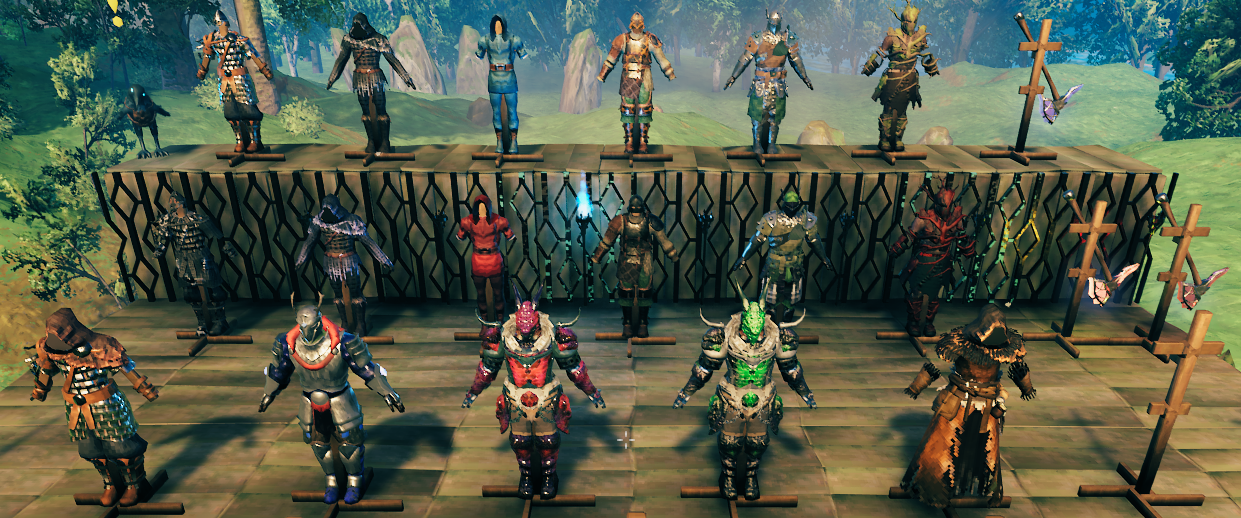
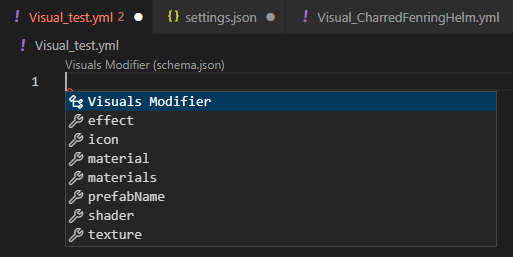
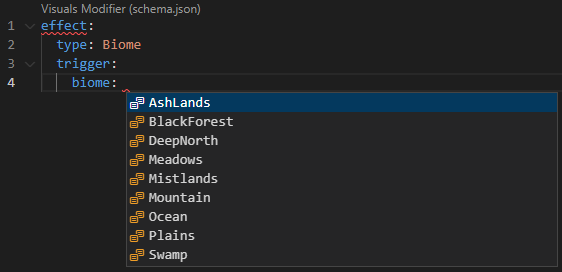
VSCode - Intellisense
There is now a defined JSON schema that can be used with the VSCode YAML extension in order to provide more information while configurating items.
Example
Installation
- Install the 'YAML' extension
- Open the 'Visuals' folder in VSCode
- Go to 'Settings' in r2modman
- Select ``
Browse Profile Folder`` - Select Bepinex/config/Visuals
- Copy the folder path
- Open workspace settings
- ``
Ctrl + Shift + P`` - Type ``
Workspace`` - Select ``
Open Workspace Settings`` - Type ``
Schemas`` - Select ``
Edit in settings.json`under`Yaml: Schemas`` - Make sure the file looks like this:
{
    "yaml.schemas": {
        "https://raw.githubusercontent.com/Rexabit/valheim-visuals-modifier/master/Documentation/schema.json": "/*",
    }
}
Getting Started
Schema - Base
prefabName: string
material: # Targets all materials in the renderer
  colors:
    <MATERIAL_PROPERTY_NAME>: [Red (decimal), Green (decimal), Blue (decimal), Alpha (decimal)]
  floats:
    <MATERIAL_PROPERTY_NAME>: (decimal)
materials:
- colors: # Targets the first material in the renderer
    <MATERIAL_PROPERTY_NAME>: [Red (decimal), Green (decimal), Blue (decimal), Alpha (decimal)]
  floats:
    <MATERIAL_PROPERTY_NAME>: (decimal)
- colors: # Targets the second material in the renderer
    <MATERIAL_PROPERTY_NAME>: [Red (decimal), Green (decimal), Blue (decimal), Alpha (decimal)]
  floats:
    <MATERIAL_PROPERTY_NAME>: (decimal)
shader: # Modifies the shader used and material instances on the item
  material: string (override the materials on the item to this material)
  materials: array<string> (override specific materials on the item using the materials in this array)
  name: string (name of the shader)
icon: # Modify the rotation of the icon for an item
  x: rotation X degrees (decimal)
  y: rotation Y degrees (decimal)
  z: rotation Z degrees (decimal)
light: # Modifies light renderers
  color: [Red (decimal), Green (decimal), Blue (decimal), Alpha (decimal)]
  range: float
Do not include changes for both 'material' & 'materials', use one or the other. This goes for the shader section as well.
Schema - Time Effect
Adding this block to the configuration file for an item will add a time based effect to the item. Where 'time' is the peak of the effect and the 'timeSpan' is the time span on either side of time where the effect starts to work.
effect:
  type: Time
  trigger:
    time: [Hour (number), Minute (number), Second (number)]
    timeSpan: [Hour (number), Minute (number), Second (number)]
  material:
    colors:
      <MATERIAL_PROPERTY_NAME>: [Red (decimal), Green (decimal), Blue (decimal), Alpha (decimal)]
    floats:
      <MATERIAL_PROPERTY_NAME>: (decimal)
Time Effect - Example
prefabName: CharredFenringHelm
material:
  colors:
    _Color: [1, 1, 1, 1]
effect:
  type: Time
  trigger:
    time: [0]
    timeSpan: [4]
  material:
    colors:
      _Color: [2, 1, 1, 1]
    floats:
      _Saturation: 0.85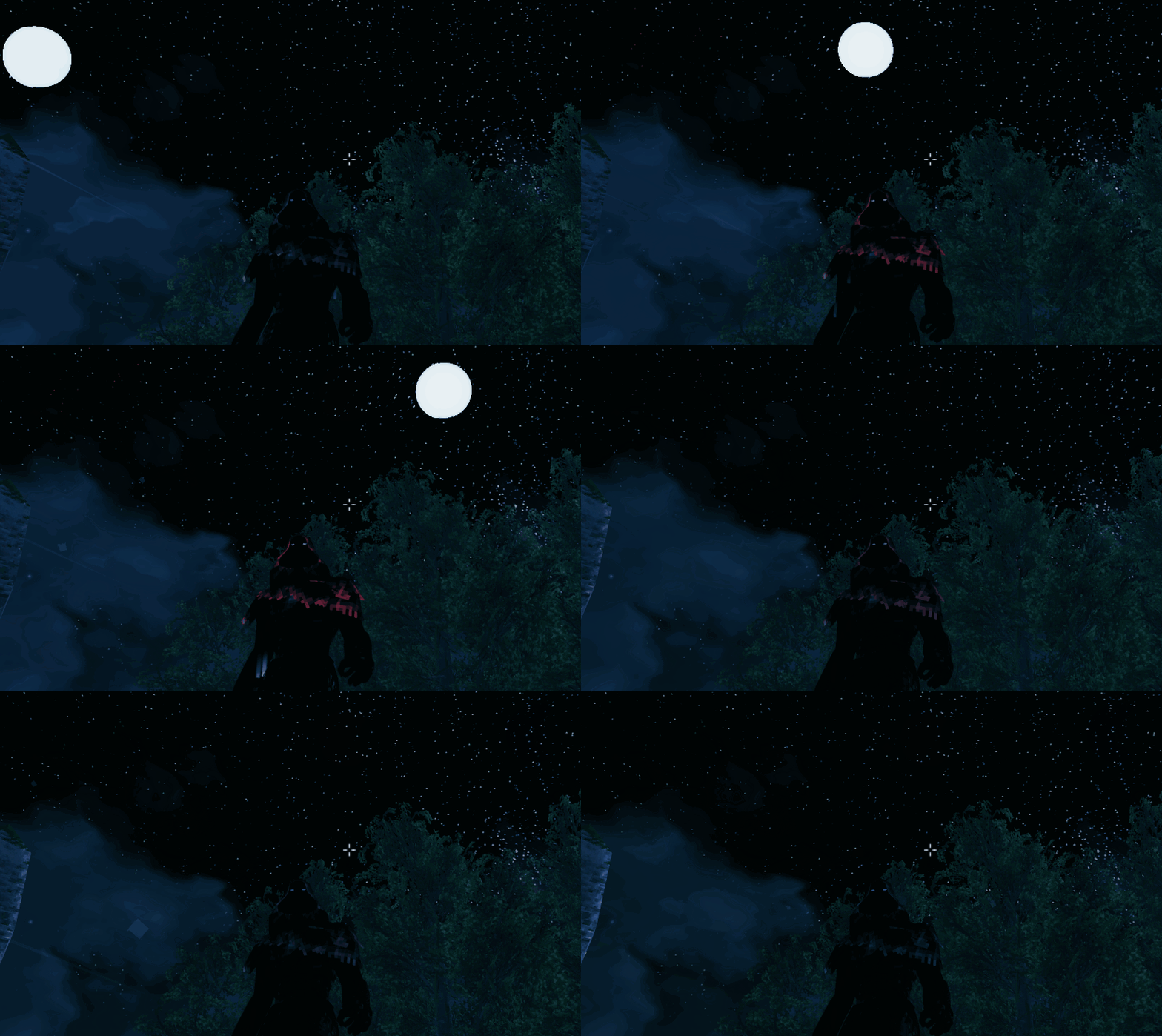
Schema - Biome Effect
Adding this block to the configuration file for an item will add a biome based effect to the item. The effect will trigger when the user enters the biome specified
effect:
type: BiomeHighlights
From source dataLoaders
Runs on BepInEx.
Footprint
Rated a light load on a server.
Last update
Its author last shipped an update 2 yr ago.
Visuals Modifier on Nxeon
From our catalogue- One-click install
- Supported on Nxeon Valheim servers, for BepInEx servers. We download it from Thunderstore, place it, and restart the server.
- Server side
- Optional on the server
- Server type needed
- BepInEx
- Server load
- light
- Smallest plan we suggest
- Valheim — 4 GB (4 GB RAM). This follows our own load rating above, not a benchmark.
- Latest build
- 0.2.0, released 2024-07-09
Game versions by loader
| Loader | Game versions | Newest |
|---|---|---|
| BepInEx |
From 5 recorded builds of Visuals Modifier.
Recent builds
| Build | Released | Game versions | Loaders |
|---|---|---|---|
| 0.2.0 | 2024-07-09 | n/a | BepInEx |
| 0.1.0 | 2023-03-03 | n/a | BepInEx |
| 0.0.3 | 2023-02-25 | n/a | BepInEx |
| 0.0.2 | 2023-02-24 | n/a | BepInEx |
| 0.0.1 | 2023-02-23 | n/a | BepInEx |
Run Visuals Modifier on a Valheim server
Pick a server or deploy a new one above; it is installed in one click.
What kind of mod it is
From the catalogAdmin & protection
Permissions, moderation, anti-cheat and land protection for the people running the server.
Works on a server
From source side supportThunderstore lists server-side support for Visuals Modifier as optional: it can run on a server, but isn’t required there.
Compatibility
- Game
- Valheim
- Loaders
- BepInEx
- Runs on
- Serveroptional on the server
- Requires
- One-click install needs a BepInEx server.
Verified at the source
- ✓ThunderstoreOfficial listing, checked 2026-10-02Open ↗
- ✓AuthorRexabyte, as published on Thunderstore
- ✓LicenseNot published by the sourceFree











