






About ChestNetwork
From ThunderstoreBuild, craft, refuel smelters and fires, and quick stack your items with the chests of your connected crafting station network. Multiplayer-safe.
ChestNetwork
Your chests, everywhere in your base. Build, craft and refuel your machines straight from your chests: no more running back and forth to empty them into your inventory.


Website: chest-network.roims.tech (demo video, how the network works, FAQ, comparison with other mods), also in French.
Got an idea, a suggestion or a bug? Come and tell us on Discord: the mod grows with your feedback.
Privacy: ChestNetwork asks once whether you agree to share anonymous usage statistics, and shares nothing unless you say yes. No personal data, ever. See Privacy and telemetry.
Why ChestNetwork?
- Stop juggling materials. Pick a piece or a recipe: the wood, stone and metal stored in your chests count as if
they were in your pockets.
- One base, one network. Crafting stations whose zones overlap link up, so a big base works as a single network,
workbench to forge to cauldron.
- Shift + E does the chores. Refuel a smelter, an oven or a fire, sort your loot into the right chests, dress an armor stand:
one key, done.
- Built for multiplayer. Play with friends without duplicated or vanished items, even when everyone builds from the
same chests at the same time.
See it in action
One network for the whole base: stations whose zones overlap link up, and every chest in their zones counts.

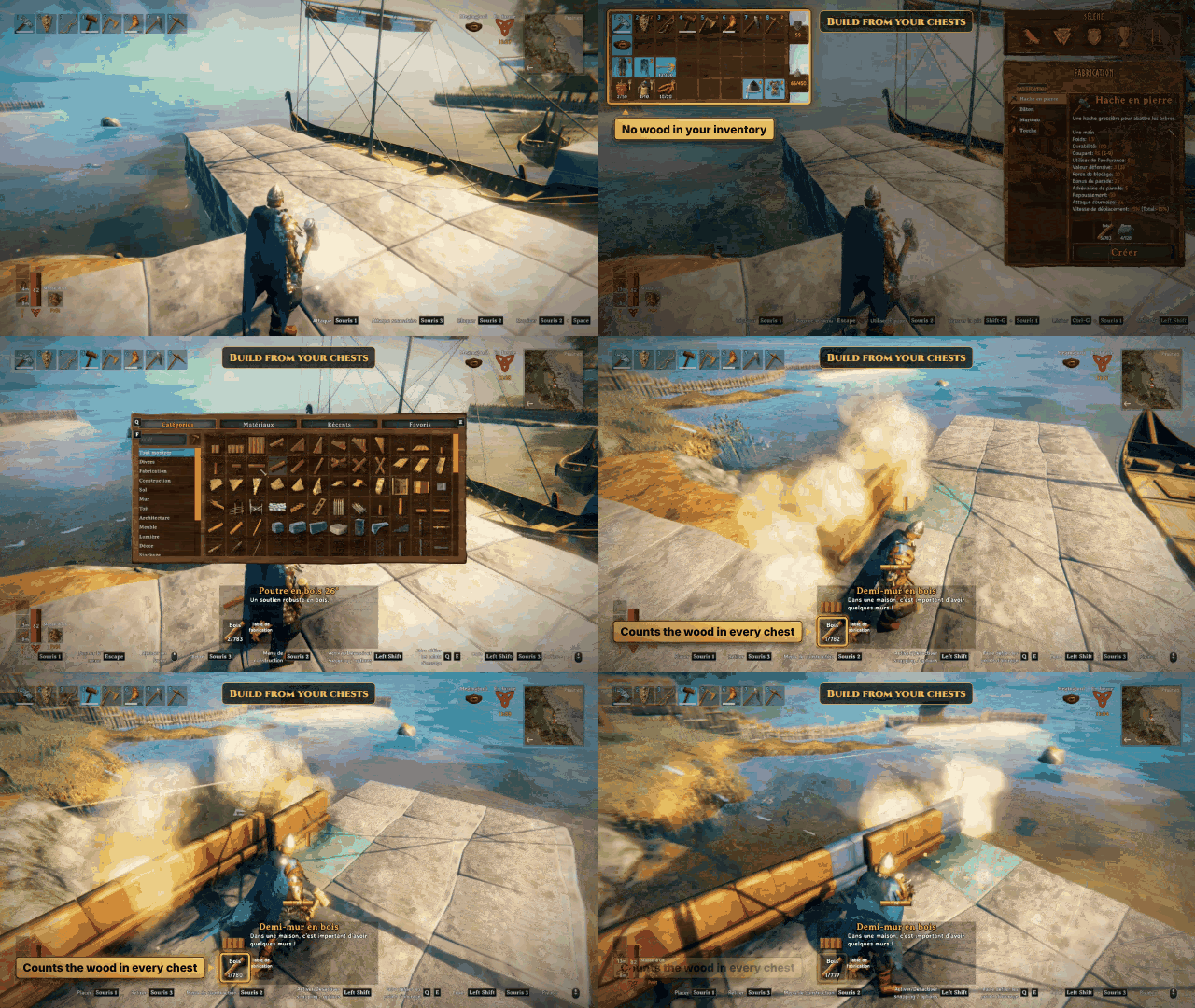
Build and craft with the materials stored in your chests.
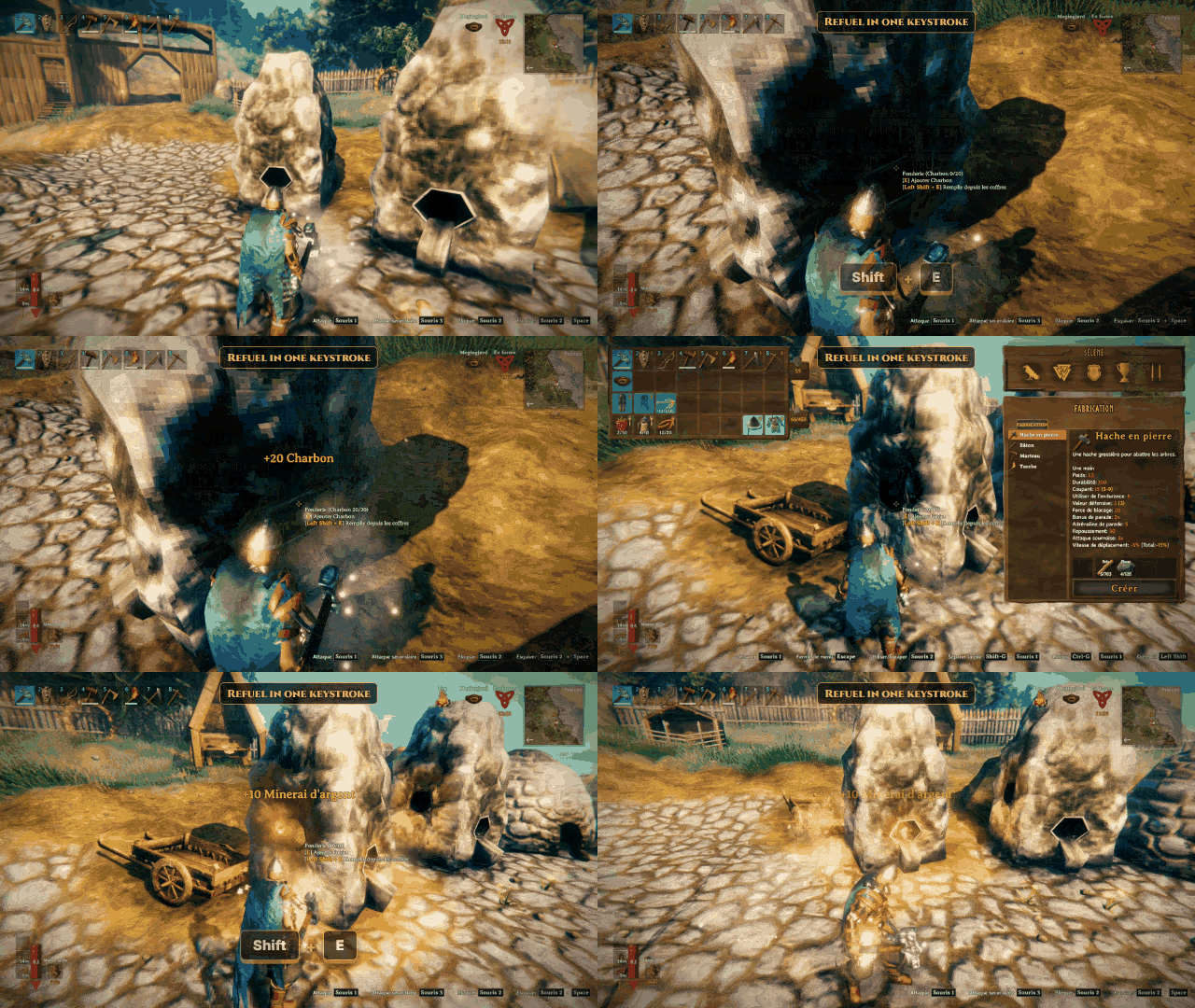
Shift + E on a smelter or a fire fills it up from the network.
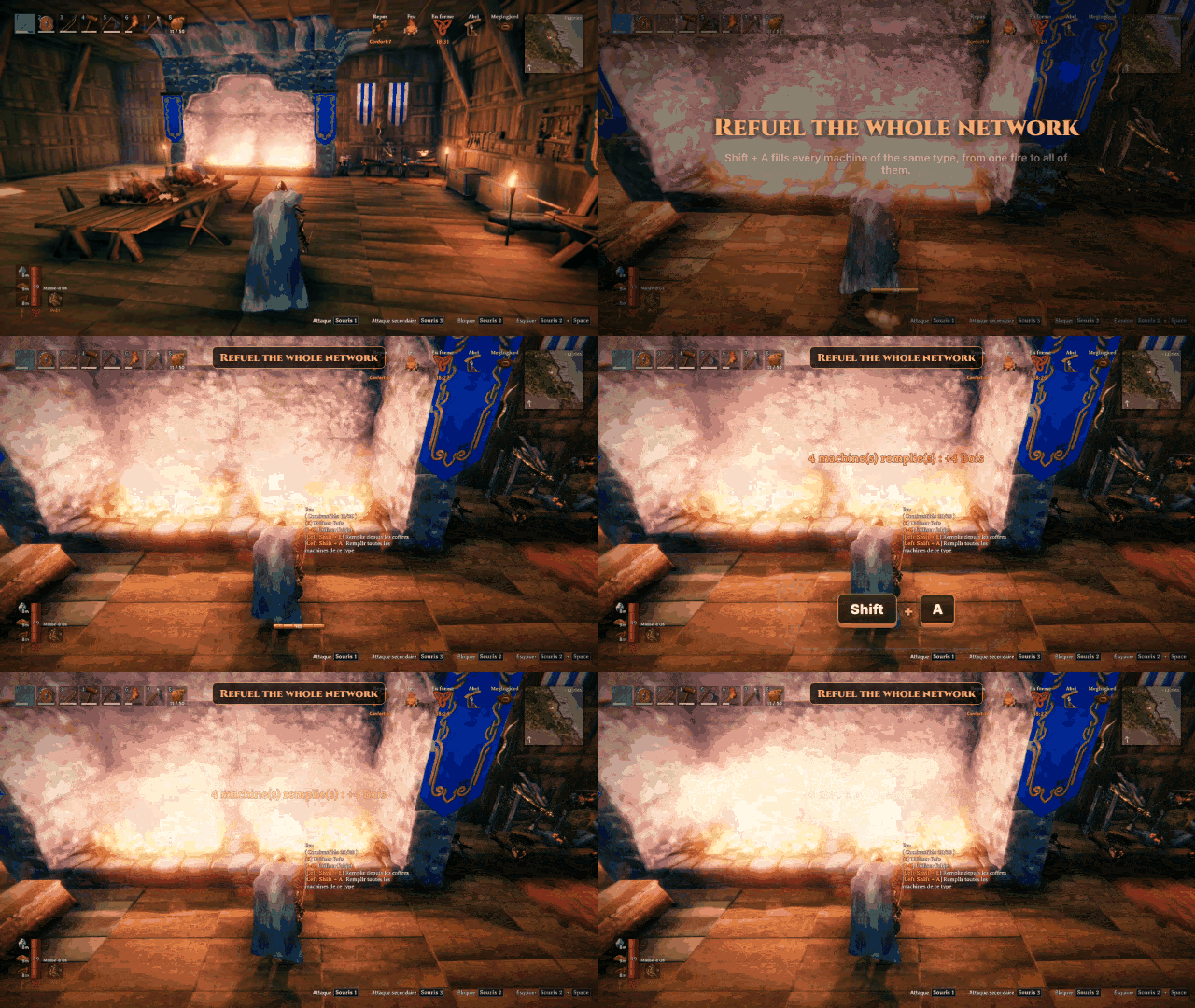
Shift + A does it for every machine of the network that uses the same fuel: all the fires, all the torches, all the smelters.
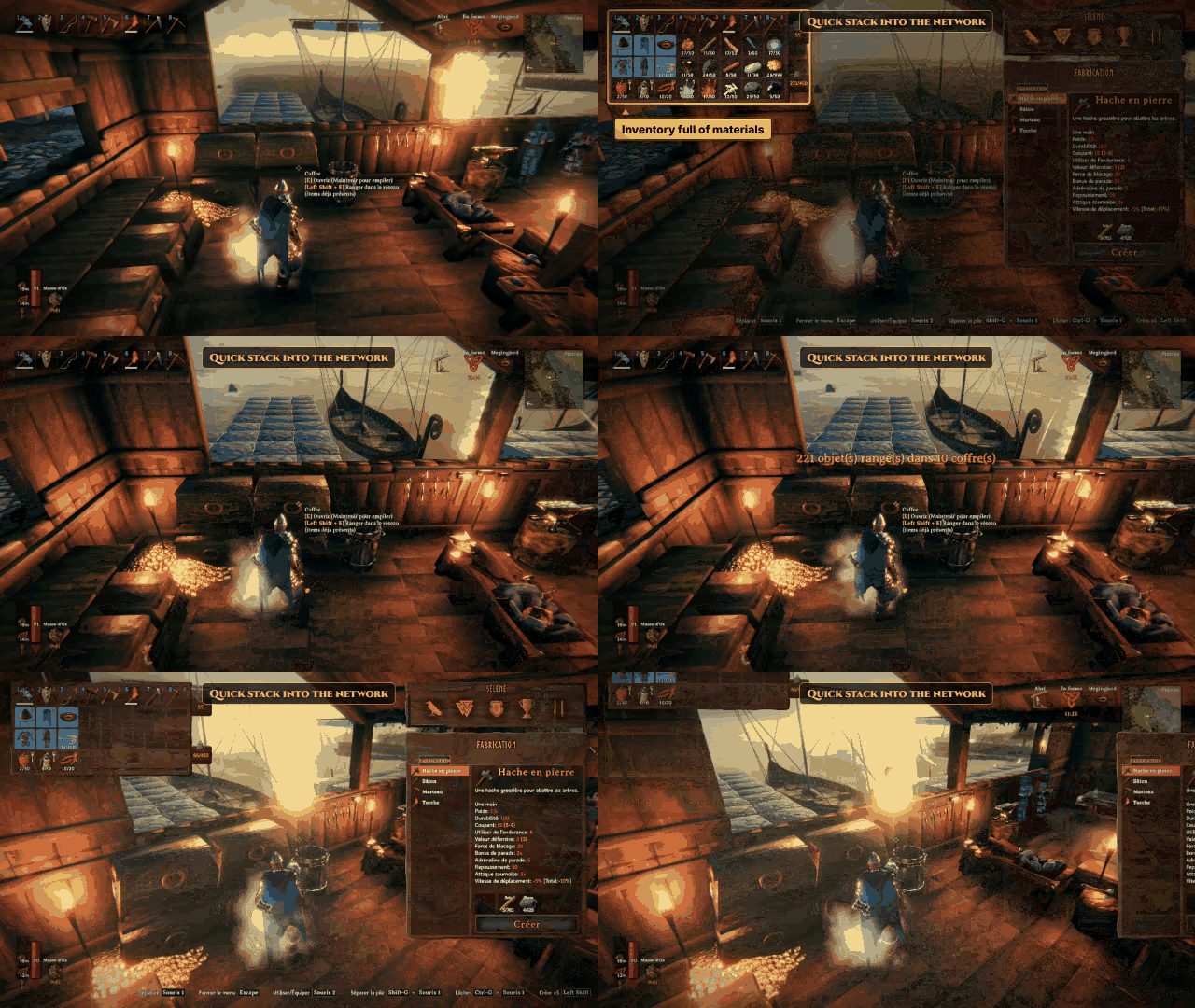
Shift + E on a chest sorts your loot into the chests that already hold it.
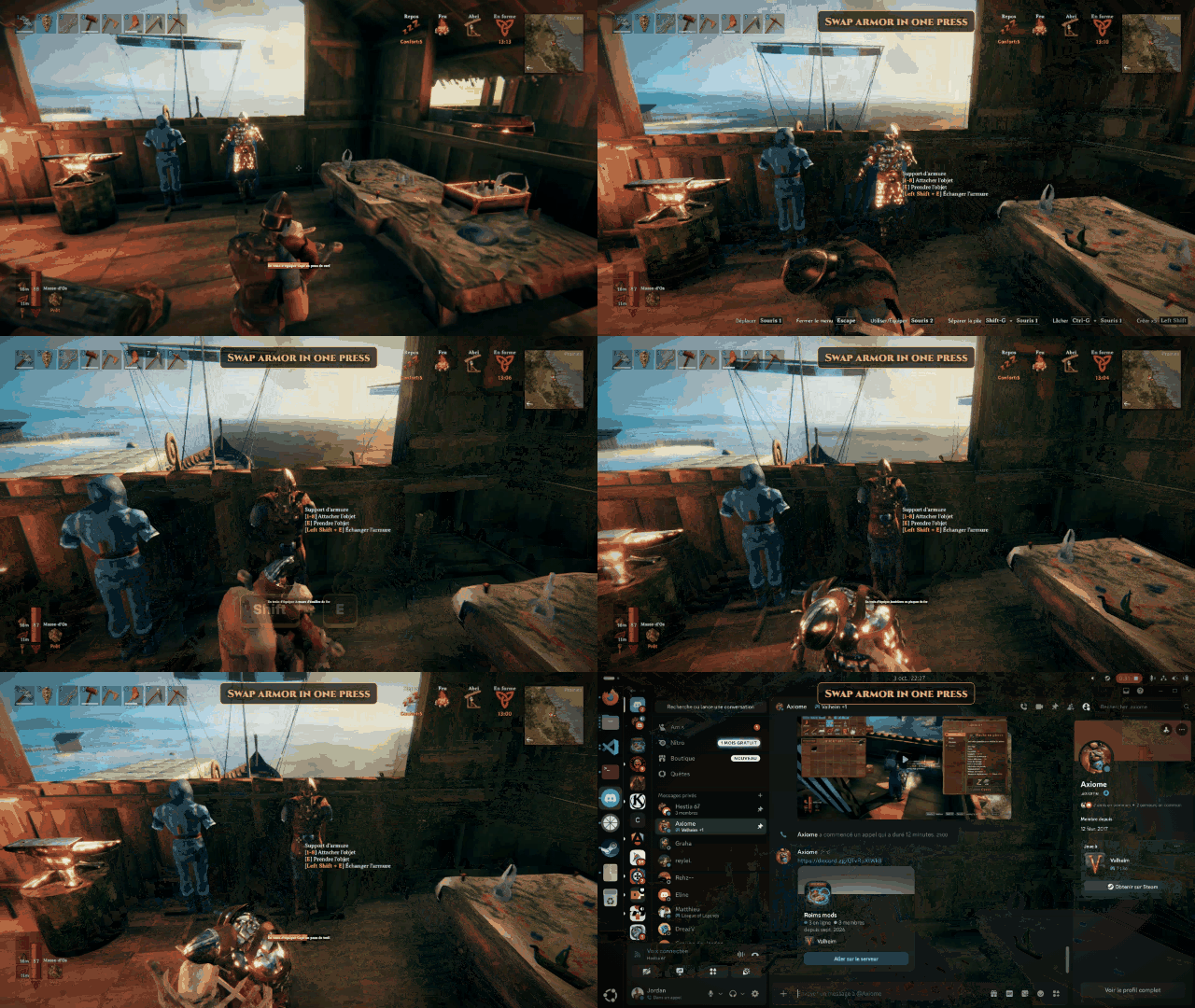
Shift + E on an armor stand dresses it, or swaps your armor with it.
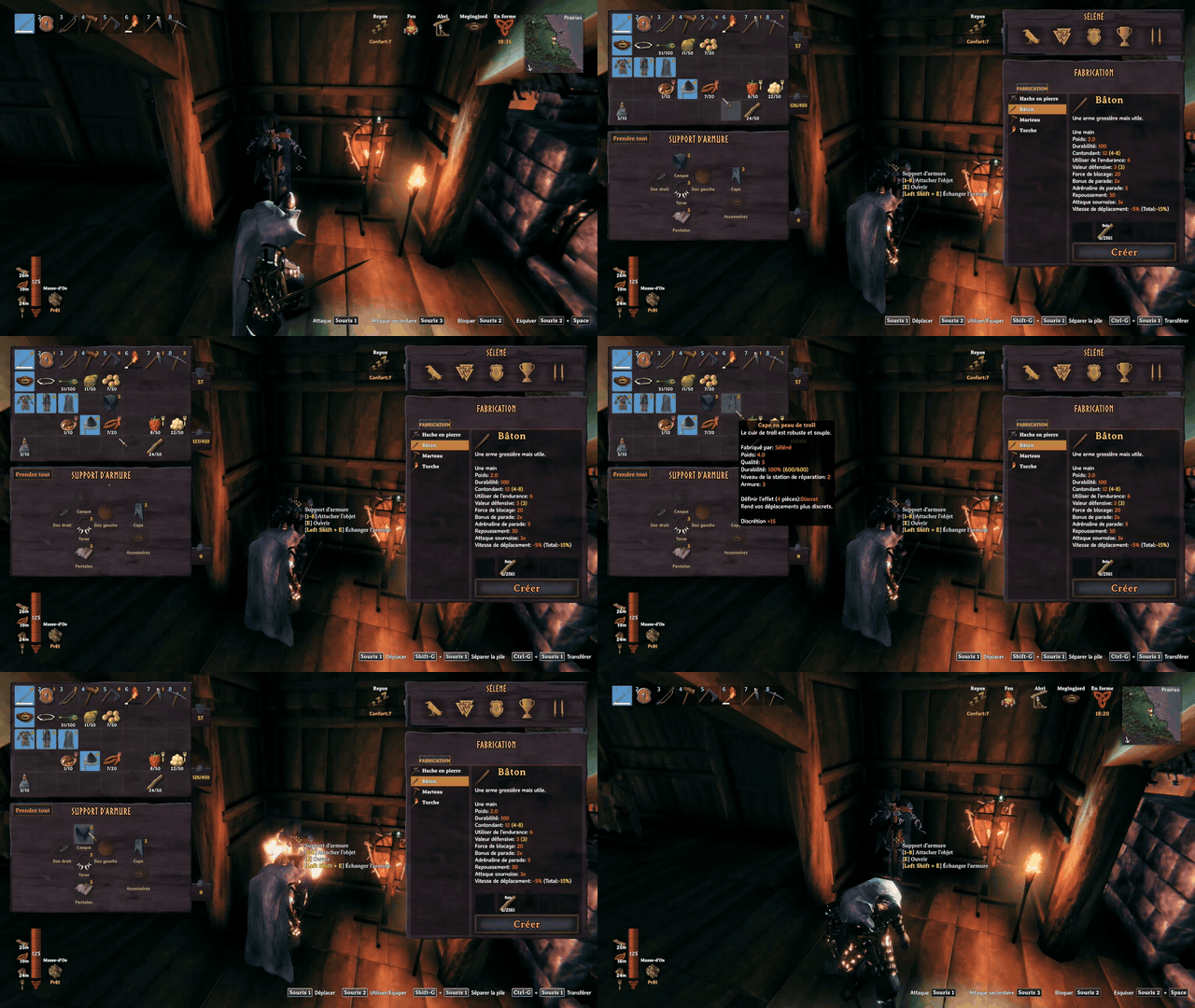
E on an armor stand opens it like a chest: drag each piece onto its slot.
Features
- Building and crafting from the network. Resources are taken from your inventory first, then from the nearest
chests. Requirement lists show needed/available, chests included.
- Crafting station network. Stations whose zones overlap form one network. Standing in the zone of any of them, you
can use the chests located in the zone of every station of the network.
- Refuel machines. Aim at a smelter slot (ore or fuel), a stone oven (fuel only), a windmill, a spinning wheel
or a fire and press Shift + E (your AltPlace + Use keys, gamepad included): it is filled up from your inventory, then from the network. Shift + A (the key typing A, QWERTY or AZERTY) does the same on every machine of the network that uses the same fuel (all the torches, all the smelters...), nearest first.
- Automatic refuel. Fires, torches, smelters and stone ovens refill their fuel by themselves: each time one burns
a unit, it takes fuel from the chests of its own network (the stations around the machine, wherever the players are), up to its capacity. Silent, never from a player's inventory, never ore. The server decides ([AutoRefuel]). Machines only burn and refill while a player is near enough for them to be loaded.
- Quick stack into the network. Aim at a chest of the network and press Shift + E: instead of opening it, your
items go into the network chests that already hold them (partial stacks first, then the chest holding the most). The hotbar row and equipped items never move; by default only materials and trophies do.
- Chests keep their items. Building, crafting and refuelling leave one unit of each item in every chest as long as
the other chests can provide it, so quick stack still knows where each item goes. The last units are only taken when needed: nothing you could build before becomes impossible.
- Armor stands. Shift + E on an empty stand dresses it with your best set (inventory, then network chests);
on a dressed stand, it swaps your armor with the stand's. E opens the stand like a chest: one cell per slot, the helmet, chest, legs and weapons drawn in the shape of the stand, the cape and the utility item (Megingjord, wishbone, wisp...) beside it. Drag a piece in to hang it, out to take it back; nothing falls to the ground any more (unless you drag it out of the window).
- Multiplayer-safe. A chest or machine is only changed by the player who owns it: ownership is handed over first, like
when opening a chest, so items are never duplicated nor lost.
- Translated into English, French, German, Spanish, Brazilian Portuguese, Polish, Russian and Simplified Chinese.
Installation
Install with r2modman or the Thunderstore Mod Manager: BepInEx is installed automatically.
Highlights
From source dataLoaders
Runs on BepInEx.
Footprint
Rated a light load on a server.
Last update
Its author last shipped an update 17d ago.
ChestNetwork on Nxeon
From our catalogue- One-click install
- Supported on Nxeon Valheim servers, for BepInEx servers. We download it from Thunderstore, place it, and restart the server.
- Server side
- Optional on the server
- Server type needed
- BepInEx
- Server load
- light
- Smallest plan we suggest
- Valheim — 4 GB (4 GB RAM). This follows our own load rating above, not a benchmark.
- Latest build
- 0.7.3, released 2026-10-18
Game versions by loader
| Loader | Game versions | Newest |
|---|---|---|
| BepInEx |
From 12 recorded builds of ChestNetwork.
Recent builds
| Build | Released | Game versions | Loaders |
|---|---|---|---|
| 0.7.3 | 2026-10-18 | n/a | BepInEx |
| 0.7.2 | 2026-10-16 | n/a | BepInEx |
| 0.7.1 | 2026-10-15 | n/a | BepInEx |
| 0.7.0 | 2026-10-11 | n/a | BepInEx |
| 0.6.0 | 2026-10-11 | n/a | BepInEx |
| 0.5.0 | 2026-10-09 | n/a | BepInEx |
Dependencies
- Required: BepInExPack Valheim
Declared by the newest build that lists any. Required ones are installed with it on one-click installs.
Run ChestNetwork on a Valheim server
Pick a server or deploy a new one above; it is installed in one click.
What kind of mod it is
From the catalogBuilding & decoration
Blocks, furniture, decorations and building tools.
Works on a server
From source side supportThunderstore lists server-side support for ChestNetwork as optional: it can run on a server, but isn’t required there.
Compatibility
- Game
- Valheim
- Loaders
- BepInEx
- Runs on
- Serveroptional on the server
- Requires
- One-click install needs a BepInEx server.
Verified at the source
- ✓ThunderstoreOfficial listing, checked 2026-10-19Open ↗
- ✓AuthorRoims, as published on Thunderstore
- ✓LicenseNot published by the sourceFree











