







About RuneFellowship
From ThunderstoreCompanions and a rideable direwolf. F6 setup and orders. Optional voice and AI need the separate Rune desktop app from GitHub; link in README.
Rune Fellowship
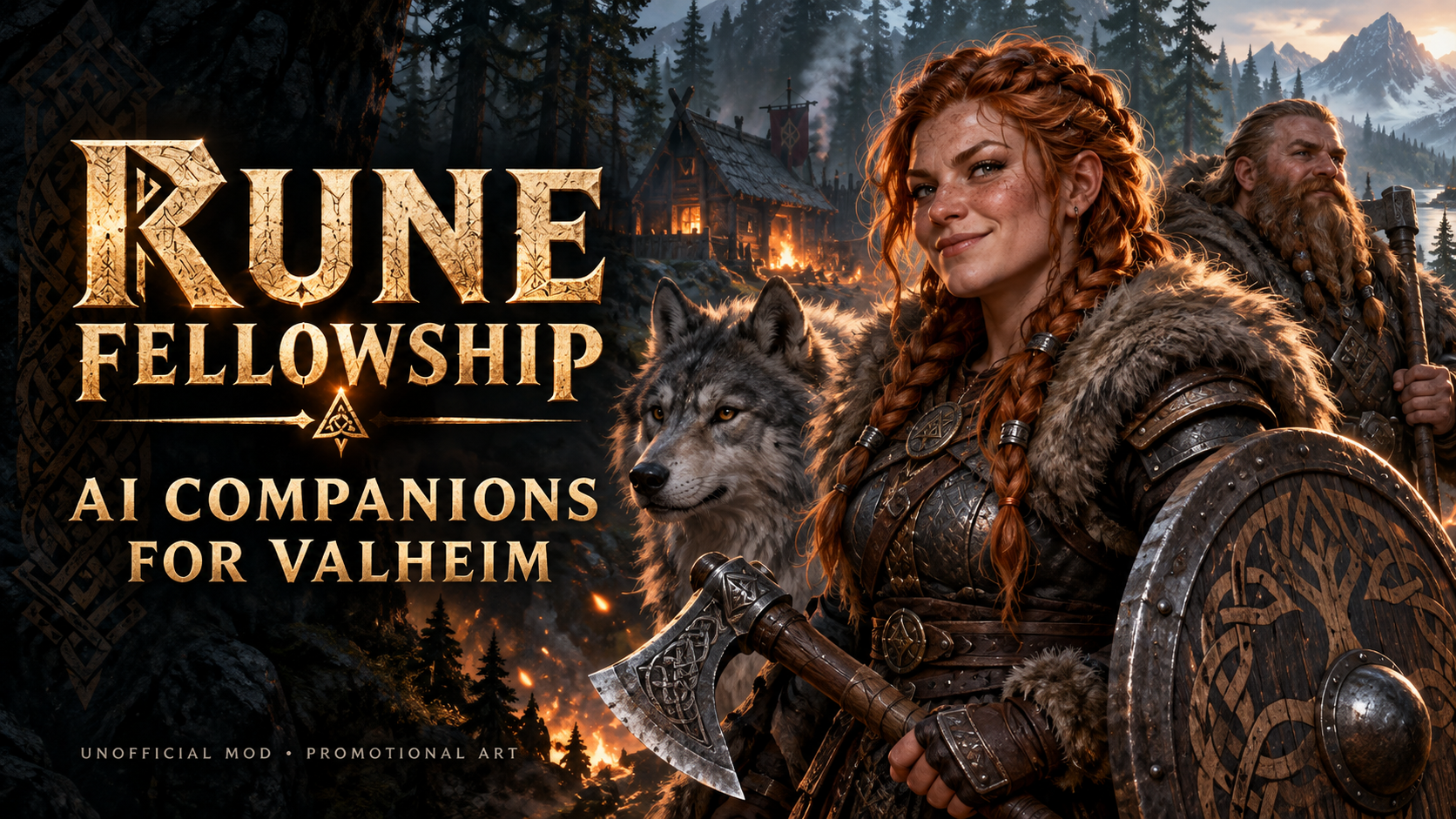
Package 0.4.44 | game plugin 0.3.27 | optional desktop 0.4.41 beta
Basic companions work entirely in the game: press F6 to name and summon a companion, then use Follow, Stay, Defend, gathering and return controls. This package contains the game plugin, icon and documentation. The Rune desktop app and online installer are not included.
Build a fellowship of companions in Valheim. Use the in-game controls for basic companions, combat and a rideable direwolf. The separate desktop app adds voice, AI dialogue, its own companion profiles and advanced orders; it is optional for basic gameplay.
Want voice and AI conversations? Download the Rune desktop app
The Rune desktop app is a separate download from GitHub. It is not included when you install this mod through Thunderstore.
Download the optional Rune desktop app from GitHub
On that release page, open Assets and choose Rune-Online-Installer-0.4.41-beta.zip for a first installation. The source and update ZIPs are different downloads.
Without the app, you can still press F6 to summon and control companions, fight alongside them and ride your direwolf.
New in package 0.4.44
- Made the optional desktop app download prominent and linked directly to its GitHub release.
- Added the exact first-install ZIP filename. Game plugin 0.3.27 and all artwork are unchanged from package 0.4.43.
Added in package 0.4.43
- Added an in-game F6 menu with three saved companion slots, names and six appearances. No desktop setup is needed.
- Added direct Follow, Stay, Defend, Gather 20 wood/stone, Lend tools, Return and Unsummon controls.
- Kept F8 as the information overview, with a button opening the separate controls.
- Removed the desktop online installer from the archive.
Companion features
- Custom saddled direwolf with native wolf movement/combat, riding, jumping and biting.
- Corrected body rendering and saddle tracking, fuller chest/tucked belly, visible reins and mounted stopping logic.
- Clearer mount HUD/map icons and a distinct direwolf companion portrait.
- Compact overlay without skill levels or redundant team/proximity information.
- F8 companion overview with health, stamina, food, equipment, carried items and current work.
- New fellowship artwork and an expanded player guide.
Direwolf in motion
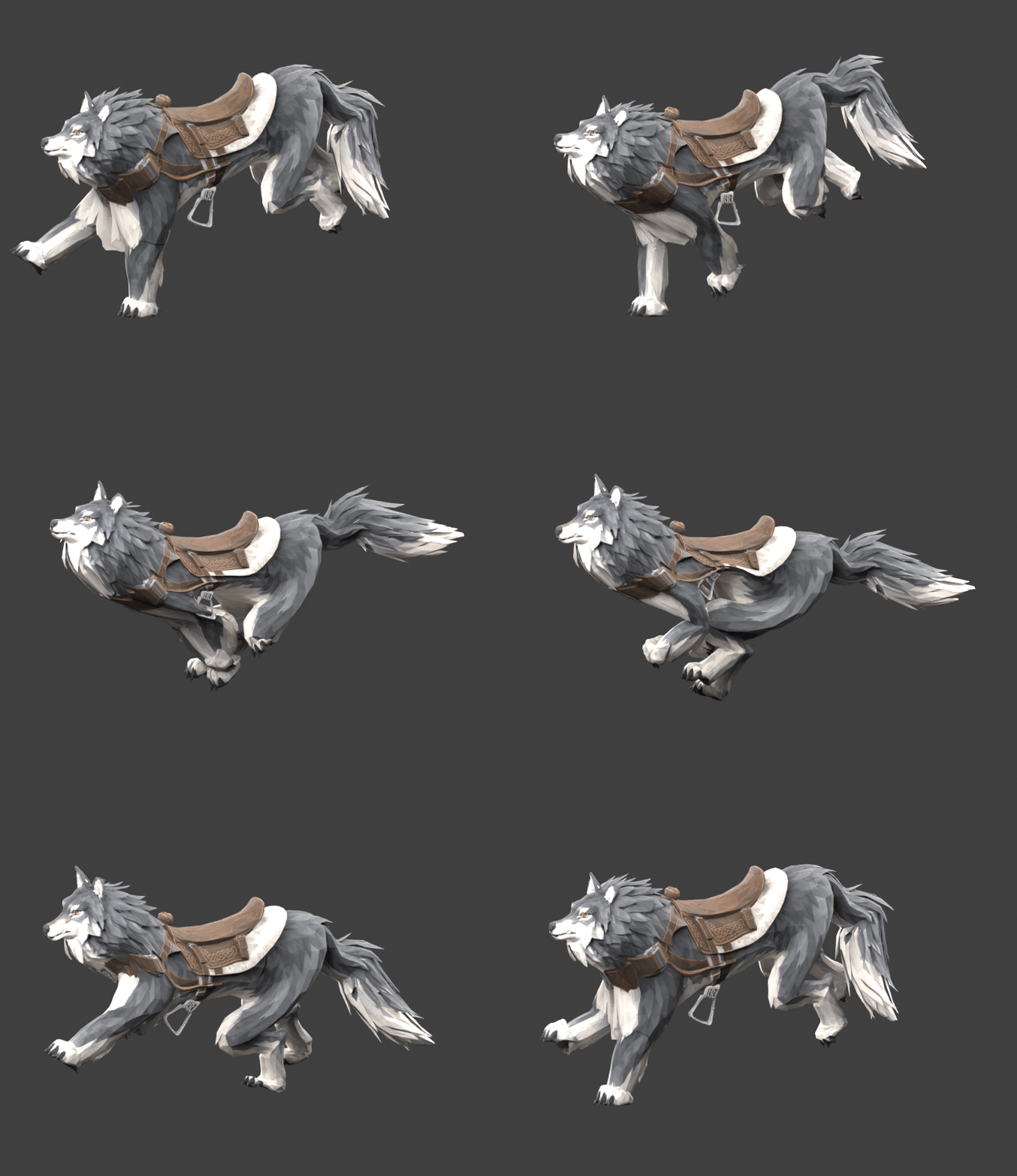
Looping Blender preview of the custom saddled direwolf's run cycle. Captured during development; in-game lighting and the latest body proportions differ. This shows the model animation, not a live gameplay recording.
Inside the desktop app
Actual Rune interface captures with example companions. Play and Settings are from desktop 0.4.29; Commands is an earlier 0.4.25 capture. Some controls have since changed.
Play and companion selection
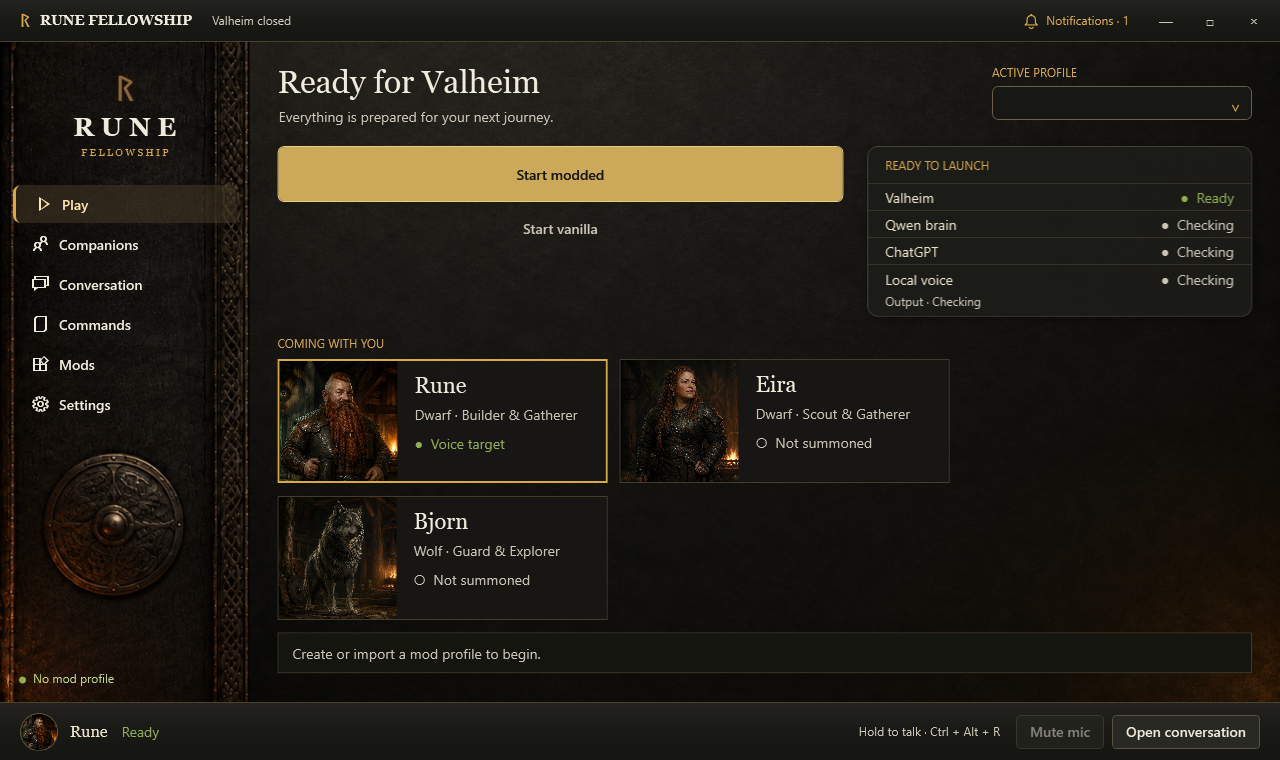
Choose who receives your voice and typed orders. Companion cards show the fellowship, while notifications highlight updates and setup issues.
AI and voice settings
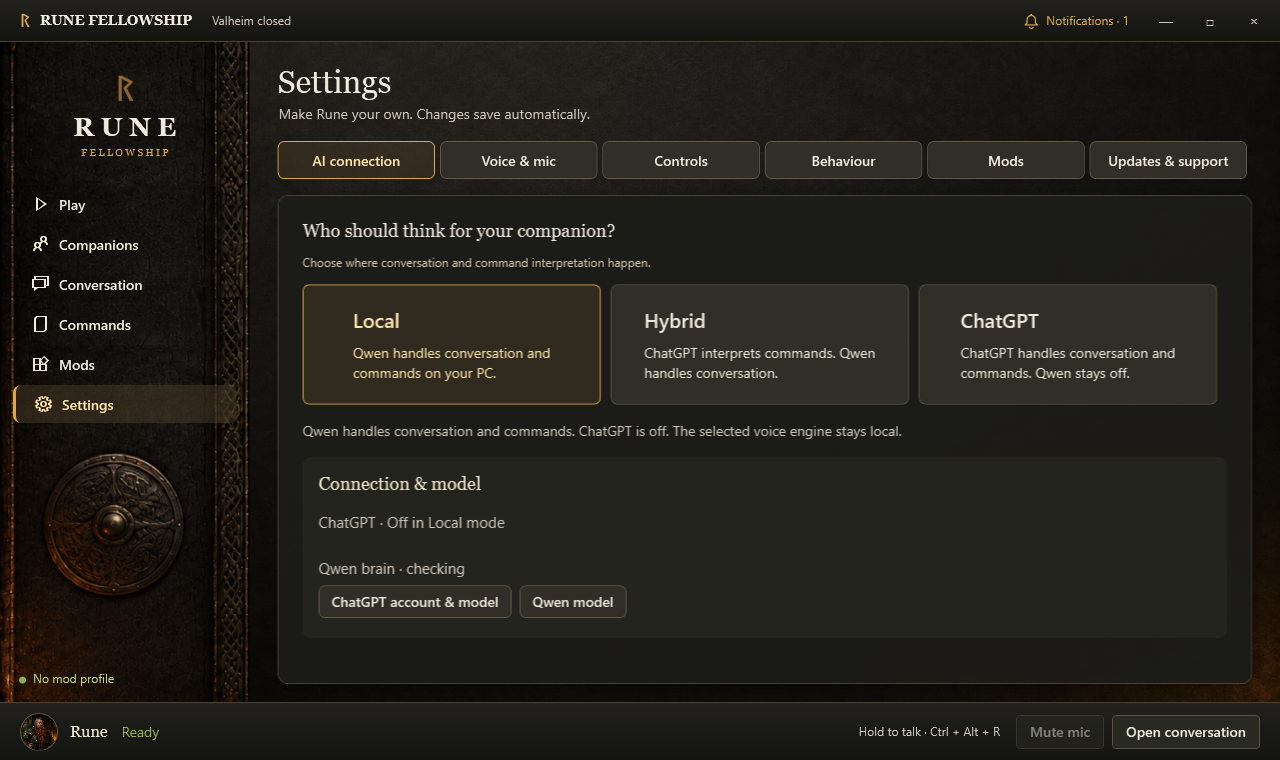
Choose Local, Hybrid or ChatGPT for conversation and commands. Speech recognition and companion voices stay local.
Commands and abilities
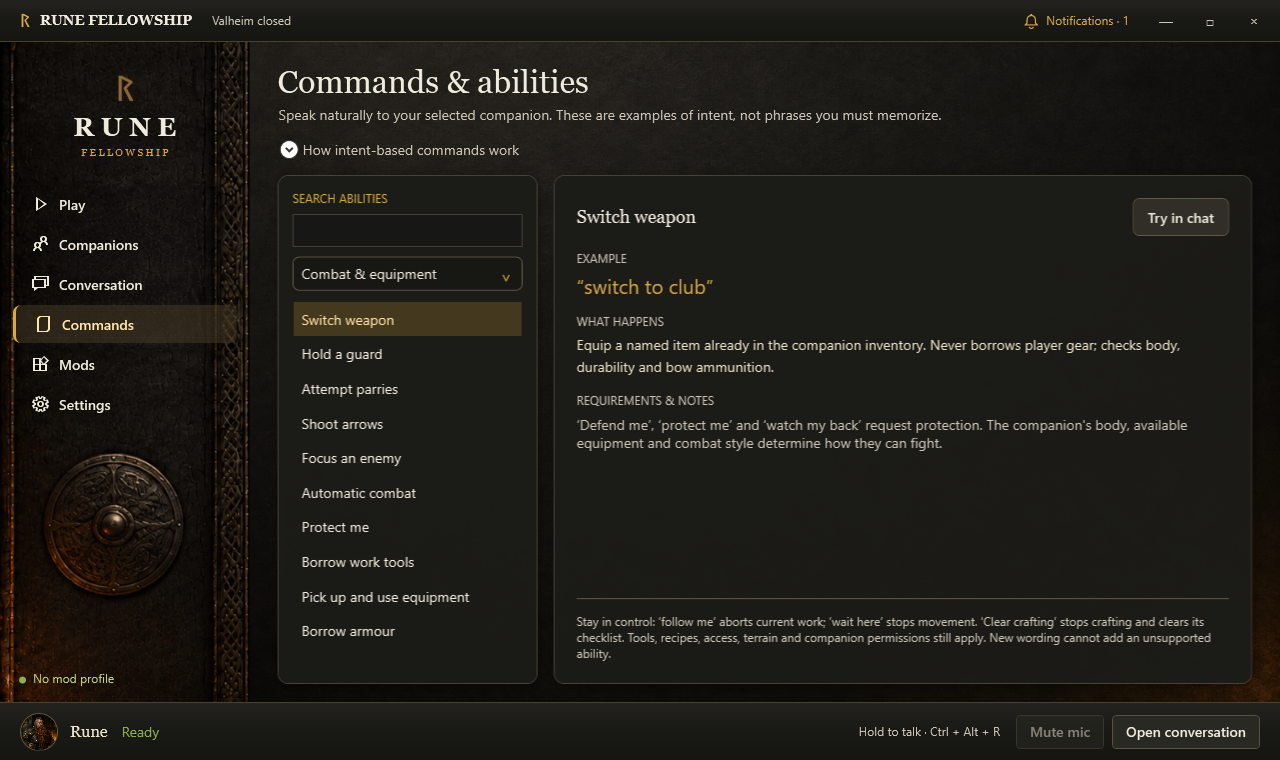
Browse supported intentions, examples and their requirements. Available actions depend on the companion's body, equipment and surroundings.
Install and start without the desktop app
- Install this package in a Valheim mod-manager profile. BepInEx and Jotunn are required and declared as dependencies. For manual installation, install those dependencies and copy the supplied
BepInEx/plugins/RuneFellowship/RuneCompanion.dllinto the matching folder of your intended profile. - Open Steam and launch that modded profile into a solo world with a living character. Try a separate test world first.
- Press F6 (also shown in the empty fellowship overlay). Select one of the three slots, choose a name and appearance, and select Summon. The default choices include Rune, Odin the direwolf and Eira.
- Use the menu to Follow, Stay, Defend, gather 20 wood or stone, return cargo, or unsummon. Humanoids can borrow tools. Resource gathering still requires reachable resources and appropriate tools; wolves cannot use tools or armour.
- Press F8 for health, food, stamina, equipment, inventory and current activity. F7 toggles the overlay. F6 controls can be rebound in the plugin configuration.
Companion identities and world state persist. Names and appearances for the three in-game slots are saved in the plugin configuration after a successful summon. To change a summoned local companion's body, first return cargo and borrowed equipment, then unsummon it and change the selection. A companion saved farther away is not duplicated or teleported: Summon reports its saved position. Unsummoning an occupied mount or a companion carrying cargo/borrowed gear is refused.
Highlights
From source dataLoaders
Runs on BepInEx.
Footprint
Rated a light load on a server.
Last update
Its author last shipped an update 54d ago.
RuneFellowship on Nxeon
From our catalogue- One-click install
- Supported on Nxeon Valheim servers, for BepInEx servers. We download it from Thunderstore, place it, and restart the server.
- Server type needed
- BepInEx
- Server load
- light
- Smallest plan we suggest
- Valheim — 4 GB (4 GB RAM). This follows our own load rating above, not a benchmark.
- Latest build
- 0.4.44, released 2026-09-12
Game versions by loader
| Loader | Game versions | Newest |
|---|---|---|
| BepInEx |
From 9 recorded builds of RuneFellowship.
Recent builds
| Build | Released | Game versions | Loaders |
|---|---|---|---|
| 0.4.44 | 2026-09-12 | n/a | BepInEx |
| 0.4.43 | 2026-09-11 | n/a | BepInEx |
| 0.4.42 | 2026-09-11 | n/a | BepInEx |
| 0.4.41 | 2026-09-11 | n/a | BepInEx |
| 0.4.29 | 2026-09-10 | n/a | BepInEx |
| 0.3.19 | 2026-09-10 | n/a | BepInEx |
Dependencies
- Required: BepInExPack Valheim
- Required: Jotunn
Declared by the newest build that lists any. Required ones are installed with it on one-click installs.
Run RuneFellowship on a Valheim server
Pick a server or deploy a new one above; it is installed in one click.
What kind of mod it is
From the catalogAdmin & protection
Permissions, moderation, anti-cheat and land protection for the people running the server.
Compatibility
- Game
- Valheim
- Loaders
- BepInEx
- Requires
- One-click install needs a BepInEx server.
Verified at the source
- ✓ThunderstoreOfficial listing, checked 2026-10-02Open ↗
- ✓AuthorRuneFellowship, as published on Thunderstore
- ✓LicenseNot published by the sourceFree











