






About RustyHeathensTargetPortal
From ThunderstorePublic portal destinations with Rusty Heathens travel animation: rolling fog lit by nearby lightning, inward energy, sparks and a reverse outer ring.
Rusty Heathens Target Portal
Choose your destination. Travel like a Heathen.
Walk into a portal, choose a destination on the map, and click its marker to travel. Rusty Heathens Target Portal brings electric-blue effects and Rusty Heathens artwork to your portal network.
Features
- Public portals only: every portal is treated as public. Players cannot switch portals to private.
- Map destination selection: travel to another listed portal without matching portal names.
- Favourites: right-click a destination marker to add or remove a favourite.
- Configurable portal colors: one setting controls runes, animated portal energy, particles, trails and attached lighting. Electric blue is the default.
- Custom map marker: a bright electric-blue swirl with no steel ring.
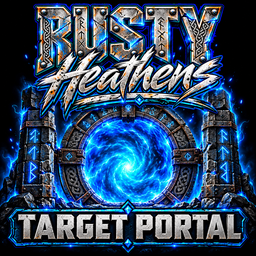
- Always-on animated travel screen: the blue center vortex and outer energy ring rotate in opposite directions, with inward-curling blue energy wisps, thick rolling fog across the bottom and sides, illuminated by nearby lightning, varied-speed depth sparks, a gentle pulse and randomized branching lightning around the sides of the image. Individual strikes and loose clusters vary in position, length, angle and brightness, with a fresh sequence for each trip. The Rusty Heathens logo, stone pillars and title stay fixed; the game controls normal teleport fade and timing.
- Server portal list: includes destinations in unloaded areas.
- Configurable portal settings: naming, maximum portal count, item restrictions and other retained options.
The travel animation is always enabled, with no off switch. Normal world-loading, sleep and respawn screens are not replaced. Portal models are unchanged.
Installation
Requires BepInExPack Valheim. Install this mod on the server/host and every participating client. Use matching versions for normal distribution. Each client must update to 2.1.9 to receive the new travel animation; a server-only update cannot change older clients' visuals.
Mod manager
Install through your Valheim mod manager. To test a downloaded ZIP before publication, use the manager's local-mod import function, then launch modded.
Manual installation
Copy the plugins/RustyHeathensTargetPortal folder from this ZIP into your BepInEx/plugins folder. The result should contain:
BepInEx/plugins/RustyHeathensTargetPortal/RustyHeathensTargetPortal.dll
The artwork is embedded in the DLL; no separate image installation is needed.
Updating
Close Valheim and stop the server before replacing the old DLL. Keep only one installed copy. Restart the server and clients after updating.
Keep your existing config. Its filename remains:
BepInEx/config/com.rustylasergaming.targetportal.cfg
Old AllowPrivatePortals, DefaultPortalMode and ModeToggleShortcut entries are ignored. They cannot re-enable private portals. Existing private portal data is treated as public while this version is installed; the stored data is not bulk-erased.
Portal ghost observer refresh (2.1.1)
Targets the reported case where a traveler arrives but other players still see their body at the departure portal. The server samples player network positions every 0.25 seconds. A jump of at least 64 metres queues the existing player record for connected observers through the game's normal networking.
The refresh does not move players or alter ownership, inventory, saves or teleport timing. It requires the server to have received the new position and does not cover all forms of desync. Multiplayer effectiveness still needs verification on this release.
The observer refresh is retained in 2.1.9. Install this version on the server to use it; the network protocol remains unchanged. Keep your config. Remove duplicate portal DLLs so only one copy is active. Do not stack this with another equivalent portal-ghost relay during the test.
Look for [RHPortalSync] Server observer relay active at startup and Queued player position refresh after large jump when someone travels. Have one player watch the entrance while another travels, arrives and moves. A queue message does not by itself prove the observer applied the update.
Portal color
Launch once to create the new setting in your existing BepInEx/config/com.rustylasergaming.targetportal.cfg:
[Visuals]
RuneColor = #044DFF
Use a six-digit hex color: electric blue #044DFF, purple #8000FF, red #FF3030, green #00FF80, or white #FFFFFF. Close Valheim before editing and restart afterward. Invalid colors fall back to electric blue. Keep the rest of your existing config.
This is a client-side visual setting: each player changes their own config. Changing only the dedicated server config will not change players' colors. The existing RuneColor key now controls rune markings/emission and the in-world portal animation: energy effects, particles, trails and attached lights. The map marker and always-on loading-screen animation retain their blue artwork. No new setting or config reset is needed.
Validation status
Version 2.1.9 compiles against the supplied Valheim 1.0.20 assemblies and passes offline color, animation, fog-lighting, binding and package checks. Existing portal/network logic and embedded artwork compare unchanged. Live portal travel, Unity rendering and multiplayer behavior still need an in-game test.
The rolling fog reuses a 240x135 texture and pixel buffer, updates at most 30 times per second, and runs only while the travel screen is active. Its warmed CPU math path allocated no managed memory in the offline check. That measurement excludes Unity texture uploads and does not establish FPS on player PCs. Loading stalls can still pause the animation; travel duration is unchanged.
Controls
- Walk into a portal: open the destination map by default.
- Click a destination marker: travel.
- Right-click a destination marker: toggle favourite.
- Rename: use the portal's hover instructions.
Highlights
From source dataLoaders
Runs on BepInEx.
Footprint
Rated a light load on a server.
Last update
Its author last shipped an update 15d ago.
RustyHeathensTargetPortal on Nxeon
From our catalogue- One-click install
- Supported on Nxeon Valheim servers, for BepInEx servers. We download it from Thunderstore, place it, and restart the server.
- Server side
- Optional on the server
- Server type needed
- BepInEx
- Server load
- light
- Smallest plan we suggest
- Valheim — 4 GB (4 GB RAM). This follows our own load rating above, not a benchmark.
- Latest build
- 2.1.9, released 2026-10-20
Game versions by loader
| Loader | Game versions | Newest |
|---|---|---|
| BepInEx |
From 5 recorded builds of RustyHeathensTargetPortal.
Recent builds
| Build | Released | Game versions | Loaders |
|---|---|---|---|
| 2.1.9 | 2026-10-20 | n/a | BepInEx |
| 2.1.6 | 2026-10-17 | n/a | BepInEx |
| 2.1.2 | 2026-10-17 | n/a | BepInEx |
| 2.1.0 | 2026-10-16 | n/a | BepInEx |
| 2.0.1 | 2026-10-14 | n/a | BepInEx |
Dependencies
- Required: BepInExPack Valheim
Declared by the newest build that lists any. Required ones are installed with it on one-click installs.
Run RustyHeathensTargetPortal on a Valheim server
Pick a server or deploy a new one above; it is installed in one click.
What kind of mod it is
From the catalogGameplay & overhauls
New mechanics, content and overhauls that change how the game plays.
Works on a server
From source side supportThunderstore lists server-side support for RustyHeathensTargetPortal as optional: it can run on a server, but isn’t required there.
Compatibility
- Game
- Valheim
- Loaders
- BepInEx
- Runs on
- Serveroptional on the server
- Requires
- One-click install needs a BepInEx server.
Verified at the source
- ✓ThunderstoreOfficial listing, checked 2026-10-21Open ↗
- ✓AuthorRustyLaserGaming, as published on Thunderstore
- ✓LicenseNot published by the sourceFree















