






About CustomBanners
From ThunderstorePlugin allows to create custom banners
Custom Banners
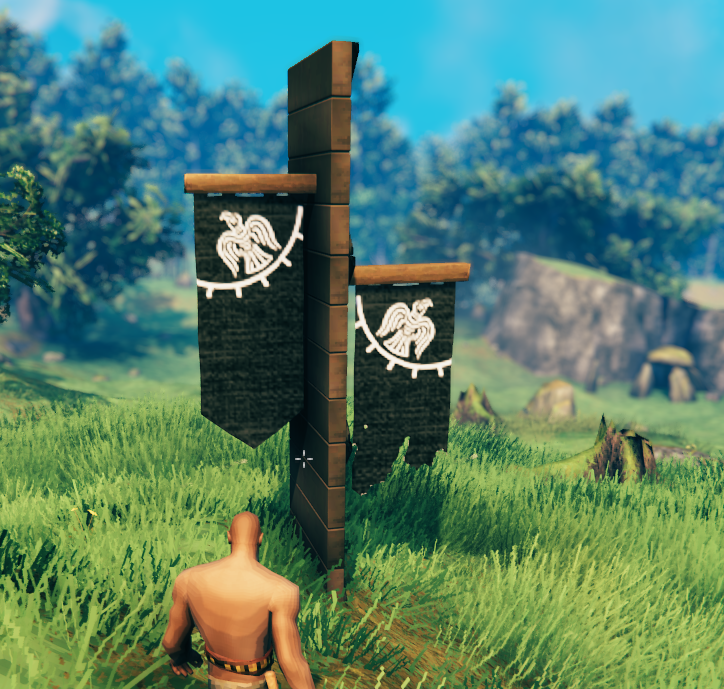
Plugin allows to create custom banners.
Need a dedicated server ?
- Use this link: https://www.survivalservers.com/r/rustymods/valheim
- I'll get a 20% commission. Thanks.
1.1.0 update
Lost the original project, so everything has been remade. Files designed around previous versions will not work.
How to
- Navigate to BepInEx/config/CustomBanners.
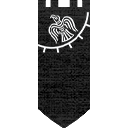
- The plugin includes two example banners to use as templates.
- Copy the example .png and .yml files for your new banner.
- Edit the .yml file to configure your banner's name, description, texture, and build requirements.
- Open the .png file in your preferred image editor (e.g., Photoshop) and create your banner texture.
- (Optional) Create a custom icon texture. Icons must have a square aspect ratio (e.g., 128×128).
Each custom banner requires a .png texture and a .yml configuration file.
YML Format
# Unique prefab ID. Banners with duplicate IDs will be skipped.
id: piece_custom_banner_default_example

# Localized name
name:
  English: Custom Banner
  French: Bannière Personnalisée

# Localized description
description:
  English: ""

# PNG texture filename without the extension
image: example

# Optional icon texture. Leave empty to generate an icon automatically.
icon: ""

# Build requirements
requirements:
  - itemName: FineWood
    amount: 10
    recover: true
  - itemName: Coal
    amount: 2
    recover: true
  - itemName: LeatherScraps
    amount: 2
    recover: true
Texture Format
## If you enjoy this mod and want to support me: PayPal


Highlights
From source dataLoaders
Runs on BepInEx.
Footprint
Rated a light load on a server.
Dependencies
Needs 1 other project installed alongside it.
CustomBanners on Nxeon
From our catalogue- One-click install
- Supported on Nxeon Valheim servers, for BepInEx servers. We download it from Thunderstore, place it, and restart the server.
- Server type needed
- BepInEx
- Server load
- light
- Smallest plan we suggest
- Valheim — 4 GB (4 GB RAM). This follows our own load rating above, not a benchmark.
- Latest build
- 1.1.1, released 2026-10-09
Game versions by loader
| Loader | Game versions | Newest |
|---|---|---|
| BepInEx |
From 12 recorded builds of CustomBanners.
Recent builds
| Build | Released | Game versions | Loaders |
|---|---|---|---|
| 1.1.1 | 2026-10-09 | n/a | BepInEx |
| 1.1.0 | 2026-10-09 | n/a | BepInEx |
| 1.0.9 | 2024-12-04 | n/a | BepInEx |
| 1.0.8 | 2024-10-31 | n/a | BepInEx |
| 1.0.7 | 2024-05-16 | n/a | BepInEx |
| 1.0.6 | 2024-04-19 | n/a | BepInEx |
Dependencies
- Required: BepInExPack Valheim
Declared by the newest build that lists any. Required ones are installed with it on one-click installs.
Run CustomBanners on a Valheim server
Pick a server or deploy a new one above; it is installed in one click.
What kind of mod it is
From the catalogListed on Thunderstore as “Content”
Gameplay & overhauls
New mechanics, content and overhauls that change how the game plays.
Compatibility
- Game
- Valheim
- Loaders
- BepInEx
- Requires
- One-click install needs a BepInEx server. 1 other project installed alongside it.
Verified at the source
- ✓ThunderstoreOfficial listing, checked 2026-10-10Open ↗
- ✓AuthorRustyMods, as published on Thunderstore
- ✓LicenseNot published by the sourceFree















