






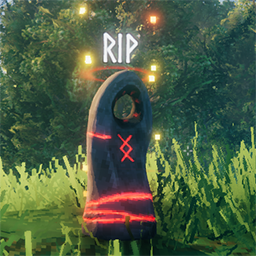
About TombstoneDriveBy
From ThunderstoreTake what you safely can from your tombstone as soon as you interact with it
Description
Sick of running half-naked into an area riddled with nasty monsters to tag your tombstone only to have it pop up a UI dialog instead of giving you your stuff? Sick of dying as you desperately try to scramble to get your weapons and gear while leaving the 50 stone you had on you for some reason behind?
This horrible scenario happens when your tombstone has more items than you can carry - either because they weigh more than your max carry or because they would require more slots than you have available.
This mod changes the behavior such that you auto-loot your tombstone even if it has too much stuff in it. It will automatically gather your items in a priority order until you are maxxed out on weight or item slots. It accounts for your Corpse Run bonus. If there are items remaining it will then open the UI as usual but - key point - you will already have all the items it could fit on you. So you can simply tag your tombstone and keep running.
Priority Order
The mod will transfer items from your tombstone to your inventory in this order:
- Items that were in your quickslots
- Armor
- Utility Items
- Weapons
- Ammo
- Food
- Tools
- Materials
- Trophies
- Torches
- Fish
Configuration
The sole configuration value for this mod is that it lest you change the Carry Bonus you get for doing a Corpse Run. Because why not?
CorpseRunCarryBonus - Default 150
Highlights
From source dataLoaders
Runs on BepInEx.
Footprint
Rated a light load on a server.
Dependencies
Needs 2 other projects installed alongside it.
TombstoneDriveBy on Nxeon
From our catalogue- One-click install
- Supported on Nxeon Valheim servers, for BepInEx servers. We download it from Thunderstore, place it, and restart the server.
- Server type needed
- BepInEx
- Server load
- light
- Smallest plan we suggest
- Valheim — 4 GB (4 GB RAM). This follows our own load rating above, not a benchmark.
- Latest build
- 1.0.0, released 2025-08-06
Game versions by loader
| Loader | Game versions | Newest |
|---|---|---|
| BepInEx |
From 1 recorded build of TombstoneDriveBy.
Dependencies
- Required: BepInExPack Valheim
- Required: Jotunn
Declared by the newest build that lists any. Required ones are installed with it on one-click installs.
Run TombstoneDriveBy on a Valheim server
Pick a server or deploy a new one above; it is installed in one click.
What kind of mod it is
From the catalogGameplay & overhauls
New mechanics, content and overhauls that change how the game plays.
Compatibility
- Game
- Valheim
- Loaders
- BepInEx
- Requires
- One-click install needs a BepInEx server. 2 other projects installed alongside it.
Verified at the source
- ✓ThunderstoreOfficial listing, checked 2026-10-02Open ↗
- ✓Authorsephalon, as published on Thunderstore
- ✓LicenseNot published by the sourceFree















