About ProtectiveWards
From ThunderstoreServer-synced ward access control and PvE base protection: per-ward settings, permitted-player management and password access, connected ward networks, protected interactions, expiration, passive protection and offerings.
Protective Wards
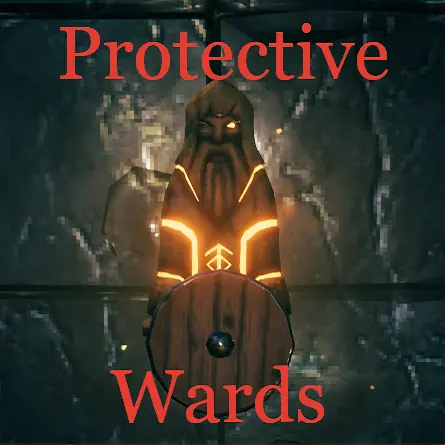
Configurable ward protection, access control, passive base support, server-side privacy tools, multipliers and active offerings for Valheim.
Protective Wards is designed primarily for public PvE servers. It helps prevent non-permitted players from casually using, taking, moving or changing objects inside another player's warded base. It is not intended to be a PvP raid system.
Requirements
- BepInExPack Valheim
- Jotunn 2.30.0 or a newer compatible 2.x version
- YamlDotNet 16.3.0
The mod uses Jotunn EveryoneMustHaveMod network compatibility. In multiplayer it must be installed on the server and every client. Gameplay settings are server-synchronized; client-only visual settings are marked [Not Synced with Server].
Version 2.1.x is not network-compatible with 2.0.x. Update the server and all clients together; incompatible major/minor versions are rejected during connection.
Features
- per-ward range, visual settings, access policy, permitted-player management, guild binding and optional password access;
- configurable protection for containers, doors, portals, stations, vehicles, tames and other interactables;
- connected ward networks with several access-sharing modes;
- cylindrical or spherical ward coverage;
- optional protection of dungeon interiors through a warded outside entrance;
- offline/background protection while no permitted player is nearby;
- inactive ward expiration and abandonment rules;
- ward build limits and server-validated management commands;
- passive repair and automatic door closing;
- damage, drain and production-speed multipliers;
- active offerings, including Valkyrie passage travel.
Access model
- Direct access: ward creator, directly permitted player, member of the bound guild, effective
Permit everyone, or configured admin bypass. - Connected/effective access: access inherited through overlapping active wards according to the selected connected access mode.
- Ownership exemptions: narrow exceptions for objects where a foreign ward should not trap a player's own property, such as tombstones, saddles and previously controlled vehicles.
- Permit everyone: copied into each new ward and then editable independently in
PerWardmode.
Sensitive actions and console commands are validated by the server. The server checks the requester identity, target ward ZDO, access and requested state before applying changes.
Per-ward settings
Ward settings / Ward settings mode has two values:
PerWardis the default. Authorized players can open the settings window and stored per-ward range, visual and access values are applied.ServerControlledhides the ward settings action, blocks the UI and its server RPCs, and uses global config values instead of the ward's stored values. Stored ward values are preserved and become active again after returning toPerWard.
When a ward is created, its range, visual and access values are copied from the current global config into its ZDO. In PerWard mode those stored values are independent afterward; global config changes affect future wards, not existing ones.
- Disable the ward.
- Press
AltPlace + Use(Left Shift + Eby default). - Change the range, access settings, or glow, sphere and ward circle controls on the Ward visuals page.
- Open the Permitted players page to add an online player by nickname or review and remove stored entries. The main Access section shows a summary of permitted players.
- Apply the settings from the main page.
| Config | Meaning | |---|---| | Ward settings / Ward settings mode | PerWard enables the ward settings UI and uses each ward's stored values. ServerControlled hides and blocks the UI and uses global config values instead. | | Ward settings / Only creator can edit ward settings | Only the creator may edit the ward instead of any player with access. Ignored in ServerControlled mode. | | Ward settings / Admins can edit ward settings | Players accepted by Ward admin access, or by the ward's effective Permit everyone value, may edit any ward. Ignored in ServerControlled mode. |
The settings UI stores every editable value explicitly; there are no Use default controls. The Access settings page includes Permit everyone and Permitted players can toggle ward. The latter is off by default and, when enabled for a ward, lets players who already have ward access activate or deactivate it with the normal Use interaction without changing who may edit the ward settings. These per-ward access values are ignored in ServerControlled mode.
Range / Ward range limits defines the minimum (x) and maximum (y) effective radius in meters, defaulting to 1 and 200. It is server-controlled and synchronized by Jotunn, like the other server configuration entries. Limits apply to UI input, server-side writes, existing saved values, default radii, connected access and background protection. Updating the limits refreshes loaded wards and coverage caches immediately. Invalid endpoints use their defaults; reversed endpoints are sorted.
The Permitted players page can add an online player by an exact or uniquely matching nickname. It displays the ward's explicit permitted list in pages of ten and lets authorized editors remove stored entries even if those players are offline. The server revalidates the requester identity, target ward ZDO and edit permission before changing the list.
Ward hover text summarizes effective access without allowing long name lists to dominate the hover. Explicit names are shown while their combined text is at most 30 characters; longer lists are replaced with a player count. Active guild and password access are appended to the same line. Effective Permit everyone is shown simply as Permitted: everyone.
Highlights
From source dataLoaders
Runs on BepInEx.
Footprint
Rated a light load on a server.
Last update
Its author last shipped an update 5d ago.
ProtectiveWards on Nxeon
From our catalogue- One-click install
- Supported on Nxeon Valheim servers, for BepInEx servers. We download it from Thunderstore, place it, and restart the server.
- Server side
- Optional on the server
- Server type needed
- BepInEx
- Server load
- light
- Smallest plan we suggest
- Valheim — 4 GB (4 GB RAM). This follows our own load rating above, not a benchmark.
- Latest build
- 2.1.0, released 2026-10-11
Game versions by loader
| Loader | Game versions | Newest |
|---|---|---|
| BepInEx |
From 26 recorded builds of ProtectiveWards.
Recent builds
| Build | Released | Game versions | Loaders |
|---|---|---|---|
| 2.1.0 | 2026-10-11 | n/a | BepInEx |
| 2.0.15 | 2026-09-21 | n/a | BepInEx |
| 2.0.14 | 2026-09-21 | n/a | BepInEx |
| 2.0.13 | 2026-09-19 | n/a | BepInEx |
| 2.0.12 | 2026-09-19 | n/a | BepInEx |
| 2.0.11 | 2026-09-19 | n/a | BepInEx |
Dependencies
- Required: YamlDotNet
- Required: Jotunn
- Required: BepInExPack Valheim
Declared by the newest build that lists any. Required ones are installed with it on one-click installs.
Run ProtectiveWards on a Valheim server
Pick a server or deploy a new one above; it is installed in one click.
What kind of mod it is
From the catalogGame modes & minigames
Game modes, minigames and competitive formats for your server.
Works on a server
From source side supportThunderstore lists server-side support for ProtectiveWards as optional: it can run on a server, but isn’t required there.
Compatibility
- Game
- Valheim
- Loaders
- BepInEx
- Runs on
- Serveroptional on the server
- Requires
- One-click install needs a BepInEx server.
Verified at the source
- ✓ThunderstoreOfficial listing, checked 2026-10-11Open ↗
- ✓Authorshudnal, as published on Thunderstore
- ✓LicenseNot published by the sourceFree