About Waystones
From ThunderstoreBuild a waystone network, sit in front of one, locate with your gaze a distant place or another waystone and fast travel there. Nomap/noportals immersive alternative for regular portals.
Waystones
Build a waystone network, sit in front of one, locate with your gaze a distant place or another waystone and fast travel there

This mod allows you to build a waystone, new piece which you can use to fast travel to some fixed and dynamic locations and also other activated and tagged waystones. It supports cooldown-based travel, charge-based travel and orientation-only navigation mode.
This mod is meant mainly to use on nomap mode and/or noportals mode. In nomap mode it could be used for orientation and in noportals mode as an alternative way of fast travel. A waystone could be used as a landmark visible from afar and as an alternative to signs.
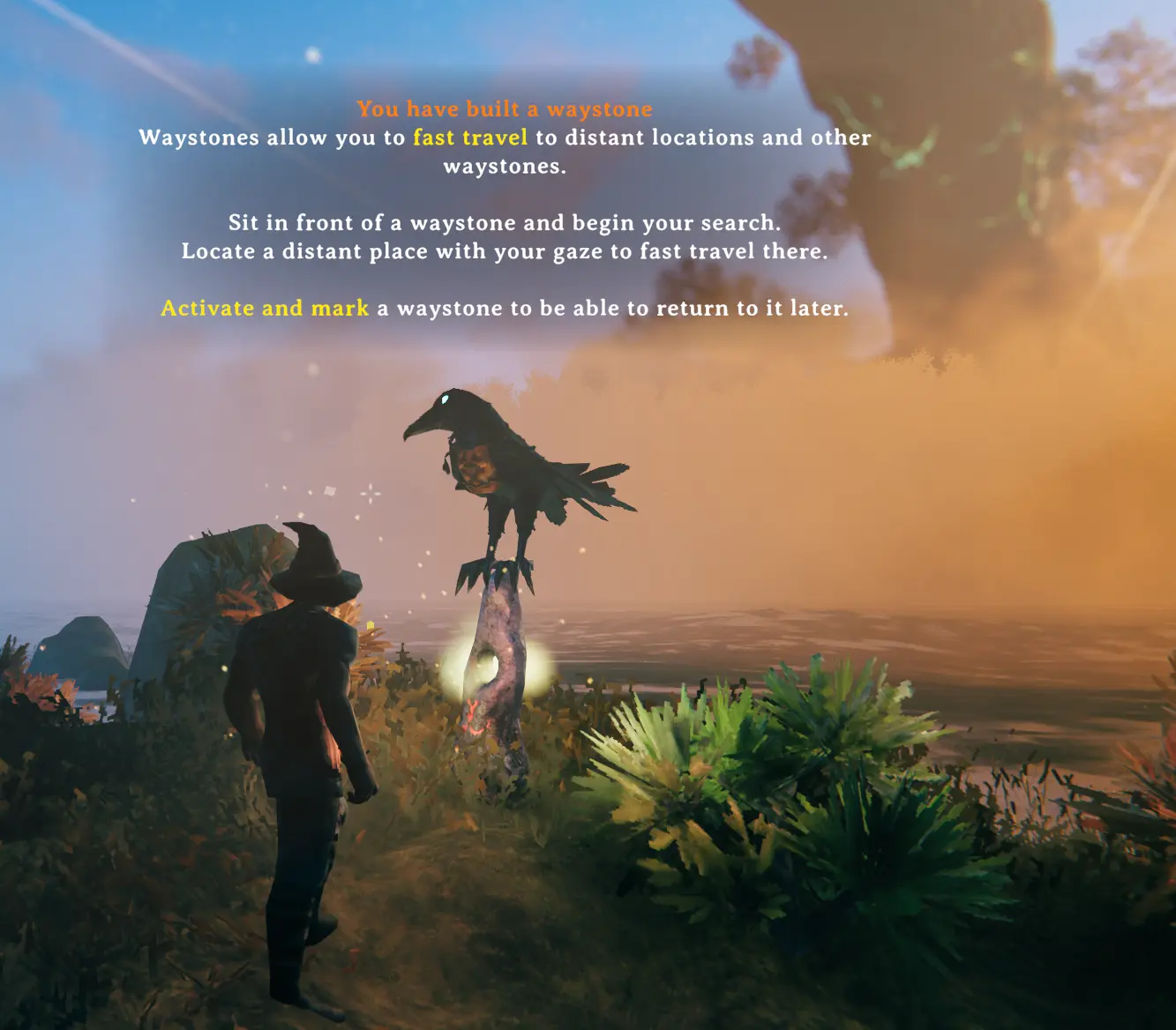
On your first approach a waystone the Hugin will hint you how to use it. If you disabled raven hints there will be no Hugin for you.
Direction search
After building a waystone sit in front of it and activate search mode.
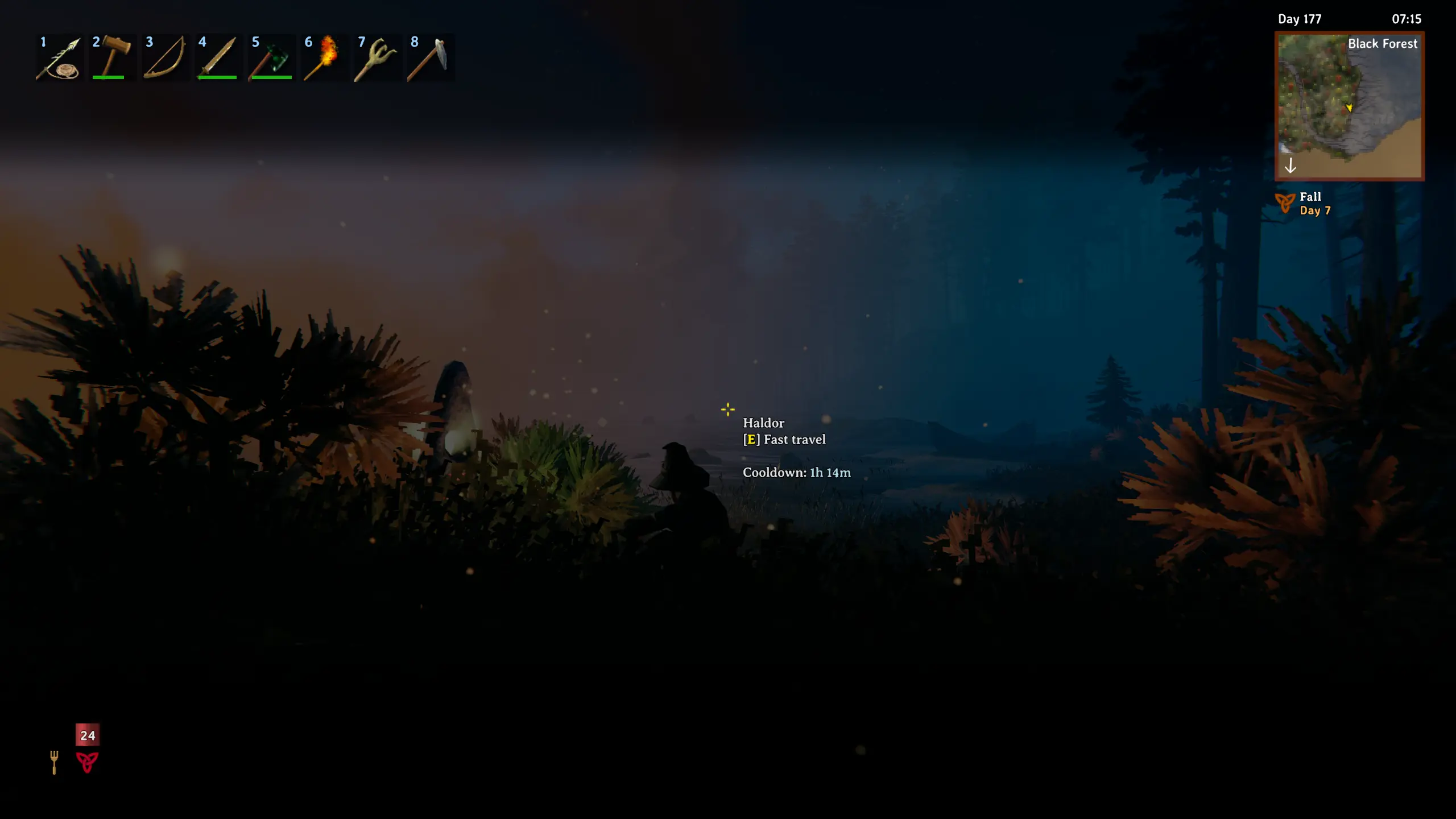
Your screen will be darken, camera movement slowed and you will be able to hear and locate available distant places.
Sound pitch and screen brightness will reflect a distance between current look direction and distant place direction.
Available locations and player-built waystones can appear as precise screen-space icons. Each direction uses its corresponding map icon, becomes visible only within the configurable Search mode - Icons threshold and uses an angle-based fade curve: it is fully opaque only when your aim is almost exact and becomes increasingly transparent as the angle grows. If several directions overlap on screen, the target closest to the crosshair is drawn above the others.
"Touch" the direction with your gaze and you can start fast travelling there.
You can use Zoom buttons (mouse scroll) to change camera FoV and actually zoom in and zoom out the view to increase/decrease look sensitivity.
In singleplayer time flow will be slowed as well.
Cooldown mode
Fast travelling ability takes some time to recover. The length of that recovery depends on a travelling distance. Max and min distance and cooldown are configurable. In location hover in search mode you will see what cooldown will be set after fast travelling.
There is console command setwaystonecooldown [seconds] to manually set cooldown for test purposes.
Cooldown is based on a world time by default. It could be changed to use global real time instead.
Cooldown reduction
You can sacrifice items to waystone to reduce cooldown.
Create file shudnal.Waystones.reduce_cooldowns.json or shudnal.Waystones.reduce_cooldowns.yaml anywhere inside of the Bepinex config folder.
This file should consist of pairs itemname: cooldown. Item name could be set as prefab name (i.e. TrophyNeck) or item name (i.e. $item_trophy_neck)
JSON example:
{
  "TrophyNeck": 10
}
If you want several items to be sacrificed at once you can do it like this where 50 is amount of coins and 10 is amount of seconds.
JSON
{
  "Coins:50": 10
}
YAML entry can be set like this 'Coins:50': 10
Charge mode
Charge mode replaces travel cooldown with stored charge. Search mode requires a charged source, and successful fast travelling consumes charge based on travel distance.
By default, maximum charge is 100. Travel costs 20 charge at short distance up to 500 meters, and scales up to 50 charge at 5000 meters and beyond. Distance and charge cost limits are configurable in the Travel charge config section.
The same sacrifice config file used for cooldown reduction is used in Charge mode to add charge instead. Item values become charge values. For example, TrophyNeck: 10 adds 10 charge instead of reducing cooldown by 10 seconds.
If you want several items to be sacrificed at once, use the same stack syntax:
{
  "Coins:50": 10
}
Charge storage is configurable:
Waystone- items charge the interacted waystone, and travel consumes charge from the source waystone.Player- items charge the character in the current world data, and travel consumes character charge.
Waystone hover shows current charge or current cooldown depending on the selected mode. It can also show sacrifice items currently available to the character. If another mod extends accessible items, the hover can show both character inventory count and total available count.
Search hover shows travel cost and charge-related travel information:
- in
Waystonestorage mode, it shows arrival waystone charge and whether there is enough charge for return travel; - in
Playerstorage mode, it shows character charge after travel.
Additional Charge mode options allow:
- empty or full default charge for uninitialized waystones or characters;
- charge overdraft when current charge is positive but lower than travel cost;
- one-time overcharge when adding charge to a not-yet-full waystone.
Charge is consumed only after successful teleportation. Interrupted teleportation does not spend charge.
Orientation mode
Orientation mode disables fast travel and turns waystones into navigation landmarks.
Search mode still works, but it only shows direction and distance to available points of interest and waystones. You can use it to find distant landmarks without teleporting.
This mode is useful for no-map or immersive navigation playthroughs where waystones should guide the player without replacing travel.
Configurable options include:
- maximum waystone visibility distance;
- distance units shown in hover text;
- whether distant fixed locations can be shown beyond normal visibility distance;
Highlights
From source dataLoaders
Runs on BepInEx.
Footprint
Rated a light load on a server.
Last update
Its author last shipped an update 33d ago.
Waystones on Nxeon
From our catalogue- One-click install
- Supported on Nxeon Valheim servers, for BepInEx servers. We download it from Thunderstore, place it, and restart the server.
- Server side
- Optional on the server
- Server type needed
- BepInEx
- Server load
- light
- Smallest plan we suggest
- Valheim — 4 GB (4 GB RAM). This follows our own load rating above, not a benchmark.
- Latest build
- 1.2.2, released 2026-09-12
Game versions by loader
| Loader | Game versions | Newest |
|---|---|---|
| BepInEx |
From 21 recorded builds of Waystones.
Recent builds
| Build | Released | Game versions | Loaders |
|---|---|---|---|
| 1.2.2 | 2026-09-12 | n/a | BepInEx |
| 1.2.1 | 2026-09-10 | n/a | BepInEx |
| 1.2.0 | 2026-08-02 | n/a | BepInEx |
| 1.1.2 | 2026-07-18 | n/a | BepInEx |
| 1.1.1 | 2026-07-13 | n/a | BepInEx |
| 1.1.0 | 2026-05-30 | n/a | BepInEx |
Dependencies
- Required: BepInExPack Valheim
- Required: ConditionalConfigSync
- Required: YamlDotNet
Declared by the newest build that lists any. Required ones are installed with it on one-click installs.
Run Waystones on a Valheim server
Pick a server or deploy a new one above; it is installed in one click.
What kind of mod it is
From the catalogBuilding & decoration
Blocks, furniture, decorations and building tools.
Works on a server
From source side supportThunderstore lists server-side support for Waystones as optional: it can run on a server, but isn’t required there.
Compatibility
- Game
- Valheim
- Loaders
- BepInEx
- Runs on
- Serveroptional on the server
- Requires
- One-click install needs a BepInEx server.
Verified at the source
- ✓ThunderstoreOfficial listing, checked 2026-10-01Open ↗
- ✓Authorshudnal, as published on Thunderstore
- ✓LicenseNot published by the sourceFree