







About Clan
From ThunderstoreBuild your Valheim clan with Leader, Officer, Member, and Guest roles, clan chat, a movable health HUD, private map pings, shared positions, custom emblems, and animated GIF emoji. Apply, invite, manage members, and stay connected across Valheim.
Clan
A server-authoritative clan system for Valheim, integrated into the vanilla chat UI.
Showcase
Clan panel and management
Open the Clan panel directly from gameplay, then browse clans and players, search the directory, apply or invite, and manage member roles.
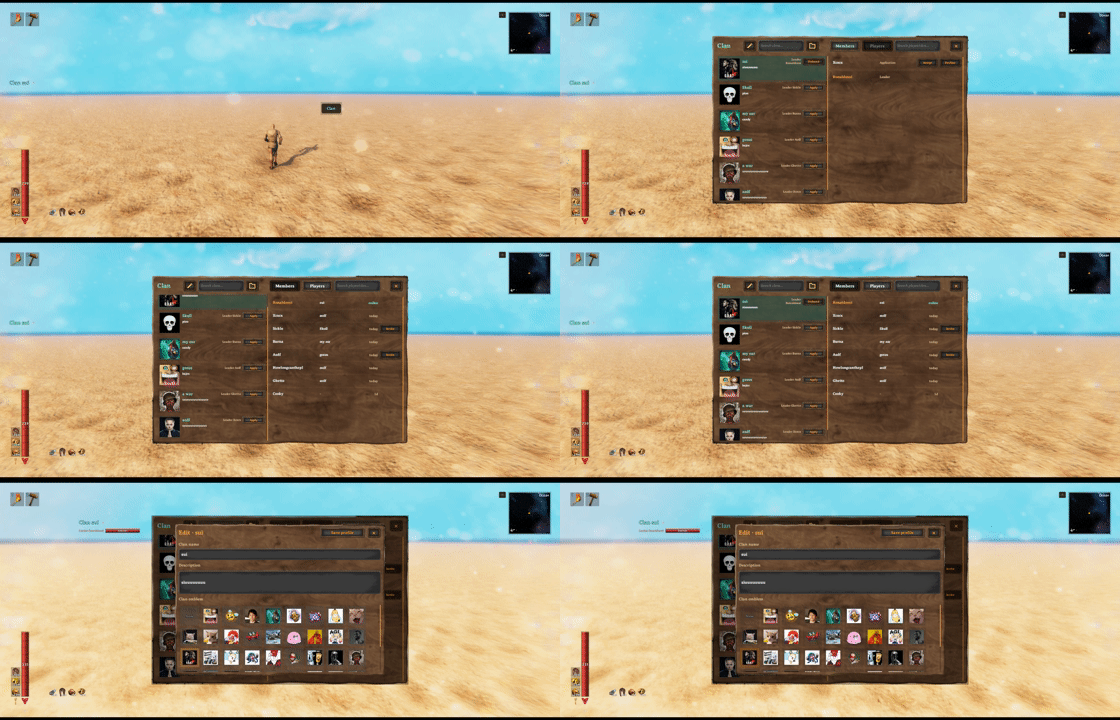
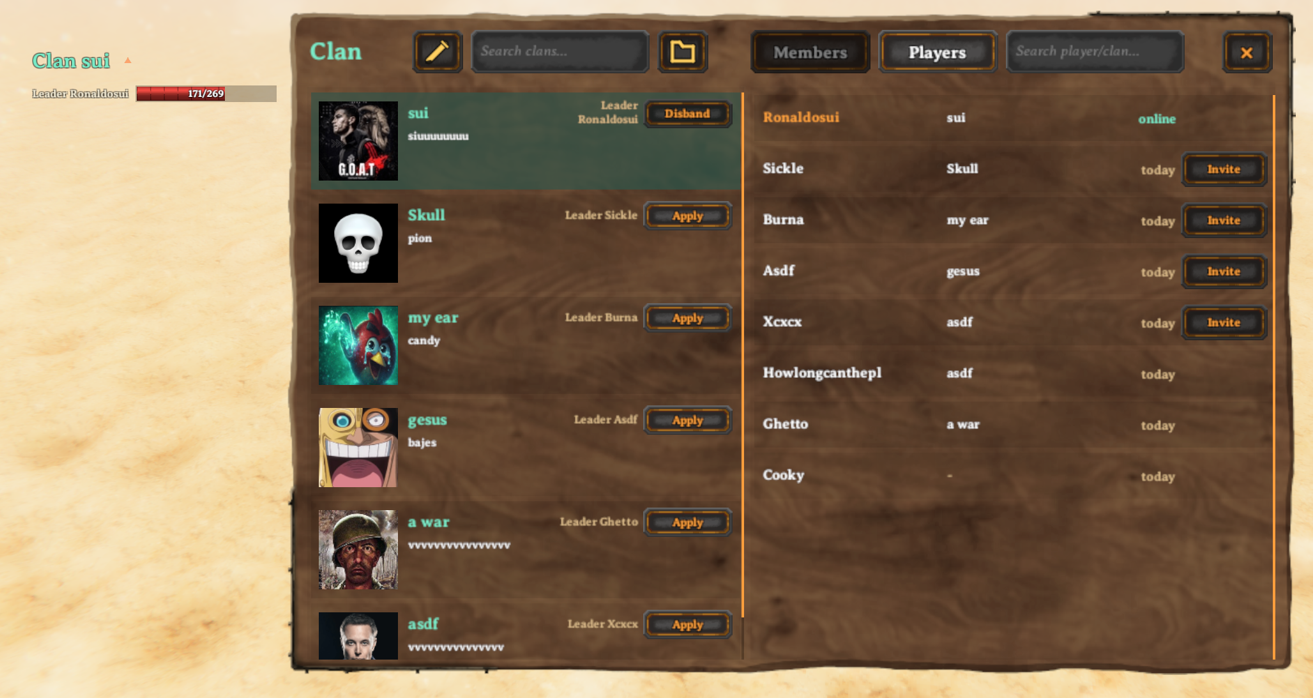
Leaders can update the clan name and description and choose an emblem from the server's media catalog.

Clan chat and notifications
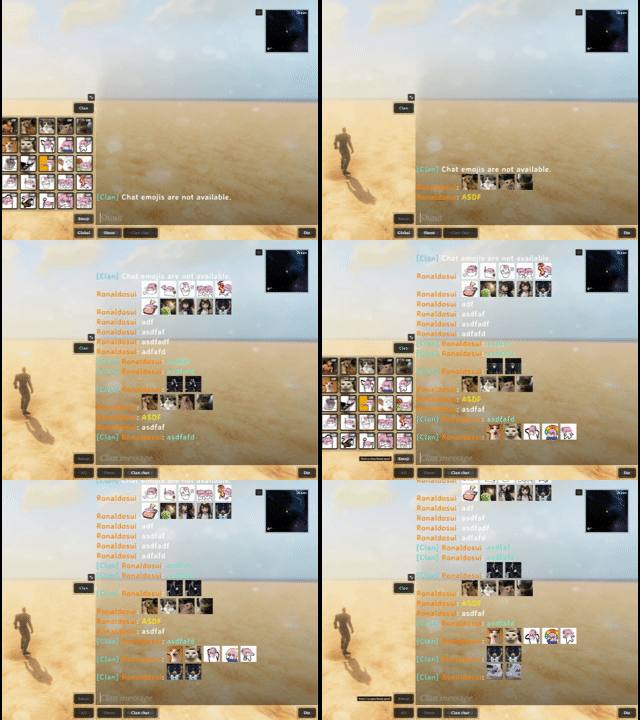
Clan chat is attached to the vanilla chat UI, while the movable HUD keeps the active clan and online members visible during play.
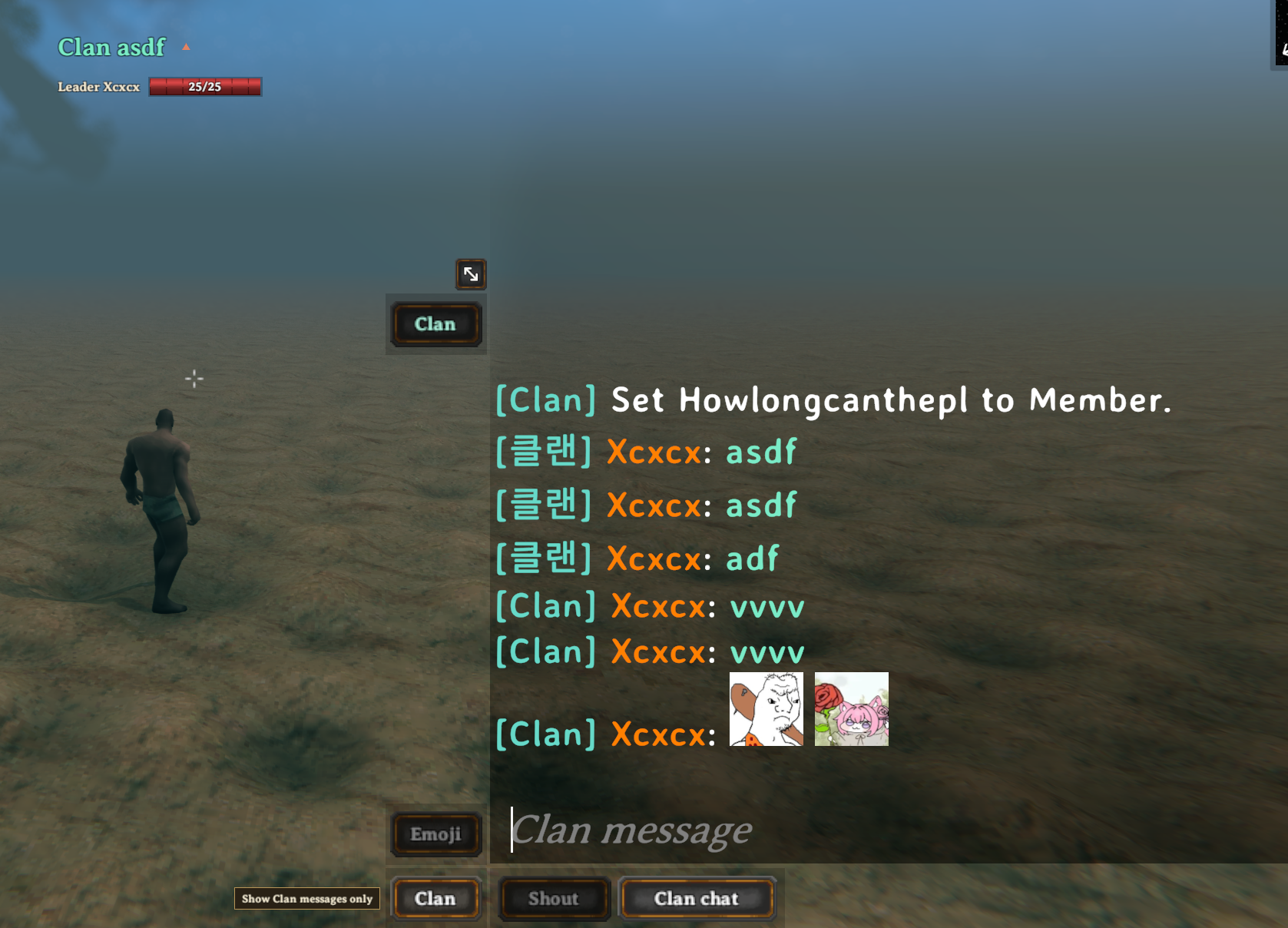
The view filter switches between all, clan, local, and global messages without changing the selected sending channel. Pending invitations and applications are surfaced through the Clan control.

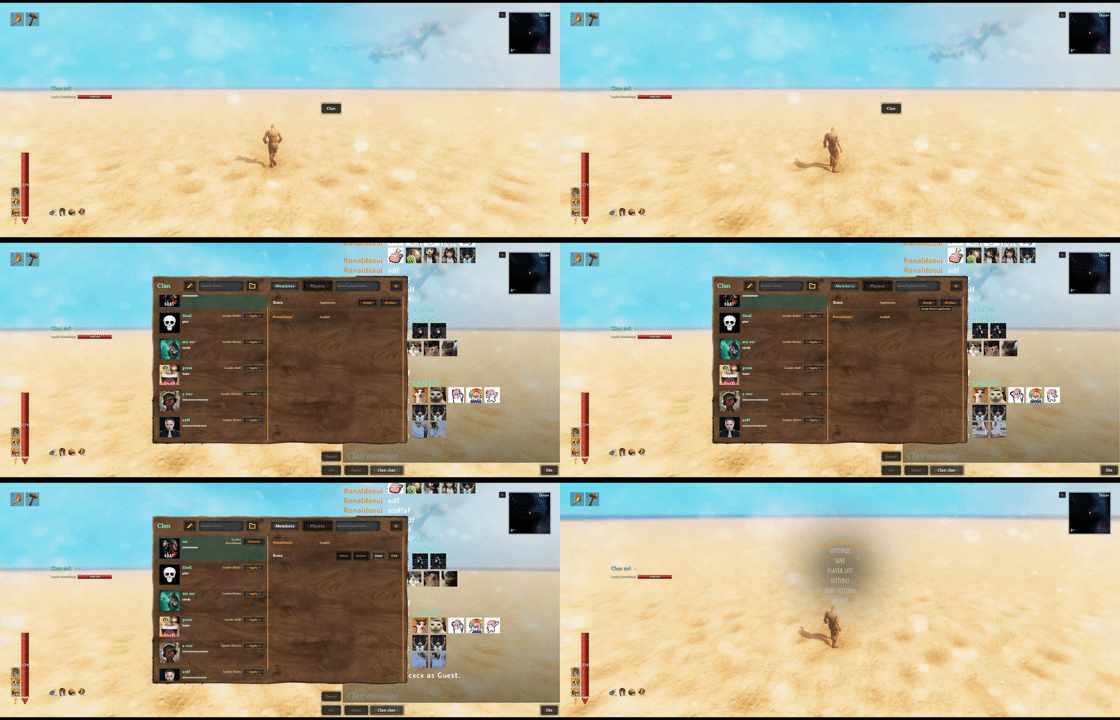
Emoji and animated GIFs
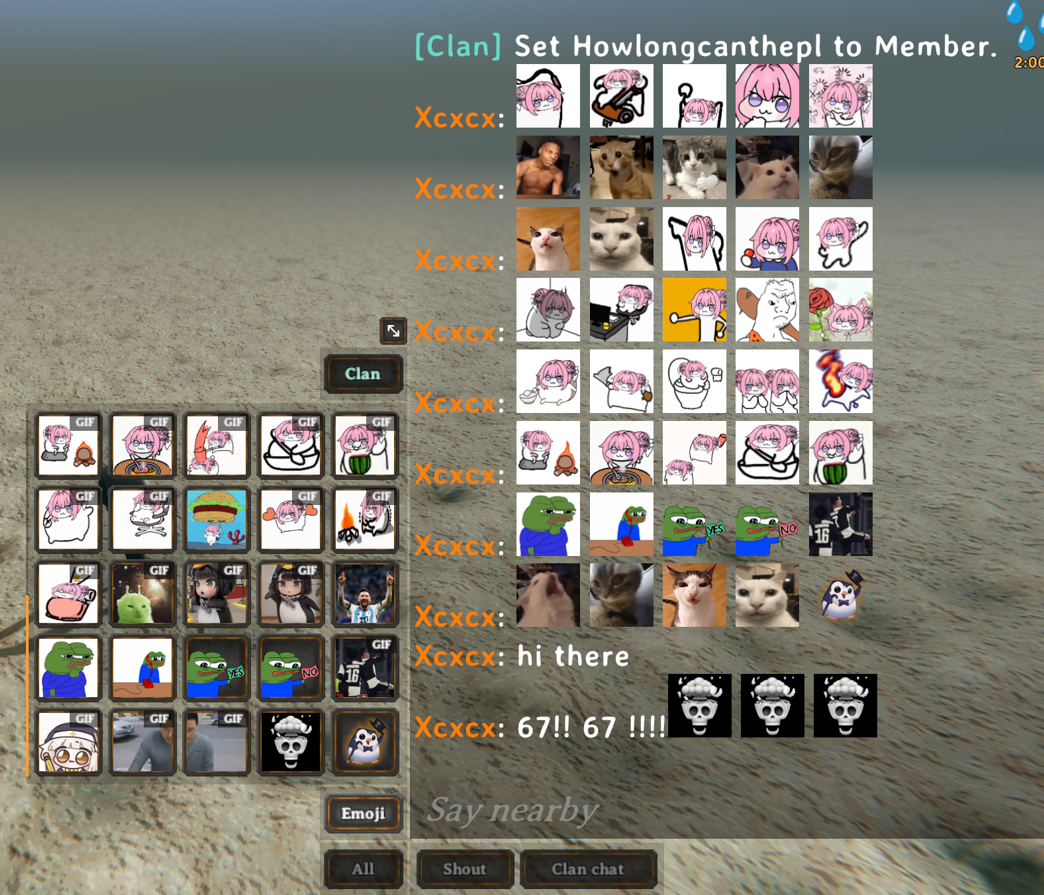
Open the five-column emoji picker from chat to insert server-synchronized PNG or GIF emoji. Animated GIFs play directly in supported chat messages.
Features
- Create, browse, search, and manage clans
Leader,Officer,Member, andGuestroles- Clan chat with
All,Clan,Local, andGlobalview filters - Clan-only map pings and optional position sharing
- Movable clan HUD with online player health
- Server-synchronized PNG/GIF emoji and PNG emblems
- English and Korean localization
Quick start
| Action | Default control | | --- | --- | | Open or close the Clan panel | J | | Open chat and the Emoji panel | H | | Send a clan-only map ping | Hold Left Shift while using the vanilla map ping |
Open the Clan panel to create a clan or apply to an existing one. Open vanilla chat to select a channel, insert emoji, filter visible messages, or open the Clan panel from the attached controls.
The Clan HUD starts expanded on the left side and shows up to 10 online players. Press F7 to cycle expanded, collapsed (header only), and hidden. The shortcut works with the inventory open or closed and ignores text entry and menus/dialogs. Set Clan HUD Toggle Shortcut to None to unset it; Clan HUD State still controls visibility. Both settings are client-only and the state persists across sessions.
Drag the HUD header to save a position, or use its arrow to switch between expanded and collapsed. Clan HUD Position remains visible in the configuration UI and uses normalized upper-left coordinates: X from the left and Y from the top, each from 0 to 1. Its default is (0.015, 0.32); reset this setting to restore the original left-side position. Existing custom positions are preserved. Existing Show Clan Member HUD and Clan HUD Player List Collapsed settings are converted once into Clan HUD State and removed. An already saved new state takes precedence.
Roles and Guest clans
A player may have:
- One primary clan role:
Leader,Officer, orMember - One persistent
Guestconnection to a different clan
While a Guest connection is active, the Guest clan is used for clan chat, HUD, pings, shared map positions, and friendly-fire checks. The primary membership remains stored and becomes active again after leaving or being removed from the Guest clan.
Accepted applications and invitations always start as Guest. Leaders and officers can manage eligible players from the roster; leadership transfer and clan profile management remain leader-only.
Full and Simple mode
1 - General / Mode defaults to Full. Set it to Simple on the server to use persistent, unnamed groups and a compact members/online-player panel. The server selects the active mode when the world starts. Configuration changes take effect on the next server/world start; clients use the server's active mode regardless of their local setting.
In Simple mode, invite an online, ungrouped player from the Players tab to start a group. Any member can invite, and the recipient must accept. An existing pending invitation is not overwritten. Each character can belong to one group. The group leader can remove other members or transfer leadership; there are no Officers, Guests, applications, profiles, names or emblems to manage. Leave requires a confirmation click.
Groups and invitations survive disconnects and server restarts. Disconnecting does not change the leader. When the leader explicitly leaves, leadership passes to the earliest-joined online member, or the earliest-joined remaining member if everyone is offline. The last member leaving deletes the group and its outstanding invitations. Offline members remain in the roster but receive no shared experience or quest credit.
Group chat, item links, HUD, map positions/pings, friendly-fire configuration and optional Epic MMO/QuestForge sharing use the current group. Distance, identity and duplicate-report checks remain in place. The existing J/H/F7 controls and client HUD settings also work in Simple mode. Group membership does not grant Clan-based ward or portal permissions.
Full clan data and Simple group data are stored separately. Switching modes does not convert or delete either store. Simple groups are identified by server-generated IDs; the internal storage name is that ID, not a user-editable clan name. All participants must use this same Clan build (RPC v15).
Optional combat and quest compatibility
Highlights
From source dataLoaders
Runs on BepInEx.
Footprint
Rated a light load on a server.
Last update
Its author last shipped an update 18d ago.
Clan on Nxeon
From our catalogue- One-click install
- Supported on Nxeon Valheim servers, for BepInEx servers. We download it from Thunderstore, place it, and restart the server.
- Server side
- Optional on the server
- Server type needed
- BepInEx
- Server load
- light
- Smallest plan we suggest
- Valheim — 4 GB (4 GB RAM). This follows our own load rating above, not a benchmark.
- Latest build
- 1.1.5, released 2026-10-17
Game versions by loader
| Loader | Game versions | Newest |
|---|---|---|
| BepInEx |
From 16 recorded builds of Clan.
Recent builds
| Build | Released | Game versions | Loaders |
|---|---|---|---|
| 1.1.5 | 2026-10-17 | n/a | BepInEx |
| 1.1.4 | 2026-10-06 | n/a | BepInEx |
| 1.1.3 | 2026-10-01 | n/a | BepInEx |
| 1.1.2 | 2026-09-29 | n/a | BepInEx |
| 1.1.1 | 2026-09-26 | n/a | BepInEx |
| 1.1.0 | 2026-09-26 | n/a | BepInEx |
Dependencies
- Required: BepInExPack Valheim
Declared by the newest build that lists any. Required ones are installed with it on one-click installs.
Pick a server or deploy a new one above; it is installed in one click.
What kind of mod it is
From the catalogChat & community
Chat, voice, Discord, clans and other community features.
Works on a server
From source side supportThunderstore lists server-side support for Clan as optional: it can run on a server, but isn’t required there.
Compatibility
- Game
- Valheim
- Loaders
- BepInEx
- Runs on
- Serveroptional on the server
- Requires
- One-click install needs a BepInEx server.
Verified at the source
- ✓ThunderstoreOfficial listing, checked 2026-10-18Open ↗
- ✓Authorsighsorry, as published on Thunderstore
- ✓LicenseNot published by the sourceFree















