






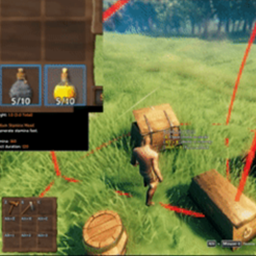
About InventoryActions
From ThunderstoreStandalone inventory actions split from InventorySlots mod: hold containers to quick stack/restock, favorite slots, sort inventories/containers, set restock limits, and trash selected items with controller support
InventoryActions
Quick stack, restock, favorite, sort, and manage items while keeping your existing inventory layout. InventoryActions brings the inventory tools from InventorySlots into a standalone mod.
User guide · Controller controls
See it in action
Click any image or animation to view the original.
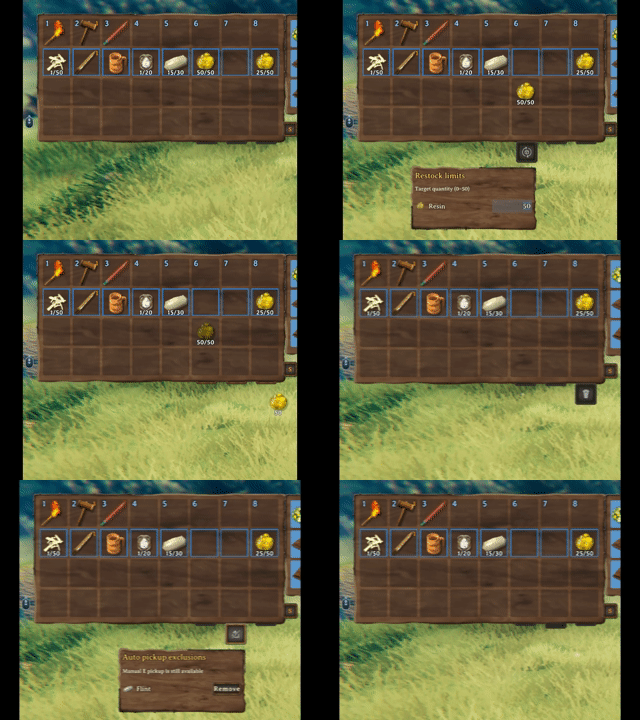
Hover a button or select it with a controller to set restock targets, manage automatic pickup, or delete an unwanted item with confirmation.
| Quick stack | Restock favorites | | --- | --- | |  |
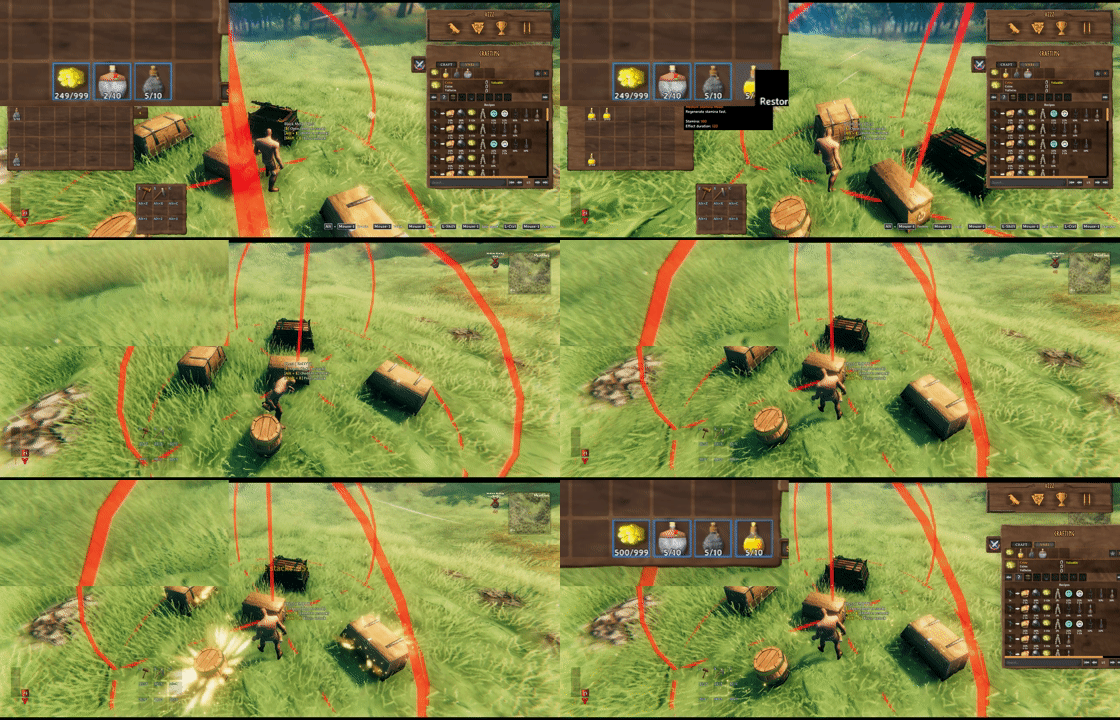 |
Look at a chest and hold E to store matching items, or hold Alt + E to refill favorites. Both actions include that chest and nearby eligible chests.
| Chest actions | Restock targets | | --- | --- | | 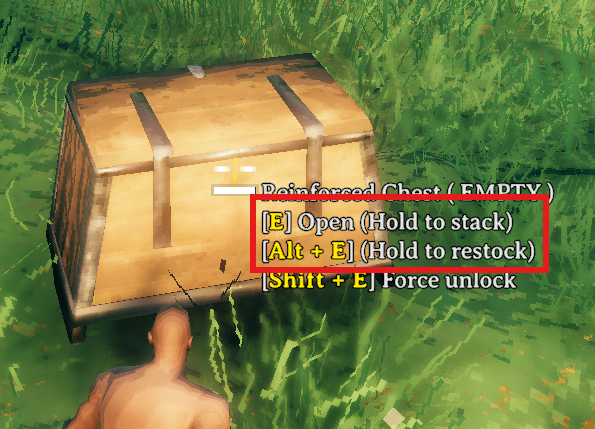 |
 |
Choose a target quantity for each item and whether to restore its remembered empty favorite slots.
What you get
| Feature | What it does | | --- | --- | | Favorite slots | Protect selected slots from quick stack and mark their items for restock. | | Sorting | Top up existing favorite stacks, then merge and sort eligible ordinary stacks. Favorite slots stay in place and never donate to one another. | | Nearby chest actions | Hold the normal Use key at a chest to quick stack; add the restock modifier to refill favorites. | | Restock targets | Set a quantity per favorite stack and choose Off, Existing, or Include empty for each item. | | Pickup exclusions | Turn automatic pickup off for an item without blocking manual pickup. | | Trash | Delete a held player-inventory item after confirmation. |
Start here
Path of Valheiman: InventoryActions protects PoV equipment and storage cells and uses the ordinary backpack. PoV supplies the Tidy Pack unlock; InventoryActions supplies sorting and nearby quick stack. PoV's separate controls, execution and response claim/save hooks are disabled. Its generic storage-item protection remains on delegated vanilla stack transfers. The adapter is currently checked against PoV 5.1.1, using public inventory queries and checked native hooks. Player actions pause during loading and when an external PoV Storage API provider is registered or suspended, because empty reserved cells cannot be verified. InventoryActions' existing native/MultiUserChest transfer paths and placement protections remain in use. See compatibility details and validation limits.
These are the default keyboard and mouse controls. In-game hints follow your configured bindings.
| To… | Do this | | --- | --- | | Favorite a player inventory slot | Left Alt + left click the slot. | | Sort an inventory | Click its S button. | | Quick stack nearby | Look at a chest and hold E. | | Restock favorites nearby | Look at a chest and hold Left Alt + E. | | Set a restock target | Pick up an item and drop it on Restock. The item stays in your inventory. | | Exclude an item from auto pickup | Drop it on Exclude. Uncheck its entry to allow pickup again without removing it. | | Delete an item | Drop it on Trash, then confirm. |
On a controller: open the inventory, select a slot without picking up its item, and briefly click and release the right stick to open the Favorite/Sort menu. Move down from the last inventory row to reach Restock, Exclude, and Trash. See the controller guide for panel navigation and optional shortcuts.
Restock, your way
Each target accepts a positive whole-number quantity and one of three modes. Actual restocking is capped by the item's current maximum stack size, including changes from other mods:
| Mode | Behavior | | --- | --- | | Off | Disable restocking for this item while keeping its target quantity. | | Existing | Refill favorite stacks that still contain the item. The default for new targets. | | Include empty | Also restore the item to its remembered empty favorite slots. Occupied slots are never replaced. |
Favorites do not stop crafting, building, or other normal item consumption. Include empty helps restore a favorite slot after its stack runs out. Restock Leave One Item, enabled by default, keeps one item of each kind in each source chest so future quick stack can still recognize it.
The open-chest Take stacks button fills matching non-favorite stacks. It is separate from favorite restock. Full rules and examples.
Installation
Install with a Valheim mod manager, or place InventoryActions.dll in BepInEx/plugins. Requires BepInExPack Valheim 5.4.2351. Launch once to generate the config.
Highlights
From source dataLoaders
Runs on BepInEx.
Footprint
Rated a light load on a server.
Dependencies
Needs 1 other project installed alongside it.
InventoryActions on Nxeon
From our catalogue- One-click install
- Supported on Nxeon Valheim servers, for BepInEx servers. We download it from Thunderstore, place it, and restart the server.
- Server side
- Optional on the server
- Server type needed
- BepInEx
- Server load
- light
- Smallest plan we suggest
- Valheim — 4 GB (4 GB RAM). This follows our own load rating above, not a benchmark.
- Latest build
- 1.1.24, released 2026-10-25
Game versions by loader
| Loader | Game versions | Newest |
|---|---|---|
| BepInEx |
From 30 recorded builds of InventoryActions.
Recent builds
| Build | Released | Game versions | Loaders |
|---|---|---|---|
| 1.1.24 | 2026-10-25 | n/a | BepInEx |
| 1.1.23 | 2026-10-25 | n/a | BepInEx |
| 1.1.22 | 2026-10-20 | n/a | BepInEx |
| 1.1.21 | 2026-10-20 | n/a | BepInEx |
| 1.1.20 | 2026-10-20 | n/a | BepInEx |
| 1.1.19 | 2026-10-19 | n/a | BepInEx |
Dependencies
- Required: BepInExPack Valheim
Declared by the newest build that lists any. Required ones are installed with it on one-click installs.
Run InventoryActions on a Valheim server
Pick a server or deploy a new one above; it is installed in one click.
What kind of mod it is
From the catalogWeapons, items & crafting
New weapons, gear, items and the recipes to make them.
Works on a server
From source side supportThunderstore lists server-side support for InventoryActions as optional: it can run on a server, but isn’t required there.
Compatibility
- Game
- Valheim
- Loaders
- BepInEx
- Runs on
- Serveroptional on the server
- Requires
- One-click install needs a BepInEx server. 1 other project installed alongside it.
Verified at the source
- ✓ThunderstoreOfficial listing, checked 2026-10-25Open ↗
- ✓Authorsighsorry, as published on Thunderstore
- ✓LicenseNot published by the sourceFree















