







About PortalRules
From ThunderstoreAdds secure portal travel with a map for choosing destinations, Personal, Public, Invite, Clan and Tagged access modes, portal limits, Admin portals, GlobalKey gates, favorites, cooldowns, and optional cargo-weight Coin fares.
PortalRules
Choose a destination on the map, save your favorite routes, and control who can use each portal. PortalRules adds access modes, portal limits, Admin portals, progression gates, and optional Coins fares to Valheim.
Showcase
Click any image or animation to view the original.
Portal map and favorites
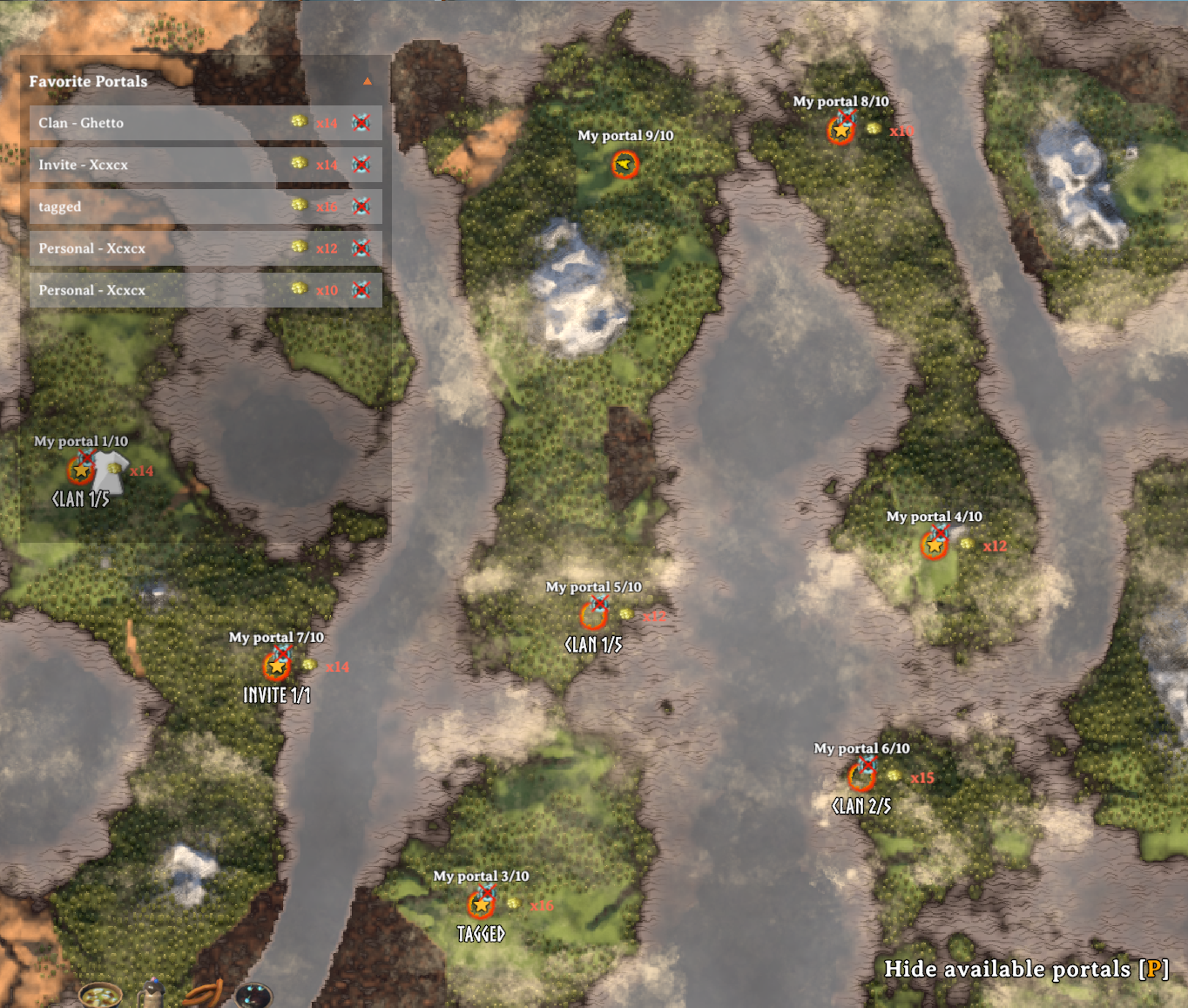
Enter a portal to browse destinations available to you. The server checks access before allowing travel.
| Choose a destination | Read the portal pin | | --- | --- | | 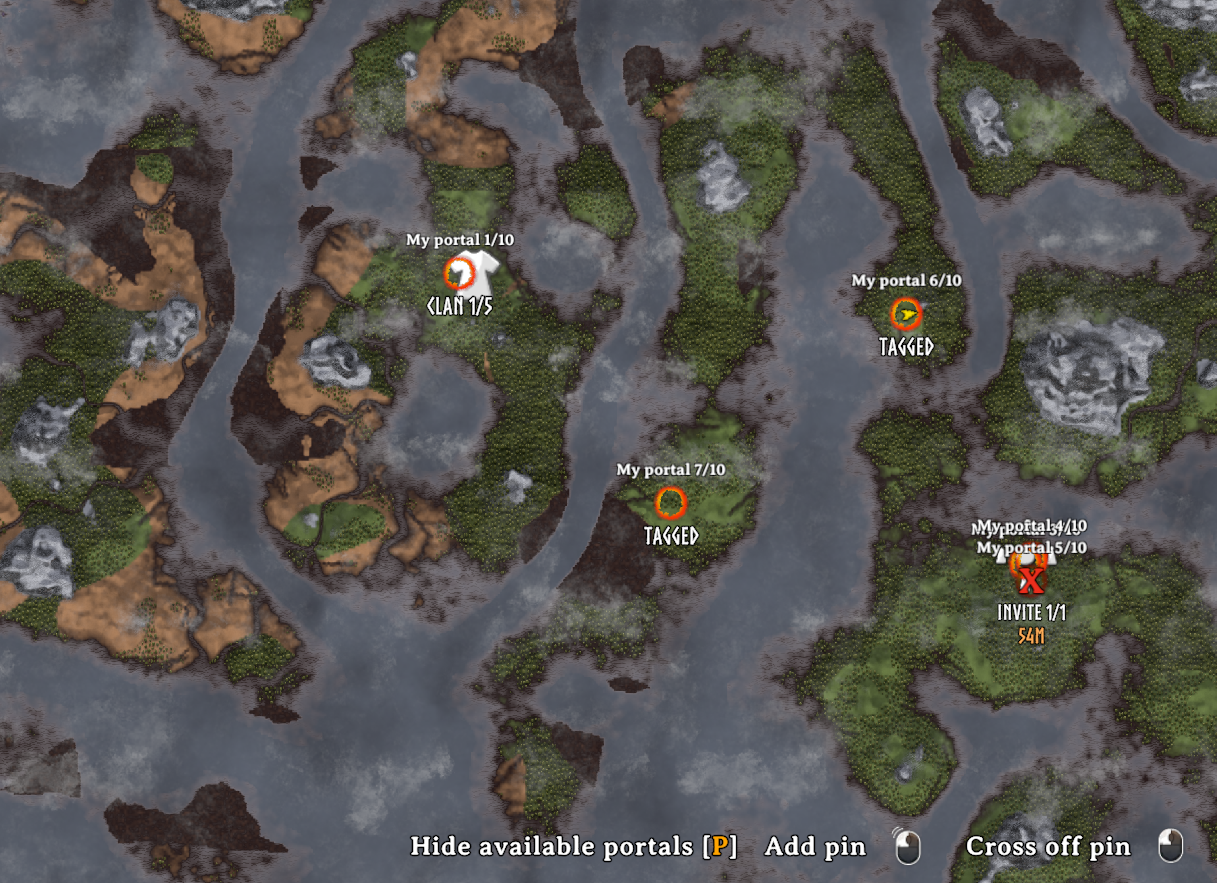 |
 |
Pins show portal names, ownership and quota labels, travel restrictions, and any Coins fare.
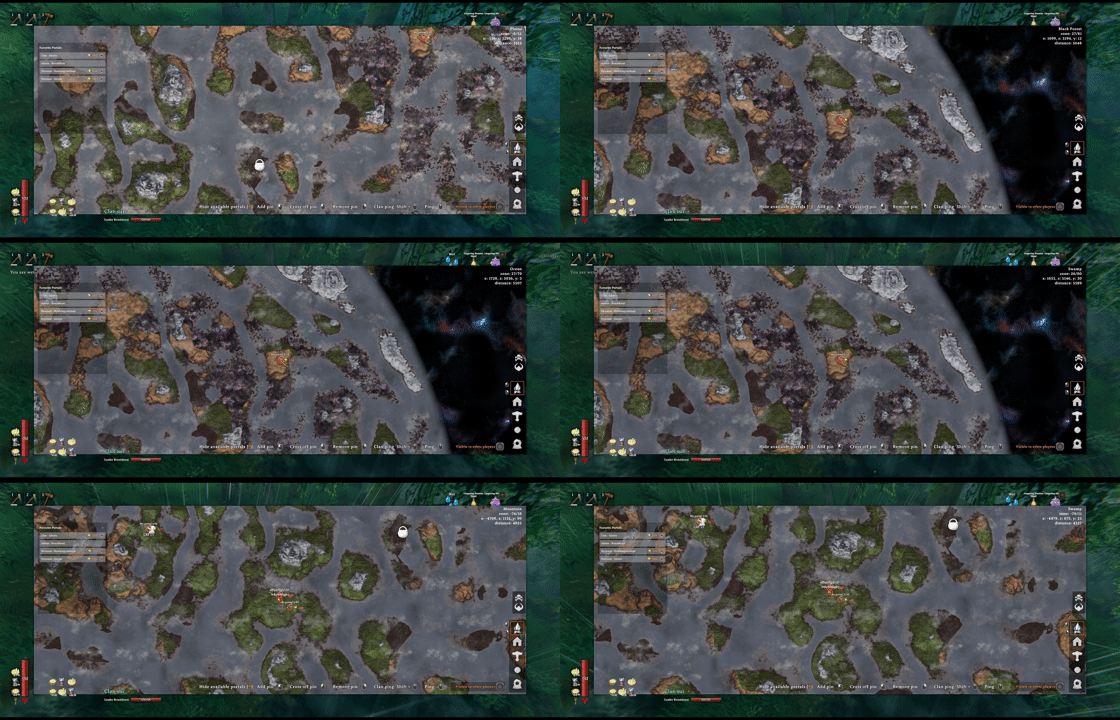
Keep up to 10 favorites. Hover a row to find it on the map, left-click to travel while choosing a destination, or right-click to remove it. The header arrow folds the list away.
Choose who can travel
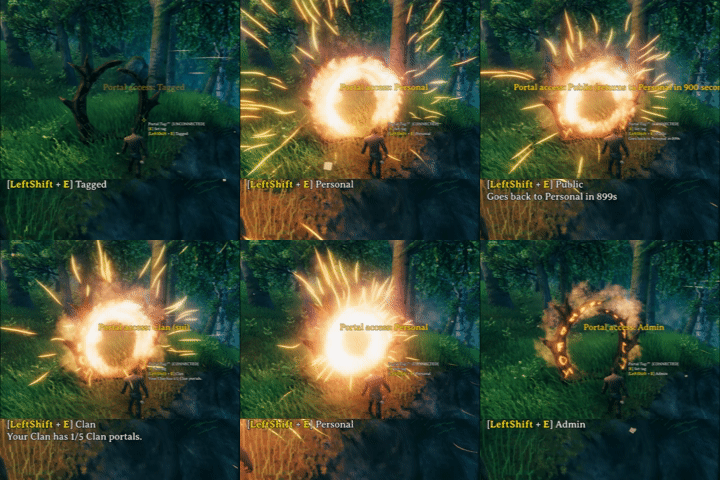
Use Left Shift + Interact to cycle available modes when you have permission. Changing the mode does not transfer ownership.
| Public | Tagged | | --- | --- | | 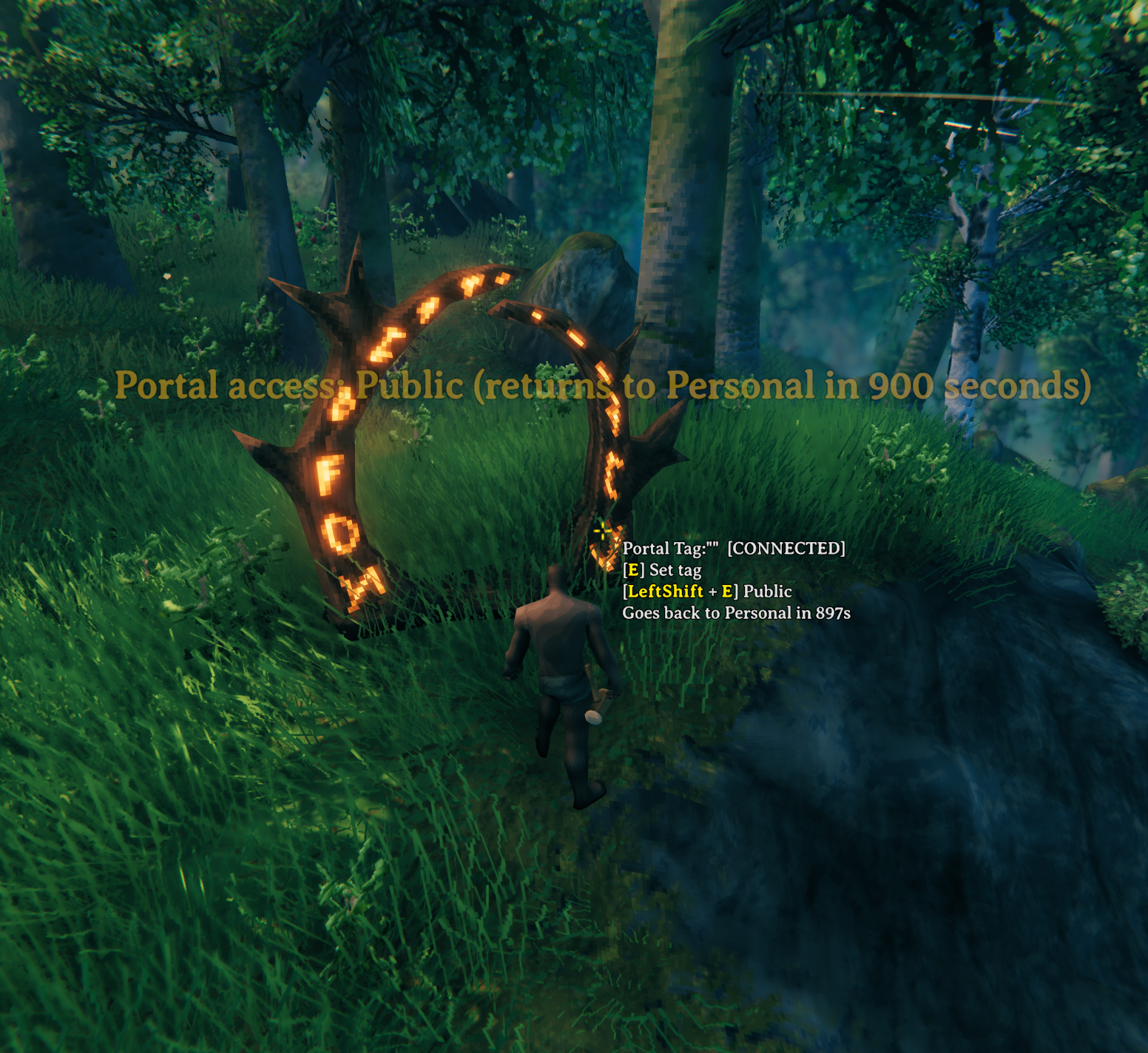 |
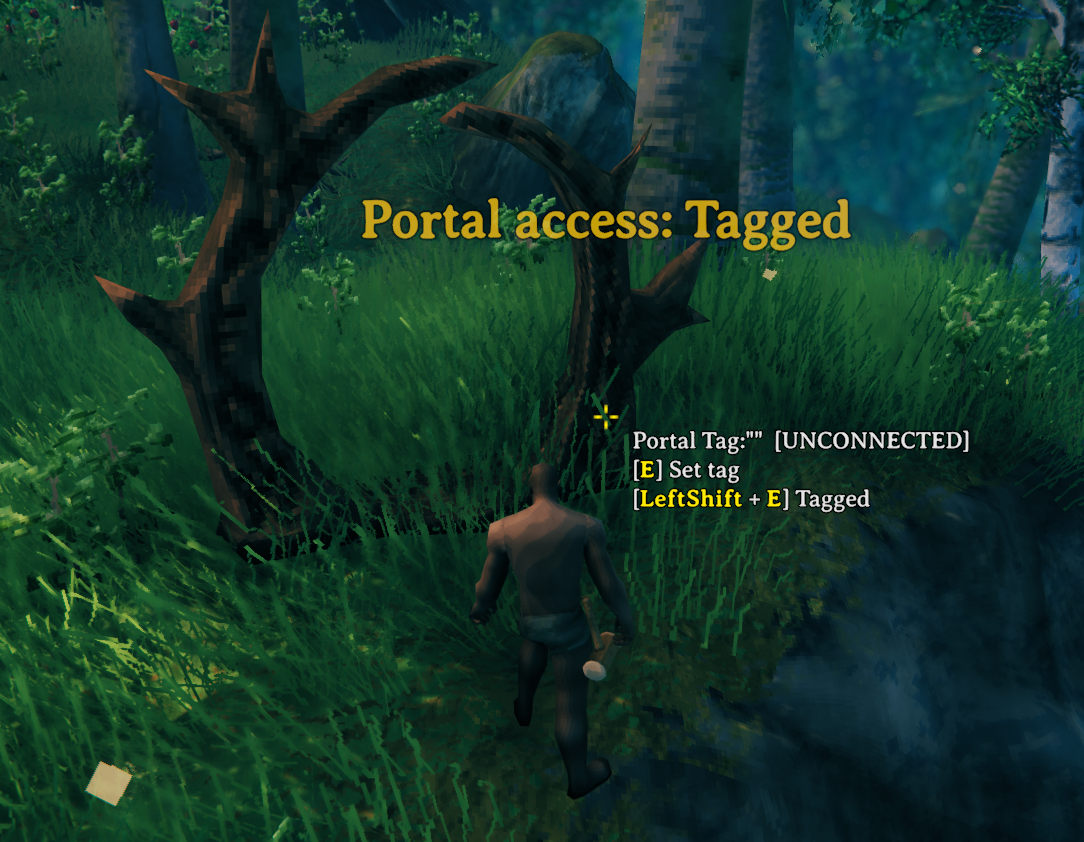 |
New player-built portals start in Public with no expiry by default. Set Public Access Duration Seconds above 0 to return Public portals to Personal after a chosen duration. Tagged uses matching tags for direct connected travel instead of destination selection.
| Clan access | Invite access | | --- | --- | | 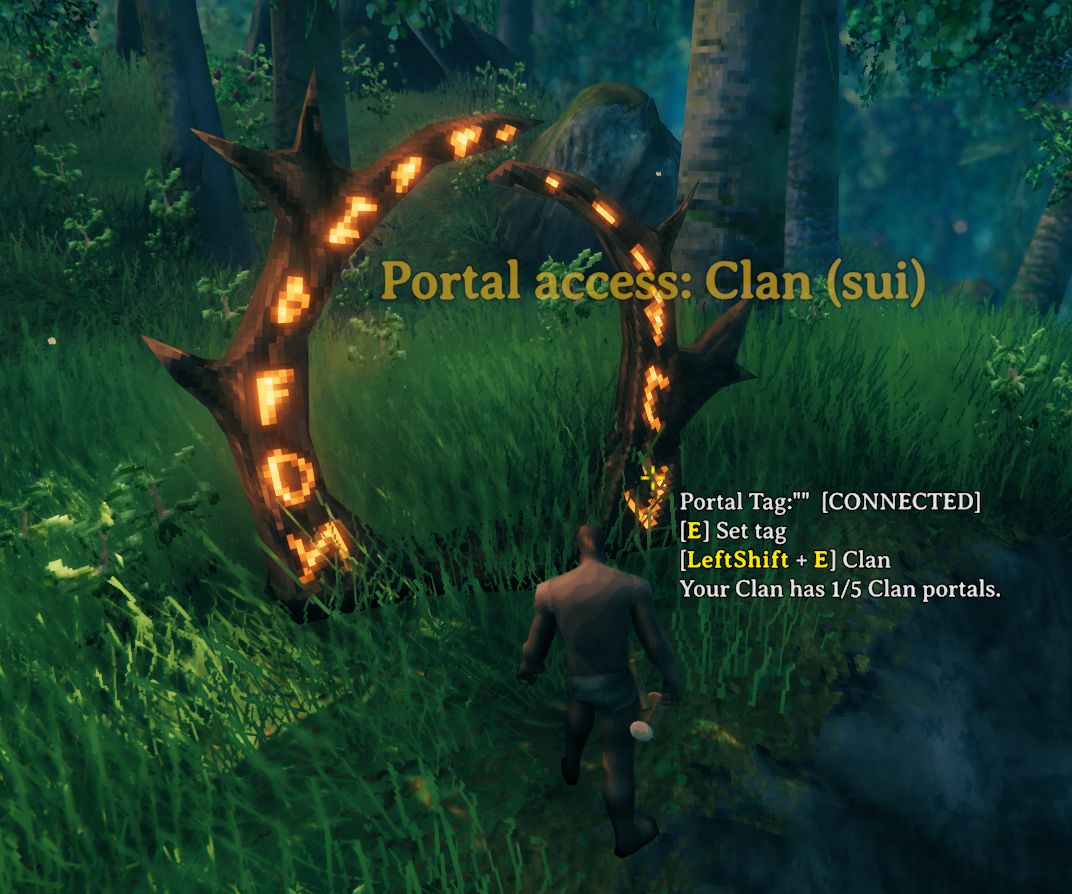 |
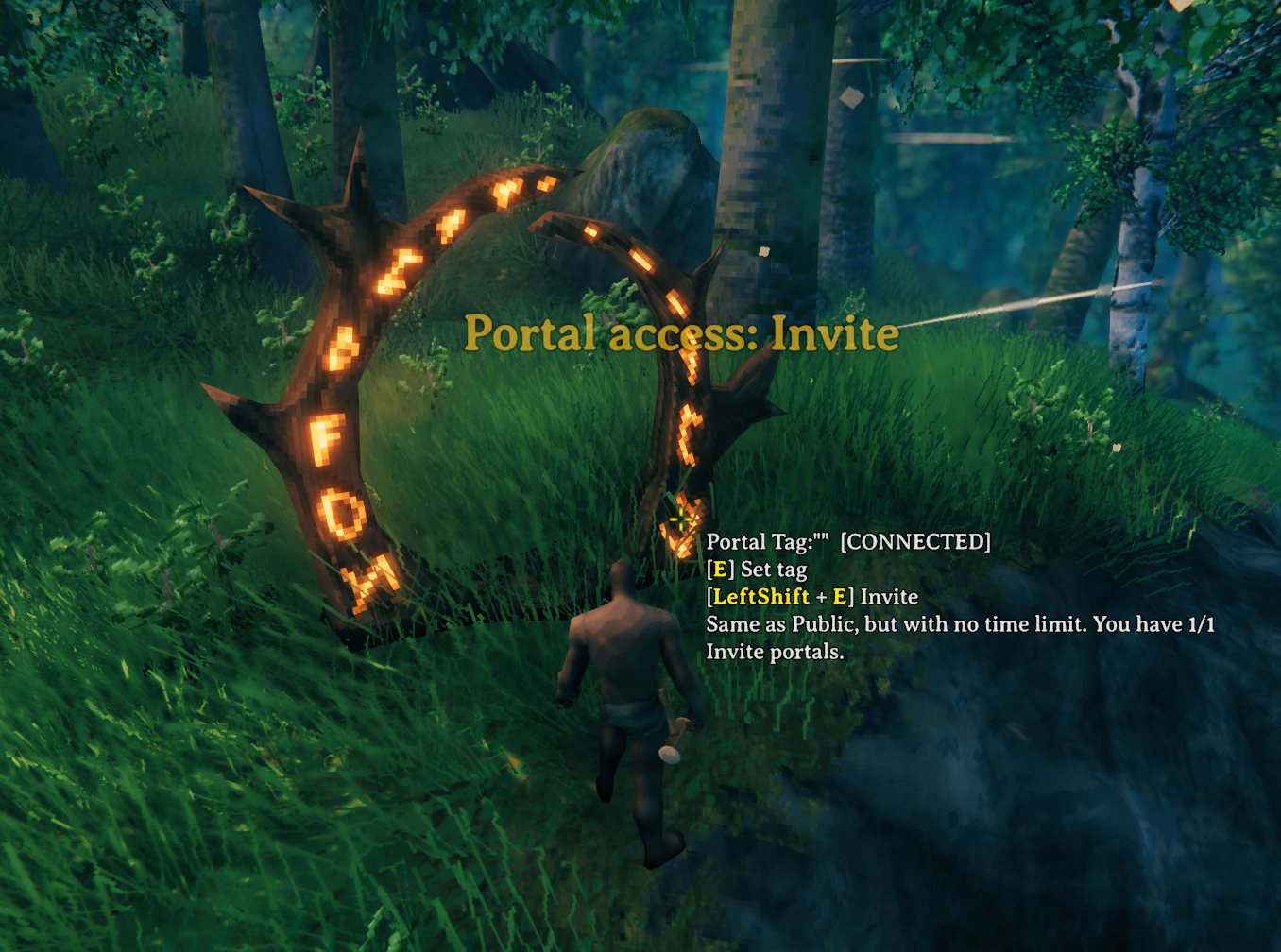 |
Clan portals welcome the Builder and the bound Clan's members, including Guests. Invite portals stay open to everyone without Public expiry, with separate departure and arrival cooldowns.
| Clan map pin | Invite map pin | | --- | --- | | 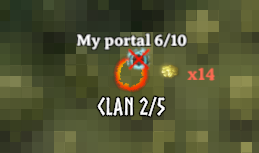 |
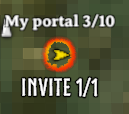 |
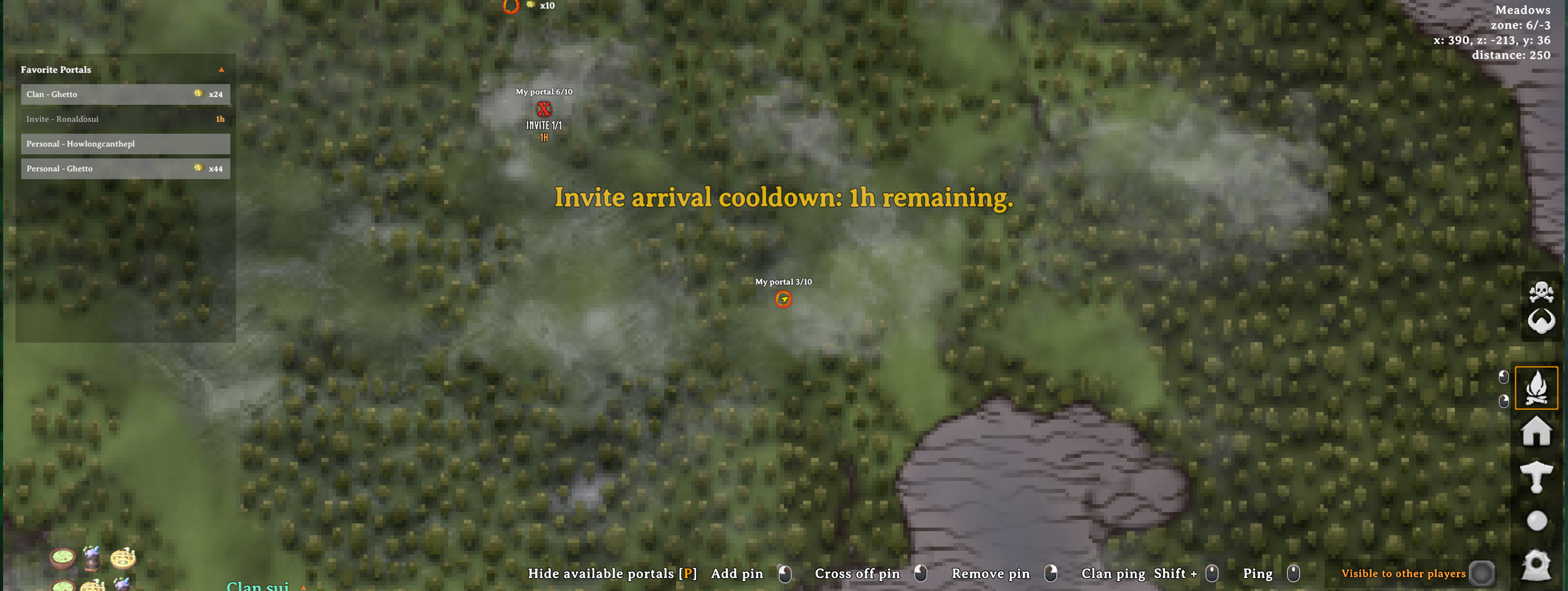
Quota labels help you track portals, and Invite cooldown indicators show when a route becomes available again.
Admin and location portals
| Admin building pieces | A progression requirement | | --- | --- | |  |
 |
Admin Wood and Stone portals appear under Hammer → Misc for server administrators in debug mode. Their placed frames are invisible and non-solid, with a whirling marker when a player approaches.
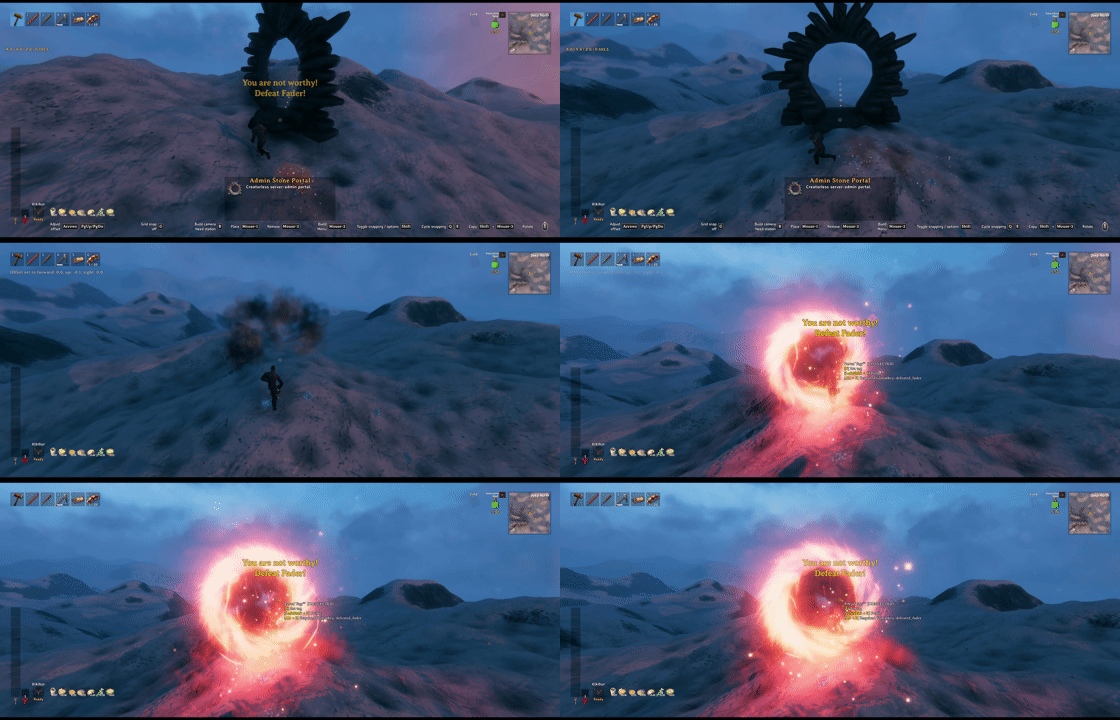
Set a progression requirement with Alt + Interact. Without YouAreNotWorthy, it checks world GlobalKeys; with a compatible YNW installation, ordinary progression keys can be checked per character.
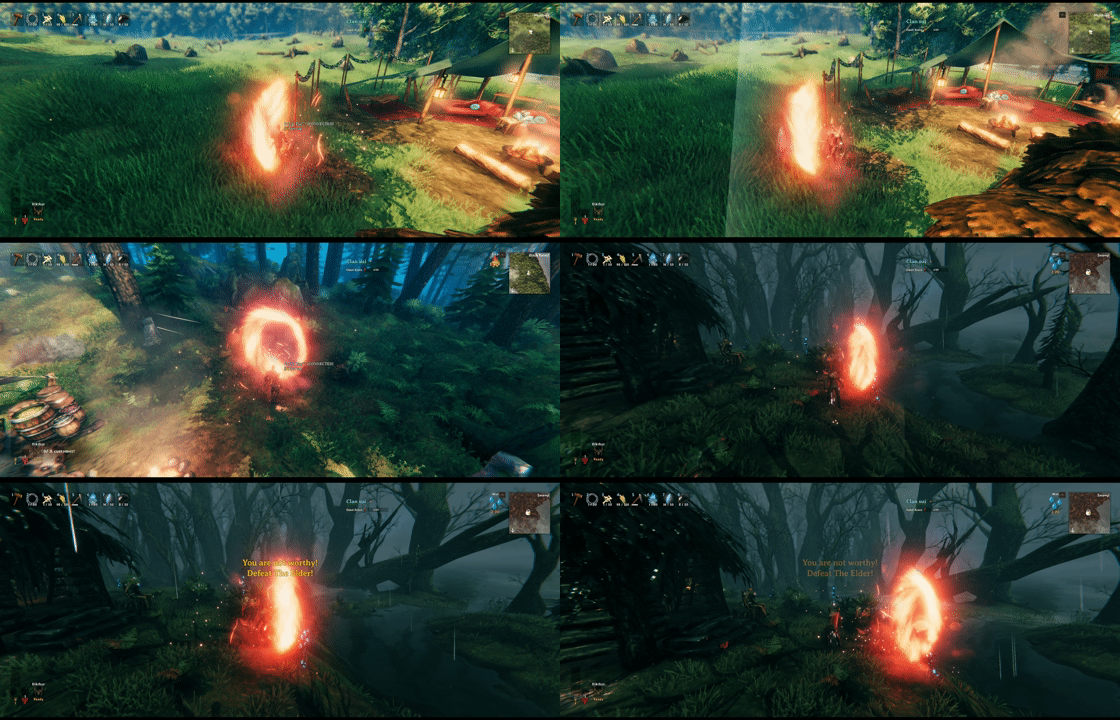
Expand World Data can add Admin portals to locations. Add these objects to expand_locations.yml, then reset the affected location instances to apply the changes:
- prefab: BogWitch_Camp
  objects:
  - admin_portal_stone, 0,15,0.5, 180,0,0

- prefab: Hildir_camp
  objects:
  - admin_portal_stone, -0.5,14,-0.5, 180,0,0

- prefab: Vendor_BlackForest
  objects:
- admin_portal_stone, -7,7,-0.5, 135,0,0Highlights
From source dataLoaders
Runs on BepInEx.
Footprint
Rated a light load on a server.
Dependencies
Needs 1 other project installed alongside it.
PortalRules on Nxeon
From our catalogue- One-click install
- Supported on Nxeon Valheim servers, for BepInEx servers. We download it from Thunderstore, place it, and restart the server.
- Server side
- Optional on the server
- Server type needed
- BepInEx
- Server load
- light
- Smallest plan we suggest
- Valheim — 4 GB (4 GB RAM). This follows our own load rating above, not a benchmark.
- Latest build
- 1.1.8, released 2026-10-29
Game versions by loader
| Loader | Game versions | Newest |
|---|---|---|
| BepInEx |
From 21 recorded builds of PortalRules.
Recent builds
| Build | Released | Game versions | Loaders |
|---|---|---|---|
| 1.1.8 | 2026-10-29 | n/a | BepInEx |
| 1.1.7 | 2026-10-22 | n/a | BepInEx |
| 1.1.6 | 2026-10-06 | n/a | BepInEx |
| 1.1.5 | 2026-10-03 | n/a | BepInEx |
| 1.1.4 | 2026-10-03 | n/a | BepInEx |
| 1.1.3 | 2026-10-03 | n/a | BepInEx |
Dependencies
- Required: BepInExPack Valheim
Declared by the newest build that lists any. Required ones are installed with it on one-click installs.
Run PortalRules on a Valheim server
Pick a server or deploy a new one above; it is installed in one click.
What kind of mod it is
From the catalogAdmin & protection
Permissions, moderation, anti-cheat and land protection for the people running the server.
Works on a server
From source side supportThunderstore lists server-side support for PortalRules as optional: it can run on a server, but isn’t required there.
Compatibility
- Game
- Valheim
- Loaders
- BepInEx
- Runs on
- Serveroptional on the server
- Requires
- One-click install needs a BepInEx server. 1 other project installed alongside it.
Verified at the source
- ✓ThunderstoreOfficial listing, checked 2026-10-29Open ↗
- ✓Authorsighsorry, as published on Thunderstore
- ✓LicenseNot published by the sourceFree















