






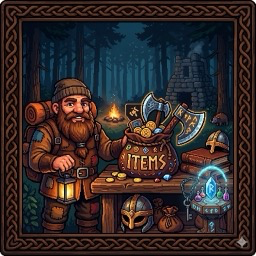
About ValheimBossTrader
From ThunderstoreUnlock 964 items at Haldor based on boss progression. Kill a boss, unlock the next biome's resources. Prices from TraderOverhaul. Fully configurable.
ValheimBossTrader
Unlock 964 items at Haldor based on your boss progression.
Every item sold by the trader is gated behind the boss of its corresponding biome. Kill a boss, unlock the next biome's resources — materials, food, weapons, armor, ammo, consumables, and more. Prices and quantities are sourced directly from TraderOverhaul and fully configurable.
Features
- Boss-gated progression — Items unlock as you defeat bosses, following Valheim's natural biome progression
- 964 items across all biomes, organized into 7 categories
- Real-time unlock — Kill a boss mid-session and items appear immediately, no reload needed
- Bank system — Deposit and withdraw coins at Haldor. Balance is saved per character and automatically used when buying items
- Category filter — A panel next to the merchant lets you filter items by category (Materials, Food, Weapons, Armor, Ammo, Consumables, Misc)
- Choose your traders — Configure which merchants sell items (Haldor, Hildir, Bog Witch)
- Fully configurable — Adjust prices, stack sizes, toggle categories and merchants via the
.cfgfile - Compatible with r2modman and DatHost — Config is a standard BepInEx
.cfgfile - No hard dependencies — Works standalone, no other mods required
Progression Table
| Boss Defeated | Biome Unlocked | What you can buy | |---|---|---| | (none) | Meadows | Basic tools, food, seeds, leather gear | | Eikthyr | Black Forest | Copper, Tin, Bronze + Black Forest food | | The Elder | Swamp | Iron, Chitin + fish, soups, potions | | Bonemass | Mountain | Silver, Obsidian + wolf meat, onion dishes | | Moder | Plains | Black Metal, Tar + barley, lox, bread | | Yagluth | Mistlands | Eitr, Carapace + mushrooms, chicken, seeker | | The Queen | Ashlands | Flametal, Black Marble + Ashlands foods | | Fader | Deep North | Deep North fishing bait |
Item Categories
| Category | Count | Toggle Config Key | |---|---|---| | Materials (ores, bars, resources) | 61 | EnableMaterials | | Food (raw & cooked) | 139 | EnableFood | | Weapons | 293 | EnableWeapons | | Armor & Shields | 226 | EnableArmor | | Ammo (arrows, bolts, bombs) | 27 | EnableAmmo | | Consumables (meads, potions, bait) | 38 | EnableConsumables | | Misc (seeds, trophies, tools) | 180 | EnableMisc |
Installation
Via r2modman (recommended)
- Open r2modman and select Valheim
- Search for ValheimBossTrader in the online tab
- Click Install
Manual
- Make sure BepInExPack_Valheim is installed
- Copy
ValheimBossTrader.dllintoValheim/BepInEx/plugins/ - Launch the game
Configuration
The config file is generated on first launch at:
BepInEx/config/juliani.mods.valheim.bosstrader.cfgEditable via r2modman config editor, DatHost file manager, or any text editor.
Options
[1 - Prix]
| Key | Default | Range | Description | |---|---|---|---| | PriceMultiplier | 1.0 | 0.1 – 10.0 | Multiply all prices. 0.5 = half price, 2.0 = double price |
[2 - Stacks]
| Key | Default | Range | Description | |---|---|---|---| | StackMultiplier | 1.0 | 0.1 – 10.0 | Multiply all stack sizes per purchase |
[3 - Marchands]
| Key | Default | Description | |---|---|---| | EnableHaldor | true | Inject items into Haldor's shop | | EnableHildir | false | Inject items into Hildir's shop | | EnableBogWitch | false | Inject items into the Bog Witch's shop |
[4 - Catégories]
| Key | Default | Description | |---|---|---| | EnableMaterials | true | Enable ores, bars, and raw resources | | EnableFood | true | Enable raw and cooked food | | EnableWeapons | true | Enable weapons | | EnableArmor | true | Enable armor, capes, and shields | | EnableAmmo | true | Enable arrows, bolts, and bombs | | EnableConsumables | true | Enable meads, potions, and fishing bait | | EnableMisc | true | Enable seeds, trophies, tools, and other items |
Example: Resources-only server, Haldor only
[3 - Marchands]
EnableHaldor   = true
EnableHildir   = false
EnableBogWitch = false

[4 - Catégories]
EnableMaterials   = true
EnableFood        = true
EnableWeapons     = false
EnableArmor       = false
EnableAmmo        = false
EnableConsumables = false
EnableMisc        = false
Server-side Usage
This mod must be installed on the server for boss-gating to work correctly in multiplayer, since global keys are stored server-side. Clients do not need to install it (the items will appear for all players when they open the shop).
Bank System
When you open Haldor's shop, a COFFRE D'HALDOR panel appears on the right side of the screen.
- Deposit — Transfer coins from your inventory to the bank
- Withdraw — Transfer coins from the bank to your inventory
- Withdraw All — Empty the bank in one click
- Bank balance is saved per character in
BepInEx/config/BossTrader_Bank/<CharacterName>.dat - When buying from Haldor, if your inventory lacks funds, the bank is tapped automatically to cover the difference
Category Filter
A CATÉGORIES panel appears to the right of the merchant list.
- Click a category to show only matching items
- Click the active category again (or Tout) to clear the filter
- The filter resets when you close the shop
Compatibility
- BepInExPack_Valheim 5.4.2200+ required
- Compatible with Epic Loot — base item variants only, no rarity conflicts
- Compatible with Plant Everything, Valheim Plus, and most utility mods
- Not compatible with mods that fully replace the Trader UI (such as TraderOverhaul itself)
Item Data Source
Highlights
From source dataLoaders
Runs on BepInEx.
Footprint
Rated a light load on a server.
Dependencies
Needs 1 other project installed alongside it.
ValheimBossTrader on Nxeon
From our catalogue- One-click install
- Supported on Nxeon Valheim servers, for BepInEx servers. We download it from Thunderstore, place it, and restart the server.
- Server side
- Optional on the server
- Server type needed
- BepInEx
- Server load
- light
- Smallest plan we suggest
- Valheim — 4 GB (4 GB RAM). This follows our own load rating above, not a benchmark.
- Latest build
- 1.0.6, released 2026-03-14
Game versions by loader
| Loader | Game versions | Newest |
|---|---|---|
| BepInEx |
From 7 recorded builds of ValheimBossTrader.
Recent builds
| Build | Released | Game versions | Loaders |
|---|---|---|---|
| 1.0.6 | 2026-03-14 | n/a | BepInEx |
| 1.0.5 | 2026-03-14 | n/a | BepInEx |
| 1.0.4 | 2026-03-13 | n/a | BepInEx |
| 1.0.3 | 2026-03-11 | n/a | BepInEx |
| 1.0.2 | 2026-03-09 | n/a | BepInEx |
| 1.0.1 | 2026-03-09 | n/a | BepInEx |
Dependencies
- Required: BepInExPack Valheim
Declared by the newest build that lists any. Required ones are installed with it on one-click installs.
Run ValheimBossTrader on a Valheim server
Pick a server or deploy a new one above; it is installed in one click.
What kind of mod it is
From the catalogCreatures & NPCs
Adds or changes creatures, NPCs and how they behave.
Works on a server
From source side supportThunderstore lists server-side support for ValheimBossTrader as optional: it can run on a server, but isn’t required there.
Compatibility
- Game
- Valheim
- Loaders
- BepInEx
- Runs on
- Serveroptional on the server
- Requires
- One-click install needs a BepInEx server. 1 other project installed alongside it.
Verified at the source
- ✓ThunderstoreOfficial listing, checked 2026-10-02Open ↗
- ✓AuthorSto_dev, as published on Thunderstore
- ✓LicenseNot published by the sourceFree















