






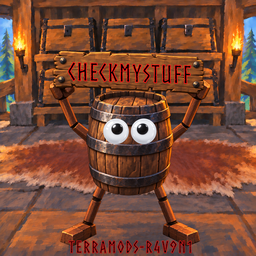
About CheckMyStuff
From ThunderstoreLabel chests by item type; a barrel sorts your bag into matching nearby chests.
CheckMyStuff
Current release: 1.0.5
Label your chests by item type, then let the CheckMyStuff Barrel put your bag items away into the matching chests nearby.
How it works
- Build a CheckMyStuff Barrel with the Hammer (Misc tab). Cost: 20 Silver, 20 Iron, 20 Black Metal, 60 Wood, 20 Deer Hide.
- Open a player-built chest within 50 metres of the barrel. A label panel appears next to the chest inventory: pick a category, optionally drill down to a more specific type, and switch Enabled on.
- Tap the barrel's Use key to open the sorter. Choose a category, or Store All (it asks "Are you sure you want to store N items?" first).
- Hold the Use key on the barrel to store everything straight away, without opening the sorter.
- Eligible items in your bag move into matching, enabled, labeled chests within 50 metres.
Labels
Seven categories: Consumables, Equipment, Garden, Ingredients, Materials, Misc, Trophies.
Every level has an All Types choice, so a chest can take a whole category, one branch of it, or one exact item type. Some groups are a single choice that covers every item in them, for example Equipment › Helm or Equipment › Arms › Shields. For example:
Materials(everything in Materials)Materials › Crafting › Blacksmith › IngotsMaterials › Crafting › Blacksmith › Scrap / Ore › Iron(Iron Ore and Scrap Iron)Equipment › Arms › Tools(hammer, hoe, pickaxes, torches and other tools)
Each choice has a small checkbox, so one chest can take several entries on the same level, for example Chest and Capes, or Iron Ingot and Silver Ingot. Clear All removes every tick and resets the chest to All Types.
Item tooltips show where the barrel will put the item, for example Materials -> Crafting -> Blacksmith -> Ingots.
Looking at a chest with an enabled label shows that label under the Open prompt, for example Iron or Prepared Food.
More specific chests are filled first, then broader ones; within the same level the nearest chest is used first. When a chest is full, the next matching chest is used. Anything that does not fit stays in your bag.
What is never moved
- Hotbar items
- Equipped items
- Quest items
- Items from other inventories (only your normal bag is sorted)
Chests that are in use by someone else, disabled, out of range, or protected by a ward you cannot access are skipped. Items are moved with Valheim's own inventory transfer, so stacks, quality, durability and crafter names are kept. Nothing is ever dropped on the ground.
Modded items
Items added by other mods are placed into the label tree using their in-game item type and recipe/station relationships.
About
I use AI to review code, assist with optimization and integrity; I manually test and review every mod, and all decisions and code remain my own.
Requirements
- BepInExPack Valheim
- Jotunn
- Multiplayer: every player and the server need CheckMyStuff (same version). Before storing into a chest that another player's game controls, the barrel asks that game first, so two players can never write the same chest at once.
Highlights
From source dataLoaders
Runs on BepInEx.
Footprint
Rated a light load on a server.
Last update
Its author last shipped an update 6d ago.
CheckMyStuff on Nxeon
From our catalogue- One-click install
- Supported on Nxeon Valheim servers, for BepInEx servers. We download it from Thunderstore, place it, and restart the server.
- Server side
- Optional on the server
- Server type needed
- BepInEx
- Server load
- light
- Smallest plan we suggest
- Valheim — 4 GB (4 GB RAM). This follows our own load rating above, not a benchmark.
- Latest build
- 1.0.5, released 2026-10-29
Game versions by loader
| Loader | Game versions | Newest |
|---|---|---|
| BepInEx |
From 5 recorded builds of CheckMyStuff.
Recent builds
| Build | Released | Game versions | Loaders |
|---|---|---|---|
| 1.0.5 | 2026-10-29 | n/a | BepInEx |
| 1.0.4 | 2026-10-16 | n/a | BepInEx |
| 1.0.3 | 2026-10-15 | n/a | BepInEx |
| 1.0.2 | 2026-10-05 | n/a | BepInEx |
| 1.0.1 | 2026-10-03 | n/a | BepInEx |
Dependencies
- Required: BepInExPack Valheim
- Required: Jotunn
Declared by the newest build that lists any. Required ones are installed with it on one-click installs.
Run CheckMyStuff on a Valheim server
Pick a server or deploy a new one above; it is installed in one click.
What kind of mod it is
From the catalogBuilding & decoration
Blocks, furniture, decorations and building tools.
Works on a server
From source side supportThunderstore lists server-side support for CheckMyStuff as optional: it can run on a server, but isn’t required there.
Compatibility
- Game
- Valheim
- Loaders
- BepInEx
- Runs on
- Serveroptional on the server
- Requires
- One-click install needs a BepInEx server.
Verified at the source
- ✓ThunderstoreOfficial listing, checked 2026-10-30Open ↗
- ✓AuthorTerramods, as published on Thunderstore
- ✓LicenseNot published by the sourceFree











