






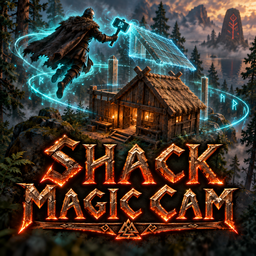
About Shack Magic Cam
From ThunderstoreThe Shack's build camera: press Y with a hammer, hoe or cultivator near a workbench and fly the camera to build from above. GPL-3 fork of Cartur's Build Camera with its 1.1.1 fixes. Settings sync from the server.
Shack Magic Cam
The Shack's build camera. Float the camera away from your Viking and build from above, without climbing on things.
How to use it
- Stand near a workbench (or any build station: forge, stonecutter, artisan table...).
- Hold a hammer, hoe or cultivator.
- Press Y. The camera detaches, and "Entering Build Mode." shows top left.
- Fly with WASD, go up with Jump and down with Crouch, and hold Run to go faster. Look around with the mouse.
- Build, repair and remove pieces as usual, from wherever the camera is.
- Press Y again to go back to your Viking.
- The camera can fly up to 100 m from the build station you started at (a setting), and you can build anywhere it reaches. Pieces that need a forge or stonecutter count one within that distance too.
- The hotbar keys (1-8) and Hide work while the camera is out.
- Build mode ends on its own if you put the tool away, take a portal, die or log out.
- Picking up items with the camera works within 2 m of the camera (the base game's range), but only while you're cozy: rested, or near a fire and under a roof (or sitting), and not wet, cold or noticed by enemies. Otherwise a small panel says so.
- A Wisplight follows the camera and clears mist around it at its normal range. A Dvergr circlet light moves to the camera too.
- Works with a controller.
Settings
Synced settings come from the server when the server has this mod, and only admins can change them. They include build distance, camera range and speed, pickup range, the cozy rule, and the Wisplight and circlet light. Each player keeps their own toggle key, look inversion, light position and message position.
The config file is BepInEx/config/theshack.magiccam.cfg.
Multiplayer
- Players without the mod can still join a server that has it. A player with an incompatible version (different major or minor) is told to update.
- If Cartur's Build Camera or Azumatt's Build Camera is still installed, Shack Magic Cam switches it off and runs the camera itself. You can remove the old one.
Credits and license
Shack Magic Cam is a fork of Cartur's Build Camera by Cartur (jekkle). That mod forked Azumatt's Build Camera Custom Hammers Edition, which forked gittywithexcitement's and CookieMilk's Valheim Build Camera. Thank you all.
Like all of them, it is licensed under the GNU GPL v3.0: see LICENSE.txt. The complete source code is included in this package as source.zip.
What changed from Cartur's Build Camera 1.1.1:
- Jotunn handles the settings sync and the version check, instead of a bundled ServerSync and a hand-written handshake.
- The defaults are The Shack's settings: Y toggles, 2 m pickup range and 1x Wisplight range (both the base game's values).
- It takes over from the older build cameras instead of running alongside them.
Highlights
From source dataLoaders
Runs on BepInEx.
Footprint
Rated a light load on a server.
Last update
Its author last shipped an update 21d ago.
Shack Magic Cam on Nxeon
From our catalogue- One-click install
- Supported on Nxeon Valheim servers, for BepInEx servers. We download it from Thunderstore, place it, and restart the server.
- Server side
- Optional on the server
- Server type needed
- BepInEx
- Server load
- light
- Smallest plan we suggest
- Valheim — 4 GB (4 GB RAM). This follows our own load rating above, not a benchmark.
- Latest build
- 1.0.0, released 2026-10-14
Game versions by loader
| Loader | Game versions | Newest |
|---|---|---|
| BepInEx |
From 1 recorded build of Shack Magic Cam.
Dependencies
- Required: Jotunn
- Required: BepInExPack Valheim
Declared by the newest build that lists any. Required ones are installed with it on one-click installs.
Run Shack Magic Cam on a Valheim server
Pick a server or deploy a new one above; it is installed in one click.
What kind of mod it is
From the catalogBuilding & decoration
Blocks, furniture, decorations and building tools.
Works on a server
From source side supportThunderstore lists server-side support for Shack Magic Cam as optional: it can run on a server, but isn’t required there.
Compatibility
- Game
- Valheim
- Loaders
- BepInEx
- Runs on
- Serveroptional on the server
- Requires
- One-click install needs a BepInEx server.
Verified at the source
- ✓ThunderstoreOfficial listing, checked 2026-10-14Open ↗
- ✓AuthorTheShackDev, as published on Thunderstore
- ✓LicenseNot published by the sourceFree











