






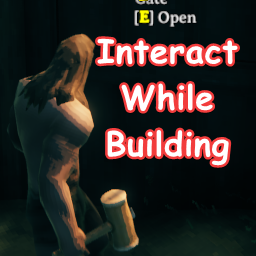
About InteractWhileBuilding
From ThunderstoreAllows you to interact with objects in the world while in build mode.
InteractWhileBuilding for Valheim
Allows you to interact with objects in the world while in build mode.
Enables the Use interactions (Default is 'E' on keyboard) for objects like doors, fireplaces, and containers while holding items like the hammer and hoe.
Adjusts the position of the WearNTear GUI element up slightly so that it doesn't overlap with the action text.
The X and Y axis of the element can be adjusted.
Installation
- Download and install BepInEx Valheim
- Download this mod and move the
InteractWhileBuilding.dllinto<GameLocation>\BepInEx\plugins - Launching the game will generate a config file at
<GameLocation>\BepInEx\config
Configuration
[Padding for WearNTear GUI]

## Modify the horizontal positioning of the element
# Setting type: Single
# Default value: 0
# Acceptable value range: From -1000 to 1000
X-axis = 0

## Modify the vertical positioning of the element
# Setting type: Single
# Default value: 20
# Acceptable value range: From -1000 to 1000
Y-axis = 20
Changelog
- v1.0.0
- Add configuration to adjust GUI X,Y positioning
- v0.0.3
- Bump up WearNTear GUI element
- v0.0.2
- Update readme
- v0.0.1
- initial release
Highlights
From source dataLoaders
Runs on BepInEx.
Footprint
Rated a light load on a server.
Dependencies
Needs 1 other project installed alongside it.
InteractWhileBuilding on Nxeon
From our catalogue- One-click install
- Supported on Nxeon Valheim servers, for BepInEx servers. We download it from Thunderstore, place it, and restart the server.
- Server type needed
- BepInEx
- Server load
- light
- Smallest plan we suggest
- Valheim — 4 GB (4 GB RAM). This follows our own load rating above, not a benchmark.
- Latest build
- 1.0.0, released 2021-03-01
Game versions by loader
| Loader | Game versions | Newest |
|---|---|---|
| BepInEx |
From 4 recorded builds of InteractWhileBuilding.
Recent builds
| Build | Released | Game versions | Loaders |
|---|---|---|---|
| 1.0.0 | 2021-03-01 | n/a | BepInEx |
| 0.0.3 | 2021-02-26 | n/a | BepInEx |
| 0.0.2 | 2021-02-24 | n/a | BepInEx |
| 0.0.1 | 2021-02-24 | n/a | BepInEx |
Dependencies
- Required: BepInExPack Valheim
Declared by the newest build that lists any. Required ones are installed with it on one-click installs.
Run InteractWhileBuilding on a Valheim server
Pick a server or deploy a new one above; it is installed in one click.
What kind of mod it is
From the catalogBuilding & decoration
Blocks, furniture, decorations and building tools.
Compatibility
- Game
- Valheim
- Loaders
- BepInEx
- Requires
- One-click install needs a BepInEx server. 1 other project installed alongside it.
Verified at the source
- ✓ThunderstoreOfficial listing, checked 2026-10-02Open ↗
- ✓Authortonsit, as published on Thunderstore
- ✓LicenseNot published by the sourceFree















