






About CreaturePreview
From ThunderstorePreview Valheim creatures from the character-select screen with model, level, variant, color, lighting, and camera controls.
Creature Preview
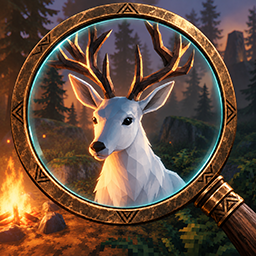
Creature Preview adds a creature viewer to Valheim's character-select screen. Browse the available creature prefabs, inspect their models, and customize the preview without entering a world.
✨ Features
- Opens directly from the character-select screen.
- Creature list sorted alphabetically from A to Z.
- Includes creatures, bosses, NPCs, variants, and other supported character prefabs.
- Select creature level from 1 to 3.
- Change supported visual and skin variants.
- Free-fly preview camera with zoom and focus controls.
- Remembers the most recently selected creature and settings.
Controls
Creature viewer
| Control | Action | | --- | --- | | Creature Preview | Open the viewer from the character-select screen. | | Choose Creature | Open the alphabetical creature list. | | Previous / Next | Move between creature-list pages. | | Creature name | Select that creature and return to the viewer. | | Level − / + | Change the creature between levels 1 and 3. | | Skin − / + | Cycle supported visual variants. This row appears only when variants are available. | | Close | Close the creature list or Creature Preview. |
Free-fly camera
| Control | Action | | --- | --- | | Mouse | Look around freely. | | W / S | Move forward or backward. | | A / D | Move left or right. | | Mouse wheel | Increase or decrease camera movement speed. | | Hold Left Ctrl | Pause camera movement, show the cursor, and temporarily hide the preview panels. |
Installation
Mod manager
Install Creature Preview through a Thunderstore-compatible mod manager. Its required dependencies will be installed automatically.
Manual
- Install BepInEx for Valheim.
- Install Jotunn.
- Copy
Untamo.CreaturePreview.dllintoBepInEx/plugins. - Start Valheim and open the character-select screen.
- Select Creature Preview.
Notes
- Creature Preview is a client-side preview utility.
- Some unusual internal prefab variants may not have complete preview visuals.
- The
Playerprefab is excluded to prevent conflicts with Valheim's player instance.
📌 Version
1.0.0
Highlights
From source dataLoaders
Runs on BepInEx.
Footprint
Rated a light load on a server.
Last update
Its author last shipped an update 55d ago.
CreaturePreview on Nxeon
From our catalogue- One-click install
- Supported on Nxeon Valheim servers, for BepInEx servers. We download it from Thunderstore, place it, and restart the server.
- Server type needed
- BepInEx
- Server load
- light
- Smallest plan we suggest
- Valheim — 4 GB (4 GB RAM). This follows our own load rating above, not a benchmark.
- Latest build
- 1.0.0, released 2026-09-10
Game versions by loader
| Loader | Game versions | Newest |
|---|---|---|
| BepInEx |
From 1 recorded build of CreaturePreview.
Dependencies
- Required: BepInExPack Valheim
- Required: Jotunn
Declared by the newest build that lists any. Required ones are installed with it on one-click installs.
Run CreaturePreview on a Valheim server
Pick a server or deploy a new one above; it is installed in one click.
What kind of mod it is
From the catalogCreatures & NPCs
Adds or changes creatures, NPCs and how they behave.
Compatibility
- Game
- Valheim
- Loaders
- BepInEx
- Requires
- One-click install needs a BepInEx server.
Verified at the source
- ✓ThunderstoreOfficial listing, checked 2026-10-02Open ↗
- ✓AuthorUntamo, as published on Thunderstore
- ✓LicenseNot published by the sourceFree















