






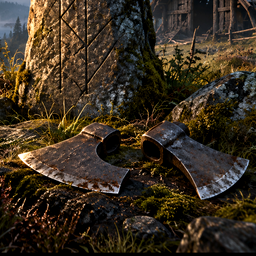
About ValynAxeClues
From ThunderstoreDiscover scratched clues to possible early axe heads in Meadows houses, with a single journal trail and water hints.
Valyn Axe Clues
The Curious and Mysterious axe heads can be easy to miss while exploring. This mod turns the search into a trail of clues you discover in the world. Read Meadows runestones or open Meadows chests to find scratches pointing toward abandoned timber houses that might hold a head.
What it does
- Gives brief directions in approximate paces, such as
"500 paces SW — low timbers". - Adds across the water when the seed's terrain suggests a crossing on the route.
- Shows a fleeting trail of ground arrows after a clue, without pinning the destination on the map.
- Keeps discoveries in one Scratched notes compendium entry in discovery order, with the day, time, and source.
- Keeps each runestone's first successful scratch fixed, even as other sites are searched.
- Moves on from visited ruins or a house where no chest is found.
The mod reads planned WoodHouse2 and WoodHouse6 locations. A clue points to a possible chest, not guaranteed axe-head loot. It does not change chest contents, world generation, or map exploration. Distance and water checks are approximate; terrain edits and unusual coasts can affect the suggested route.
Using the clues
Read a Meadows runestone or close a Meadows chest after opening it. Look for Scratched notes in the known texts compendium. Select that entry to review all discoveries, or use its Clear scratched notes button to erase the list. The clear button does not reset searched sites or reread chest lids.
The mod runs in solo play or for the host of a world. It does not distribute clues to remote clients. If you already carry one head, newly generated clues focus on the other; a head stored elsewhere is not counted as carried.
Settings and saved progress
After first launch, edit BepInEx/config/valyn.mods.axeclues.cfg to set maximum clue distance (1,800 by default) or change water-avoidance behavior. World progress is stored separately in BepInEx/config/ValynAxeCluesWorlds/. Version 0.4.1 moves older world progress out of the main config when it first loads. Deleting a world from Valheim's world list removes its mod progress file once the deletion succeeds.
Requirements
- Valheim
- BepInExPack_Valheim
Other Valyn mods are optional.
Comments, suggestions and bug reports
Browse my Nexus Mods profile to find my mods. Leave comments in Posts on the relevant page, or report bugs through Bugs where available. Include the mod version, world seed, clue source and destination if known, and BepInEx/LogOutput.log for route problems.
> Manual installation and updating > > 1. Close Valheim and install BepInExPack_Valheim. > 2. Extract this package. Copy plugins/ValynAxeClues.dll into BepInEx/plugins/ValynAxeClues/ and start Valheim. > 3. When updating, replace the old DLL and keep only one copy installed. The first launch of 0.4.1 migrates existing progress automatically. > > Removal > > 1. Close Valheim and remove ValynAxeClues.dll from its plugin folder, or uninstall it through your mod manager. > 2. Optionally delete the mod's settings and world progress folder if you want to discard its saved progress. Existing compendium notes belong to the character save. > > Credits > > Valyn_Mods / Valyn81 — mod concept and maintenance. Promotional artwork is an illustration, not an in-game screenshot. No Valheim or BepInEx DLLs are bundled.
Highlights
From source dataLoaders
Runs on BepInEx.
Footprint
Rated a light load on a server.
Last update
Its author last shipped an update 19d ago.
ValynAxeClues on Nxeon
From our catalogue- One-click install
- Supported on Nxeon Valheim servers, for BepInEx servers. We download it from Thunderstore, place it, and restart the server.
- Server side
- Optional on the server
- Server type needed
- BepInEx
- Server load
- light
- Smallest plan we suggest
- Valheim — 4 GB (4 GB RAM). This follows our own load rating above, not a benchmark.
- Latest build
- 0.4.1, released 2026-10-16
Game versions by loader
| Loader | Game versions | Newest |
|---|---|---|
| BepInEx |
From 1 recorded build of ValynAxeClues.
Dependencies
- Required: BepInExPack Valheim
Declared by the newest build that lists any. Required ones are installed with it on one-click installs.
Run ValynAxeClues on a Valheim server
Pick a server or deploy a new one above; it is installed in one click.
What kind of mod it is
From the catalogGameplay & overhauls
New mechanics, content and overhauls that change how the game plays.
Works on a server
From source side supportThunderstore lists server-side support for ValynAxeClues as optional: it can run on a server, but isn’t required there.
Compatibility
- Game
- Valheim
- Loaders
- BepInEx
- Runs on
- Serveroptional on the server
- Requires
- One-click install needs a BepInEx server.
Verified at the source
- ✓ThunderstoreOfficial listing, checked 2026-10-17Open ↗
- ✓AuthorValyn_Mods, as published on Thunderstore
- ✓LicenseNot published by the sourceFree















