






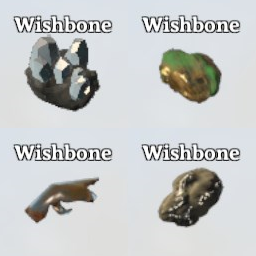
About SmartWishboneUpdated
From ThunderstoreSmart Wishbone by Goldenrevolver, updated for Valheim 1.0: track more ores and objects, choose your tracked target, set detection ranges. Credited fork (MIT); replaces the original.
Smart Wishbone Updated
All credit for Smart Wishbone goes to its original author, Goldenrevolver. This is an updated fork of Smart Wishbone, kept working on Valheim 1.0 by fire-VA because the original is no longer updated. Smart Wishbone's design and features are Goldenrevolver's work. This fork makes it run on Valheim 1.0 and fixes a few multiplayer issues (see the CHANGELOG). The original is MIT-licensed; its license and copyright notice are kept in LICENSE.
It replaces the original. It keeps the original's plugin id (goldenrevolver.SmartWishbone), so your config file and your SmartWishbone.Data.yaml carry over. Remove the original Smart_Wishbone package before you install this one. Install it on the server and on every client: the trackable list and the synced settings come from the server.
This mod makes the wishbone fully configurable: track more kinds of ore, select your currently tracked ore, change the detection ranges and more.
1 - Changing the tracked target
You can now change what kind of ore or object you want to track:
- While you have the wishbone equipped, the buff icon changes to the item icon of your currently selected target (if available)
- You can press a configurable hotkey (default: n(ext) and b(efore)) to rotate through the available target options (signified through the buff icon change and a status message in the top left)
- Trackables can have conditions like boss kills to unlock. By default, defeating bosses unlocks the appropriate next ore tier as trackable
- You can press a configurable hotkey (default: j) to register the destructible object that you are currently looking at as a new trackable object, or remove it if it's already registered (check the next chapter for how to further customize these newly added objects)
2 - Configuring the trackables
This mod is configurable both through the normal config file, as well as through a custom trackable data yaml file. Both are server synced where appropriate.
Noteworthy general mod settings are
- Global range changes: Overrides the range of the individual trackables, either setting it to a value or adding a value onto it.
- Whether conditions (like boss kills) should be checked for or not.
Trackable data can be edited in the 'SmartWishbone.Data.yaml' file. It contains a list of all configured trackable objects. Objects can have:
- A prefab name: This is the internal name of the object which is also used to spawn it in via the console
- A display item: These act as categories. Multiple items with the same display item can be searched for at the same time. They are also used for the buff icon and translated category name if it's a valid item prefab name. A trackable object can also be a part of multiple categories by adding multiple item prefab names, separated with a pipe symbol '|'.
- A range: This is the range for the wishbone to activate for this object. Since Valheim 1.0 the base game uses values between 25 and 50 (silver veins 50, buried chests 40, muddy scrap piles 25), and 20 for objects without their own beacon. Bigger objects like copper veins might require higher values, since most of the time the center of the object is the actual tracking point
- A condition: A condition (like a boss kill) that needs to fulfilled for the item to show up as trackable. These are global keys, for the base game keys see: https://valheim.fandom.com/wiki/Global_Keys
Multiple example files for different base game objects have been added to the download. These don't do anything on their own. Only the 'SmartWishbone.Data.yaml' is getting loaded and saved to. You can however copy the content of those files into the main file (make sure that it's still proper yaml, yaml is whitespace sensitive) or simply use them as inspiration.
Credits and source
- Original mod and source: Goldenrevolver, https://github.com/Goldenrevolver/SmartWishbone (MIT)
- This fork: https://github.com/fire-VA/SmartWishbone
- Bundled libraries: see THIRDPARTY-NOTICES.md
Highlights
From source dataLoaders
Runs on BepInEx.
Footprint
Rated a light load on a server.
Last update
Its author last shipped an update 35d ago.
SmartWishboneUpdated on Nxeon
From our catalogue- One-click install
- Supported on Nxeon Valheim servers, for BepInEx servers. We download it from Thunderstore, place it, and restart the server.
- Server side
- Optional on the server
- Server type needed
- BepInEx
- Server load
- light
- Smallest plan we suggest
- Valheim — 4 GB (4 GB RAM). This follows our own load rating above, not a benchmark.
- Latest build
- 1.0.6, released 2026-09-30
Game versions by loader
| Loader | Game versions | Newest |
|---|---|---|
| BepInEx |
From 1 recorded build of SmartWishboneUpdated.
Dependencies
- Required: BepInExPack Valheim
Declared by the newest build that lists any. Required ones are installed with it on one-click installs.
Run SmartWishboneUpdated on a Valheim server
Pick a server or deploy a new one above; it is installed in one click.
What kind of mod it is
From the catalogAdmin & protection
Permissions, moderation, anti-cheat and land protection for the people running the server.
Works on a server
From source side supportThunderstore lists server-side support for SmartWishboneUpdated as optional: it can run on a server, but isn’t required there.
Compatibility
- Game
- Valheim
- Loaders
- BepInEx
- Runs on
- Serveroptional on the server
- Requires
- One-click install needs a BepInEx server.
Verified at the source
- ✓ThunderstoreOfficial listing, checked 2026-10-01Open ↗
- ✓AuthorVerdantsAscent, as published on Thunderstore
- ✓LicenseNot published by the sourceFree











