






About NoMapDiscordAdditions
From ThunderstoreShare ZenMap views on Valheim 1.0: send to Discord, copy images, stitch cartography tiles, and export an offline web map. Includes pin filters, capture styles, and server-synced settings. Requires ZenMap.
NoMapDiscordAdditions
1.5.1 — Valheim 1.0.20, with ZenMap 1.11.1 required. This update updates map capture compatibility and fixes disabled button appearance.
Two map workflows on Valheim's large map:
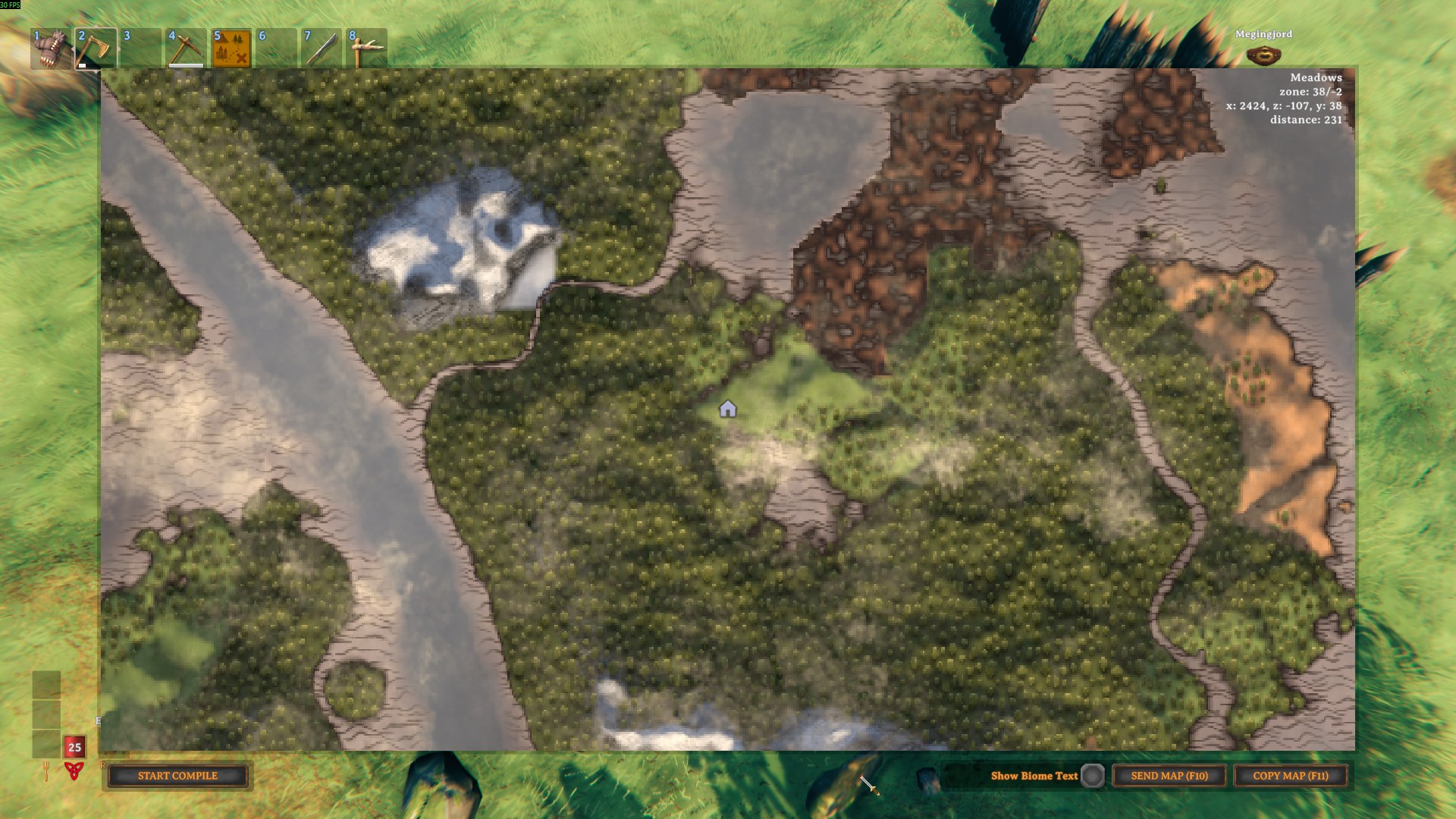
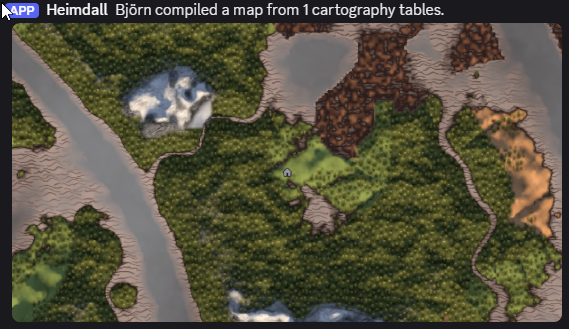
- SEND MAP / COPY MAP — capture the visible map and either post it to a Discord webhook or paste it directly into Discord, Slack, or an image editor.
- MAP COMPILE — visit cartography tables one by one and stitch every reading into a single high-resolution PNG you can save, copy, or send to Discord.
Built for no-map (and normal) servers. Message templates, output format, and tile-sharing policy can be server-synced so a host enforces the same look for everyone.
Highlights
- One-click sharing — SEND MAP posts to a Discord webhook; COPY MAP puts a full-resolution image on your clipboard. Hotkeys (
F10/F11) shown on the buttons and rebindable. - MAP COMPILE — walk between cartography tables, add each as a tile, and composite them into one coordinate-accurate PNG. Sessions persist per world + character and resume after a restart.
- Multiple sessions — keep several independent compile sessions per world (a full-world map alongside an expedition map); a
SESSIONSpanel opens, creates, renames, and deletes them. - Interactive WEB MAP — export a self-contained, offline web viewer (double-click
index.html, no server or internet needed) with drag-pan, zoom, a searchable pin list, and per-kind pin filtering over a pin-free base image. - Manage Tiles — a
TILESpanel to review every captured tile and exclude any from the next compile without deleting it (or remove it outright), including imported tiles from tables you're nowhere near. - PINS filter — choose exactly which pin kinds appear on a compiled map (mod-added pins included automatically).
- Tile sharing — pool map coverage with teammates by exchanging self-describing PNG tiles.
- Map styles — optional Old Map / Chart / Topographical / Satellite rendering for captures and compiled tiles.
- Clean shots — every UI overlay is hidden;
Player/Deathpins are dropped by default (hold Left CTRL to keep them). - Output control — JPEG or indexed-PNG output, tuned to stay under Discord's attachment limit while keeping pin captions crisp.
| Composed map (4 tables stitched) | Sent to Discord | |---|---| | 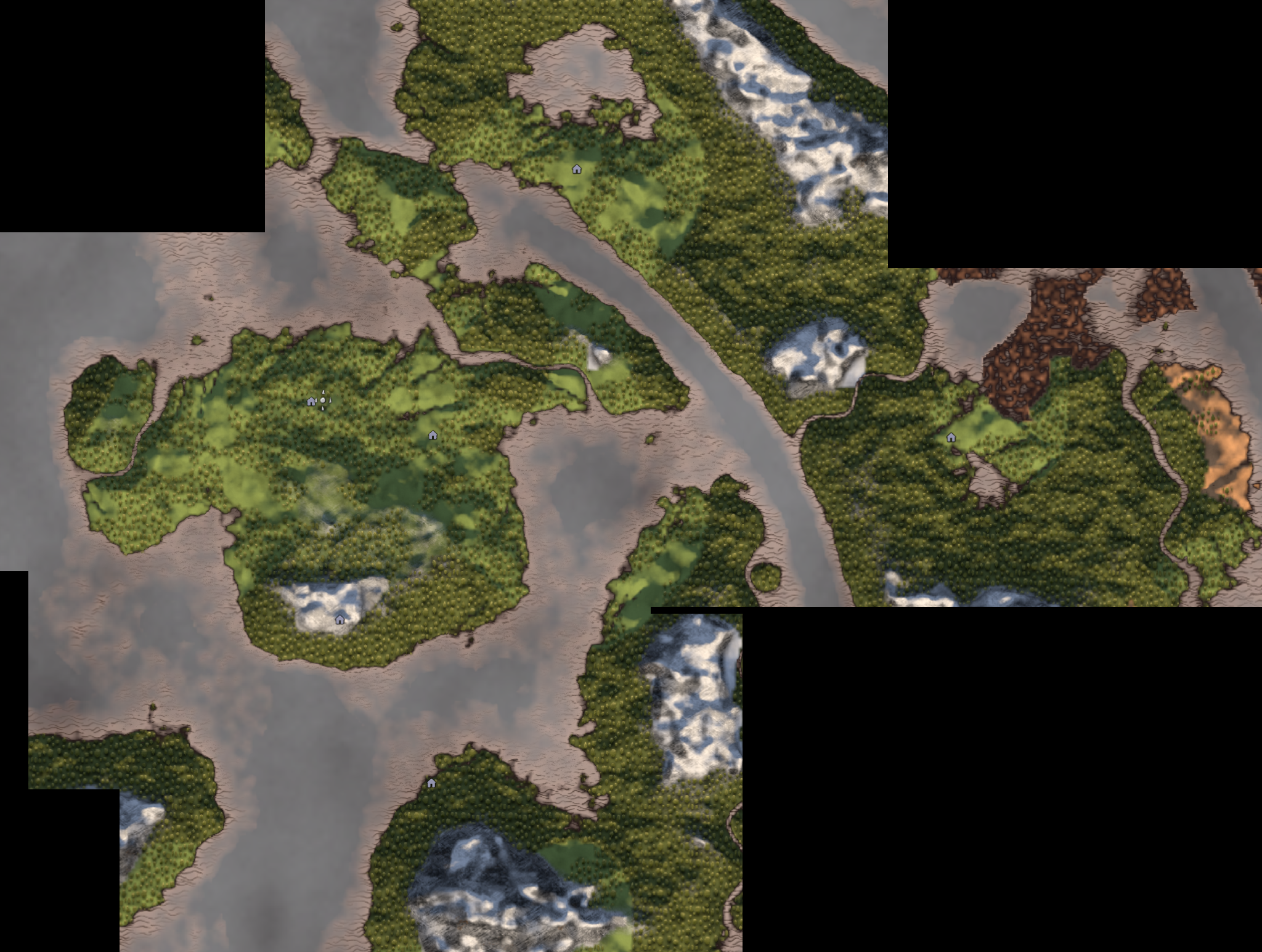 |
 |
Installation
Install with a mod manager and the dependencies come with it. To install manually, drop the DLL into BepInEx/plugins and install each dependency below.
| Dependency | Why | |---|---| | BepInExPack Valheim 5.4.2333 | Mod loader. | | JsonDotNET 13.0.4 | Persists compile sessions to disk. | | Jotunn 2.30.2 | Server-authoritative config sync. | | ZenMap 1.11.1 | Required plugin dependency for map and table integration. |
> ZenMap already depends on Jotunn, so most setups have Jotunn already. Install on every client that wants the buttons; install on the server too to push synced settings.
Quick start
Compile capture from ZenMap portable map items is allowed by default through Map Compile.Allow From Map Items. Saved settings and server policy still apply.
- Open the large map (
M, or interact with a cartography table). - Share one view: click COPY MAP (
F11) and paste into Discord, or set a webhook and click SEND MAP (F10). - Build a stitched map: click START COMPILE, then ADD TILE at each cartography table you visit. When you've covered the ground you want, click COMPILE → SAVE / COPY / SEND TO DISCORD.
Full documentation
The Wiki covers everything in depth:
- Setting up a Discord webhook and message templates
- The full MAP COMPILE flow — tiles, the PINS include-filter, the result panel, EXIT / CLEAR ALL, resuming and multiple sessions
- Sharing tiles between players
- Map styles and output formats
- The complete configuration reference and which settings are server-synced
- On-disk file layout, troubleshooting, and FAQ
Server behavior
Config sync uses Jotunn's SynchronizationManager (a required dependency). On connect, the server pushes its value for every synced setting, the entry is locked client-side, and each client's local value is restored on disconnect. Server-synced settings include the webhook URL, message templates, cloud-hiding, and the tile-sharing toggles; output format, map style, lighting, and hotkeys stay local to each client. See the Wiki for the full list.
Support & questions
Found a bug, have a question, or want to request a feature? Reach virtualbjorn on either Valheim modding Discord:
- OdinPlus — https://discord.gg/mbkPcvu9ax
- ValheimModding — https://discord.gg/MJWtxQs
Include your BepInEx/LogOutput.log when reporting an issue, or open one on the GitHub repo.
Highlights
From source dataLoaders
Runs on BepInEx.
Footprint
Rated a light load on a server.
Last update
Its author last shipped an update 13d ago.
NoMapDiscordAdditions on Nxeon
From our catalogue- One-click install
- Supported on Nxeon Valheim servers, for BepInEx servers. We download it from Thunderstore, place it, and restart the server.
- Server side
- Optional on the server
- Server type needed
- BepInEx
- Server load
- light
- Smallest plan we suggest
- Valheim — 4 GB (4 GB RAM). This follows our own load rating above, not a benchmark.
- Latest build
- 1.5.1, released 2026-10-21
Game versions by loader
| Loader | Game versions | Newest |
|---|---|---|
| BepInEx |
From 17 recorded builds of NoMapDiscordAdditions.
Recent builds
| Build | Released | Game versions | Loaders |
|---|---|---|---|
| 1.5.1 | 2026-10-21 | n/a | BepInEx |
| 1.5.0 | 2026-10-21 | n/a | BepInEx |
| 1.4.0 | 2026-07-03 | n/a | BepInEx |
| 1.3.0 | 2026-07-01 | n/a | BepInEx |
| 1.2.0 | 2026-06-19 | n/a | BepInEx |
| 1.1.1 | 2026-06-08 | n/a | BepInEx |
Dependencies
- Required: JsonDotNET
- Required: BepInExPack Valheim
- Required: Jotunn
- Required: ZenMap
Declared by the newest build that lists any. Required ones are installed with it on one-click installs.
Run NoMapDiscordAdditions on a Valheim server
Pick a server or deploy a new one above; it is installed in one click.
What kind of mod it is
From the catalogMaps & scenarios
Custom maps, arenas and scenarios to play on.
Works on a server
From source side supportThunderstore lists server-side support for NoMapDiscordAdditions as optional: it can run on a server, but isn’t required there.
Compatibility
- Game
- Valheim
- Loaders
- BepInEx
- Runs on
- Serveroptional on the server
- Requires
- One-click install needs a BepInEx server.
Verified at the source
- ✓ThunderstoreOfficial listing, checked 2026-10-22Open ↗
- ✓Authorvirtualbjorn, as published on Thunderstore
- ✓LicenseNot published by the sourceFree















