






About SlotSort
From ThunderstorePin items to fixed inventory slots on Sort. Per-player rules, item search, optional ZUI panel.
SlotSort
Author: PinkyTwinky
English
Description
Server mod — pin specific items to fixed inventory slots when you press the Sort button in your inventory.
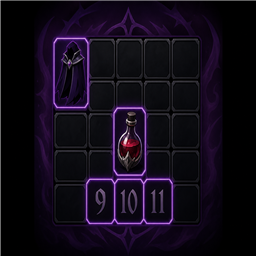
Examples: cloaks, blood roses, and potions always land in the same slot after sorting.
Players do not need this mod on their game client. Install it on the dedicated server only.
Requirements
| Where | Mod | |-------|-----| | Server (required) | BepInEx Pack V Rising | | Server (required) | VampireCommandFramework | | Client (optional) | ZUI — settings GUI only |
Installation (server)
- Install BepInEx and VCF on your dedicated server.
- Place
SlotSort.dllinBepInEx/plugins/. - Restart the server.
- Check
BepInEx/LogOutput.logforSlotSort initialized.
How to use
- Configure slot rules (chat commands or GUI).
- Open your inventory in-game.
- Press Sort — vanilla sort runs first, then SlotSort moves pinned items to your chosen slots.
Slot numbers
- 1–8 — hotbar (action bar)
- 9+ — main inventory bag
Commands
| Command | Description | |---------|-------------| | .slotsort gui / .ss gui | Open settings window (requires ZUI on client) | | .slotsort set "Blood Rose" 9 | Assign an item to a slot | | .slotsort set "item name" | Uses the slot from .pickslot if no number given | | .slotsort pickslot 12 | Remember a slot for the next .set command | | .slotsort remove "item" / .ss rm | Remove a slot rule | | .slotsort list / .ss ls | List your active rules | | .slotsort toggle | Enable or disable sorting for yourself | | .slotsort sort | Apply rules without pressing Sort | | .slotsort search blood / .ss search | Search items by name (chat + GUI) |
GUI (optional)
Install ZUI on your game client, then run:
.slotsort guiWindow tabs:
- Main — enable/disable, apply now, refresh window
- Rules — view assignments and remove rules
- Add — quick presets and bag slots 9–16
- Search — item name search results (run
.slotsort search <name>in chat first)
Configuration (server)
BepInEx/config/SlotSort/
  defaults.json          # server-wide default rules
  players/<SteamID>.json # per-player overrides
Support
Report issues to the mod author (PinkyTwinky) or on your server's Discord.
Русский
Описание
Серверный мод — закрепляет выбранные предметы за фиксированными ячейками инвентаря при нажатии кнопки «Сортировка».
Например: плащи, кровавые розы и зелья всегда оказываются в одних и тех же ячейках после сортировки.
Игрокам не нужно устанавливать мод на клиент. Мод ставится только на выделенный сервер.
Зависимости
| Где | Мод | |-----|-----| | Сервер (обязательно) | BepInEx Pack V Rising | | Сервер (обязательно) | VampireCommandFramework | | Клиент (опционально) | ZUI — только для окна настроек |
Установка (сервер)
- Установите BepInEx и VCF на выделенный сервер.
- Поместите
SlotSort.dllвBepInEx/plugins/. - Перезапустите сервер.
- В
BepInEx/LogOutput.logдолжна появиться строкаSlotSort initialized.
Как пользоваться
- Настройте правила ячеек (команды в чате или GUI).
- Откройте инвентарь в игре.
- Нажмите «Сортировка» — сначала сработает ванильная сортировка, затем SlotSort переместит закреплённые предметы в нужные ячейки.
Нумерация ячеек
- 1–8 — хотбар (панель быстрого доступа)
- 9+ — основной инвентарь (сумка)
Команды
| Команда | Описание | |---------|----------| | .slotsort gui / .ss gui | Открыть окно настроек (нужен ZUI на клиенте) | | .slotsort set "Blood Rose" 9 | Назначить предмет на ячейку | | .slotsort set "название" | Использует ячейку из .pickslot, если номер не указан | | .slotsort pickslot 12 | Запомнить ячейку для следующей команды .set | | .slotsort remove "предмет" / .ss rm | Удалить правило | | .slotsort list / .ss ls | Показать активные правила | | .slotsort toggle | Включить или выключить сортировку для себя | | .slotsort sort | Применить правила без нажатия «Сортировка» | | .slotsort search blood / .ss search | Поиск предметов по названию (чат + GUI) |
GUI (опционально)
Установите ZUI на игровой клиент и введите в чат:
.slotsort guiВкладки окна:
- Main — вкл/выкл, применить сейчас, обновить окно
- Rules — список правил и кнопки удаления
- Add — быстрые пресеты и ячейки сумки 9–16
- Search — результаты поиска предметов (сначала в чате:
.slotsort search <название>)
Конфигурация (сервер)
BepInEx/config/SlotSort/
  defaults.json          # общие правила для всех игроков
  players/<SteamID>.json # персональные настройки игрока
Поддержка
Сообщайте об ошибках автору мода (PinkyTwinky) или в Discord вашего сервера.
Highlights
From source dataLoaders
Runs on BepInEx.
Footprint
Rated a light load on a server.
Last update
Its author last shipped an update 4 mo ago.
SlotSort on Nxeon
From our catalogue- One-click install
- Not available. One-click install isn't available for this game's mods yet. Download it and upload it to your server in Files.
- Server type needed
- BepInEx
- Server load
- light
- Smallest plan we suggest
- V Rising — 6 GB (6 GB RAM). This follows our own load rating above, not a benchmark.
- Latest build
- 1.2.0, released 2026-06-21
Game versions by loader
| Loader | Game versions | Newest |
|---|---|---|
| BepInEx |
From 2 recorded builds of SlotSort.
Recent builds
| Build | Released | Game versions | Loaders |
|---|---|---|---|
| 1.2.0 | 2026-06-21 | n/a | BepInEx |
| 1.1.1 | 2026-06-21 | n/a | BepInEx |
Dependencies
- Required: BepInExPack V Rising
- Required: VampireCommandFramework
Declared by the newest build that lists any. Required ones are installed with it on one-click installs.
Run SlotSort on a V Rising server
Deploy a server above, then upload the file in Files.
What kind of mod it is
From the catalogWeapons, items & crafting
New weapons, gear, items and the recipes to make them.
Compatibility
- Game
- V Rising
- Loaders
- BepInEx
- Requires
- One-click install needs a BepInEx server.
Verified at the source
- ✓ThunderstoreOfficial listing, checked 2026-10-02Open ↗
- ✓AuthorPinkyTwinky, as published on Thunderstore
- ✓LicenseNot published by the sourceFree














