






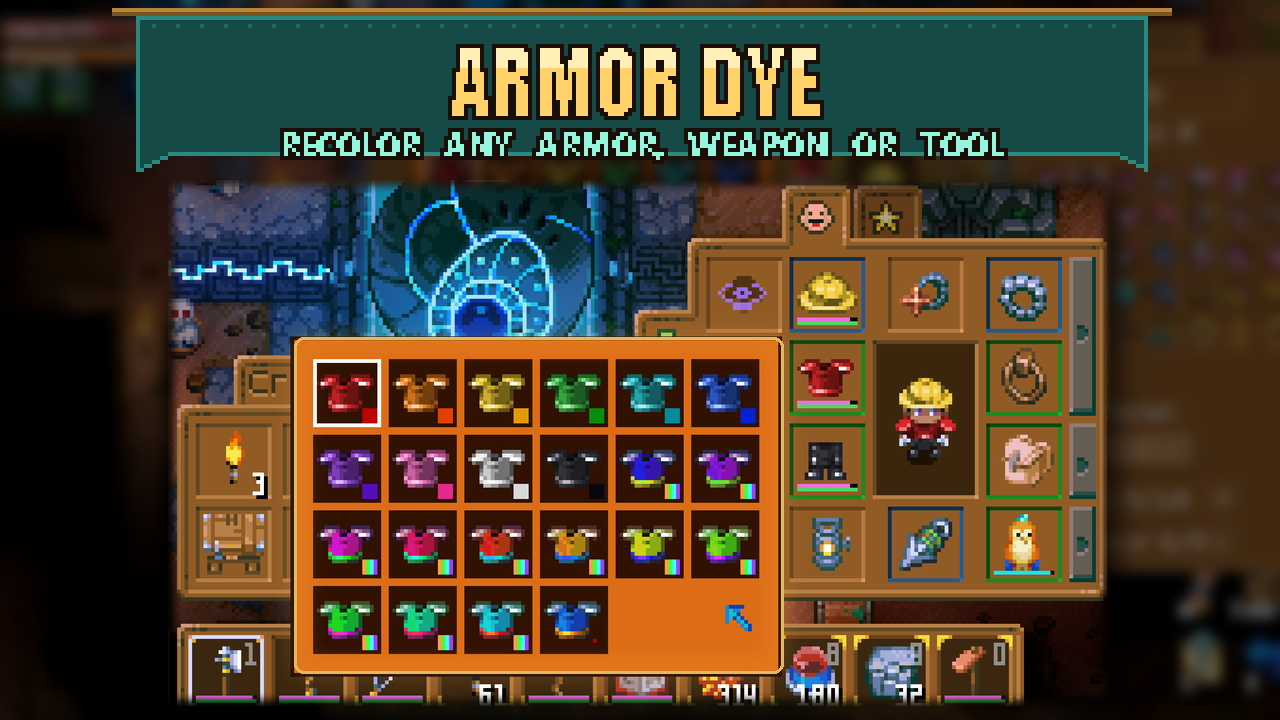

About Armor Dye
From mod.ioMake your gear your own: recolor armor, weapons and tools, with a separate dye for each item. The color stays with the item when you store, trade or upgrade it.
Make your gear your own: recolor armor, weapons and tools, with a separate dye for each item. The color stays with the item when you store, trade or upgrade it.
Pick a color
1. Hover over an armor piece, weapon or tool in your inventory, hotbar, equipment or vanity slots.
2. Press P to open the palette. You can rebind this key under Controls > Armor Dye.
3. Click a color or hue shift. Choose Remove dye to restore the original look. Press P again or right-click to close.
The palette has 10 colors and 11 hue shifts. Dyes appear on armor, held items, item icons and supported projectiles. Other players with the mod can see them too. A dyed vanity item uses its own color; an undyed one uses the dye from the armor beneath it.
Settings and requirements
Requires CoreLib and Mod Options on the host and every client.
In Settings > Mod Options > Armor Dye, you can separately show dyes on held weapons/tools, projectiles and item icons. All three start on. These switches only change your view.
Dyeable items include armor and single, non-stacking items with durability, such as weapons, tools and fishing rods. Off-hand items keep their normal appearance. Glowing parts are recolored too.
Optional chat commands
For equipped items, use /dye <helm|chest|pants|all|hand> <color>.
Colors: red, orange, gold, green, teal, blue, purple, pink, white, black, a hex value such as #33aaff, shift <degrees>, or off. Use /dye info to inspect your dyes.
Source and full docs: https://github.com/Sthakur27/corekeeper-mods/tree/main/ArmorDye
Highlights
From source dataFootprint
Rated a light load on a server.
Last update
Its author last shipped an update 3d ago.
Armor Dye on Nxeon
From our catalogue- One-click install
- Supported on Nxeon Core Keeper servers. We download it from mod.io, place it, and restart the server.
- Server side
- Required on the server
- Server load
- light
- Smallest plan we suggest
- Core Keeper — 2 GB (2 GB RAM). This follows our own load rating above, not a benchmark.
- Latest build
- 0.5.4, released 2026-10-31
Run Armor Dye on a Core Keeper server
Pick a server or deploy a new one above; it is installed in one click.
What kind of mod it is
From the catalogQuality of life & UI
Small conveniences, tweaks and interface improvements players notice straight away.
Runs on your server
From source side supportmod.io lists Armor Dye as required on the server. Check its mod.io page to see whether players need it too.
Compatibility
- Game
- Core Keeper
- Runs on
- Serverrequired on the server
Verified at the source
- ✓mod.ioOfficial listing, checked 2026-11-03Open ↗
- ✓Authorcoopdedoop, as published on mod.io
- ✓LicenseNot published by the sourceFree















