
About AutoFishing
From mod.ioHands-free fishing for Core Keeper. Cast once and keep catching - the mod reels for you, and baited spots never run dry.
AutoFishing
Hands-free fishing for Core Keeper. Cast once and keep catching - the mod reels for you, and baited spots never run dry.
What it does
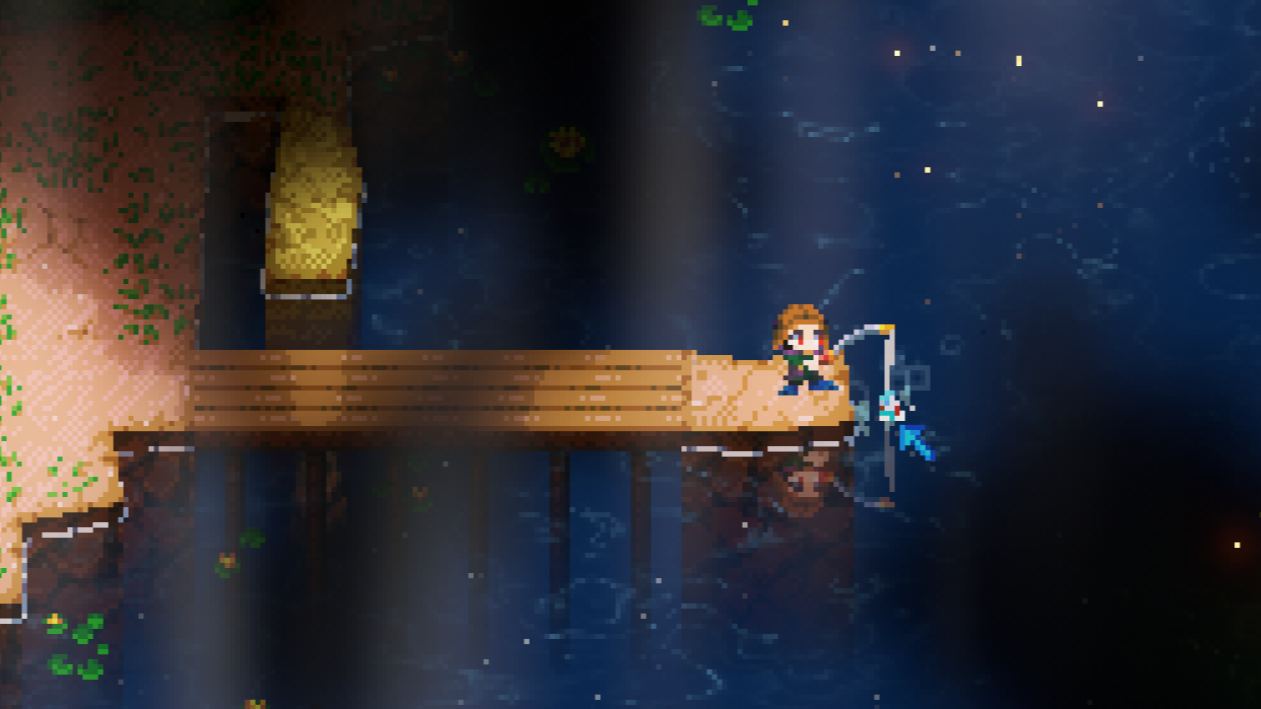
Reels for you. Hold a fishing rod and start fishing as normal. The moment a fish bites, the line is reeled in for you and fishing carries straight on. You can leave it running and come back to a full inventory.
Baited spots never run out. Throwing bait into water creates a fish shoal - a rich patch with faster, better catches. Normally a shoal is used up after a handful of fish. With this mod a shoal never depletes, so a baited spot stays a fast, high-yield fishing hole forever.
The two work together. Bait a spot, cast, and walk away: every bite is reeled in and the shoal never runs out.
No windows, no HUD, no clutter. The mod adds nothing to your screen.
Stays out of your way. Reel by hand whenever you like and the mod won't fight you. It pauses while any inventory or menu is open, and it leaves octopus-boss fishing entirely to you.
How to use
Equip a fishing rod and fish at any water as normal. That's it. When a fish bites, the mod hooks and reels it, then keeps going.
Optionally throw bait in first to make a fish shoal - with this mod that spot stays rich forever.
Options
Both features can be turned on or off on their own, and your choice is remembered.
Auto reel (on by default) - the automatic reeling. Turn it off if you use another auto-fishing mod and don't want the two fighting each other.
Infinite fish shoal (on by default) - the never-running-out baited spots.
To actually change either one you need Mod Settings Proxy (my mod) as well as Mod Settings Menu - the Proxy is the piece that writes your choice, so without it the toggles cannot be set at all. With both installed the two options appear in the in-game Mod Settings screen and can be flipped while you play - see the next section.
Without them the mod simply runs with both features on, which is what most players want anyway.
Optional: changing the options in game
You only need this if you actually want to turn one of the two features off, or flip them while playing. If you're happy with both on, skip this whole section - AutoFishing works on its own.
To get the in-game toggles, subscribe to these three on mod.io, in any order:
- CoreLib - a shared library lots of mods build on. Not mine, and not made for this mod.
- Mod Settings Menu - the settings screen itself, the one place every mod's options live. Also not my mod; it's a community mod that lots of other mods plug into. Needs CoreLib.
- Mod Settings Proxy - this one is mine. It's the bridge that hands AutoFishing's two options to that screen.
Then, in game: Options -> Mod Settings -> AutoFishing. You'll find Auto reel and Infinite fish shoal there. Changes take effect straight away and are remembered.
A few things worth knowing:
- These are optional for every mod that uses them, not just this one - install them once and any other mod of mine gains its settings panel too.
- If you later remove them, AutoFishing keeps running with whatever you last chose.
- On a server, Auto reel is your own setting, but Infinite fish shoal is decided by the host - so it's the host who needs to change that one.
Multiplayer
Works in single-player and on servers.
- The automatic reeling is yours alone - install it and it works for you, whatever the other players have.
- The never-depleting shoals come from the host, so on a server only the host needs the mod for everyone to benefit.
Built for Core Keeper 1.2.1.x.
Dependencies
Required: None - this mod works on its own.
Optional (only if you want the in-game settings toggles - see Optional: changing the options in game above):
- Mod Settings Proxy (my mod) - puts AutoFishing's two options into the in-game settings screen, so AutoFishing itself never has to depend on that screen.
- Mod Settings Menu (not my mod - a community mod) - the settings screen itself. Needed by Mod Settings Proxy.
- CoreLib (not my mod) - needed by Mod Settings Menu.
Highlights
From source dataGame versions
Built for Core Keeper 1.2.1.5.
Footprint
Rated a light load on a server.
Last update
Its author last shipped an update 38d ago.
AutoFishing on Nxeon
From our catalogue- One-click install
- Supported on Nxeon Core Keeper servers. We download it from mod.io, place it, and restart the server.
- Server side
- Required on the server
- Server load
- light
- Smallest plan we suggest
- Core Keeper — 2 GB (2 GB RAM). This follows our own load rating above, not a benchmark.
- Latest build
- 1.2.3, released 2026-09-28
Run AutoFishing on a Core Keeper server
Pick a server or deploy a new one above; it is installed in one click.
What kind of mod it is
From the catalogQuality of life & UI
Small conveniences, tweaks and interface improvements players notice straight away.
Runs on your server
From source side supportmod.io lists AutoFishing as required on the server. Check its mod.io page to see whether players need it too.
Compatibility
- Game
- Core Keeper
- Runs on
- Serverrequired on the server
- Game versions
- 1.2.1.5
Verified at the source
- ✓mod.ioOfficial listing, checked 2026-11-05Open ↗
- ✓AuthorSharpybara, as published on mod.io
- ✓LicenseNot published by the sourceFree