







About Better Minimap
From mod.ioMinimap zoom, three sizes, reset, and a coordinates toggle. Saves your settings.
Better Minimap
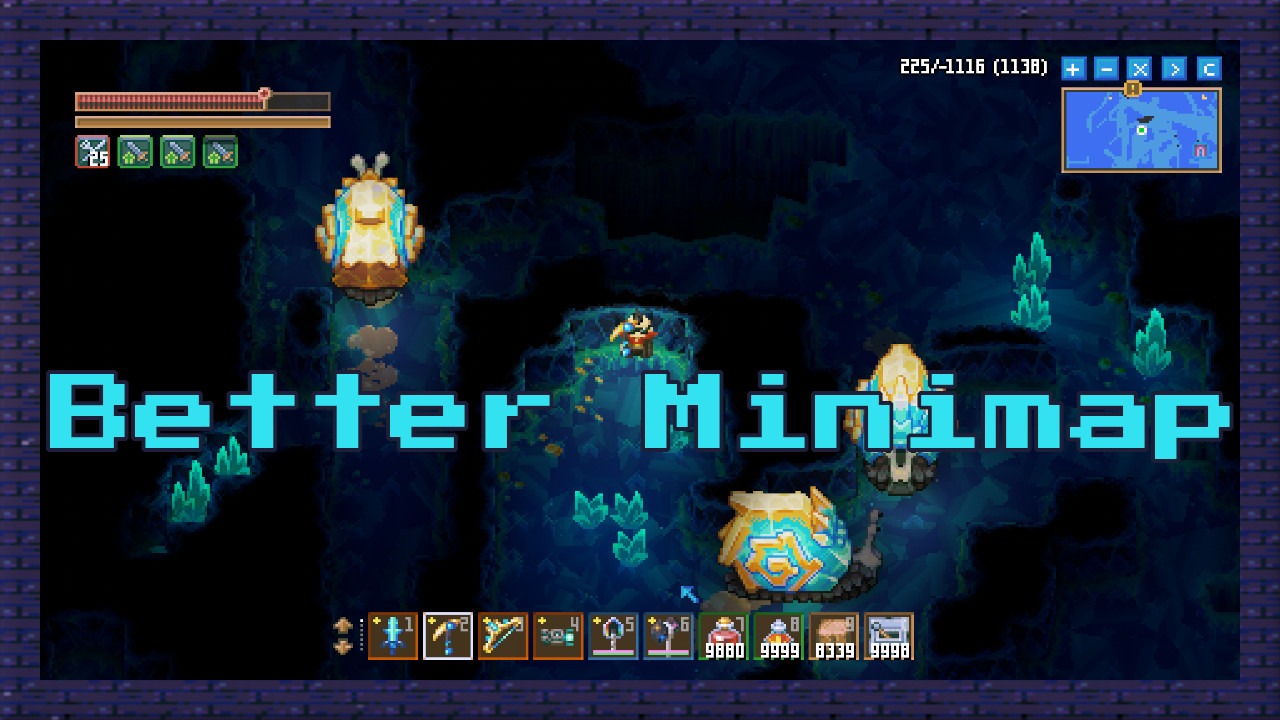
Better Minimap adds a small control bar to the minimap with zoom in/out, three size options, a reset, and a toggle for player coordinates. Your settings are saved between sessions.
Works on Core Keeper 1.2.1+, multiplayer and dedicated servers. It only needs to be installed on the client.
FEATURES
Better Minimap adds a small control bar to the minimap with five buttons: zoom in, zoom out, reset, size cycle, and a toggle for player coordinates. Zoom and size adjust in real time, and holding the zoom buttons lets you fine tune without spam clicking. The size cycle switches between three presets (vanilla, medium, and large) and the frame grows from the top right corner so it stays out of the way. Coordinates show your position and distance from the center, updated live as you move.
Everything you change is saved automatically. Your zoom level, chosen size, and coordinates toggle are kept between sessions, so the minimap picks up right where you left it. No menus, no config files to edit, just click the buttons and it sticks.
BUTTONS
- + button to zoom the minimap in. Hold it down to zoom continuously.
- – button to zoom the minimap out. Hold it down to zoom continuously.
- X button to reset zoom and size back to vanilla.
- > button to cycle between the three size presets: vanilla, medium, and large.
- C button to toggle the coordinates display on or off.
HOW IT WORKS
- The control bar appears right under the minimap during gameplay.
- Click the + or – buttons to zoom in or out. Hold them down to zoom continuously.
- Click the X button to reset zoom and size back to vanilla.
- Click the > button to cycle between vanilla, medium, and large sizes.
- Click the C button to show or hide your coordinates and distance from the center.
- The minimap frame and border grow together, keeping the layout clean at every size.
- Every change is saved automatically, so your settings are there next time you play.
CREDITS
Created by Parcew.
Special thanks to the Core Keeper modding community.
FEEDBACK & SUPPORT
Discord: @parcew (preferred)
You can also leave a comment on the mod page.
LINKS
Modding guide: https://modding.corekeepergame.com/
My other mods: https://mod.io/u/parcew/
Support my work: https://ko-fi.com/parcew
LICENSE
This mod is protected by the Parcew Mod License. Re-uploading, redistributing, or including this mod (or any of its files, assets, prefabs, or other original content) in other mods or packs without written permission is not allowed.
Full license: https://github.com/parcew/modding/blob/main/LICENSE.md
Permission requests: Discord parcew
This mod is not affiliated with or endorsed by Pugstorm.
Highlights
From source dataFootprint
Rated a light load on a server.
Last update
Its author last shipped an update 37d ago.
Better Minimap on Nxeon
From our catalogue- One-click install
- Supported on Nxeon Core Keeper servers. We download it from mod.io, place it, and restart the server.
- Server side
- Client-only: it runs in players’ own games, so it can’t be installed on a server
- Server load
- light
- Smallest plan we suggest
- Core Keeper — 2 GB (2 GB RAM). This follows our own load rating above, not a benchmark.
- Latest build
- 1.0.1, released 2026-09-28
Run Better Minimap on a Core Keeper server
Pick a server or deploy a new one above; it is installed in one click.
What kind of mod it is
From the catalogQuality of life & UI
Small conveniences, tweaks and interface improvements players notice straight away.
Client-side mod
From source side supportmod.io lists Better Minimap as not supported on servers. It runs in players’ own games, not on your server.
Compatibility
- Game
- Core Keeper
- Runs on
- Client only
Verified at the source
- ✓mod.ioOfficial listing, checked 2026-10-20Open ↗
- ✓AuthorParcew, as published on mod.io
- ✓LicenseNot published by the sourceFree















