







About Build Tools
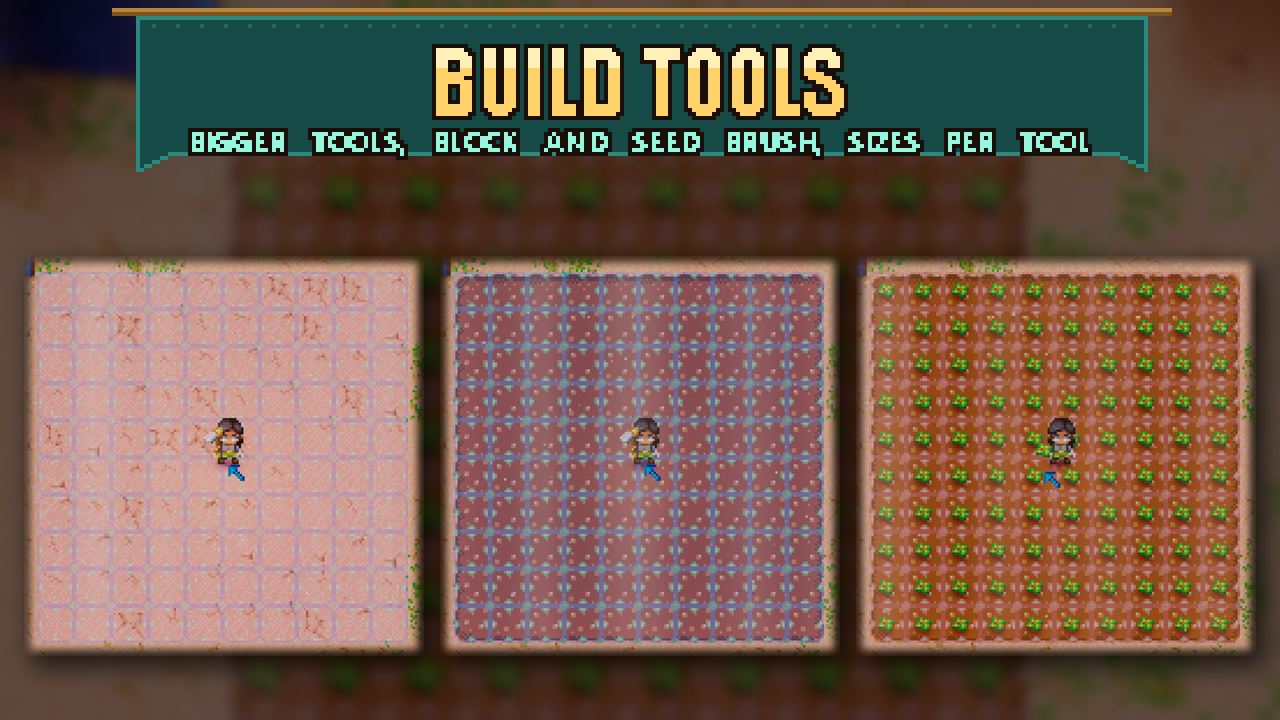
From mod.ioBigger tool areas, a block brush with floor/wall modes and block swapping, and roofing gadget modes. Every tool type and block category remembers its own size, even after you quit, and nothing is printed to chat except the mode changes you make.
Bigger tool areas, a block brush with floor/wall modes and block swapping, and roofing gadget modes. Every tool type and block category remembers its own size, even after you quit, and nothing is printed to chat except the mode changes you make.
Inspired by Placement Plus and Roofing Gadget Plus. Build Tools is a separate implementation and shares no code with them. Uninstall both before using it, since they change the same tool sizes.
Keys (rebind under Controls > Build Tools)
| Key | Does |
|---|---|
| Keypad + / Keypad - | Size of the held tool or block brush (hold to repeat; the brush goes down to 1x1) |
| Keypad | Brush shape: off, square, line across, line down |
| Keypad / | Block mode: auto / floor only / walls only. Roofing gadget: flip / close roof / open roof |
| Left Alt | Swap on/off (or hold, see Settings) |
| R | Still cycles tool sizes like in vanilla |
Tool sizes
- Shovels, hoes, watering cans, the roofing gadget and paint tools can be resized up to Max tool size (default 10x10, range 3 to 15).
- Each tool type keeps its own size: shovel, hoe, watering can, roofing gadget, seeder and paint tool. Sizes are saved and come back after you quit and rejoin. All tiers of one tool share one size, capped at what each tier allows.
- Watering cans go from 1x1 up to Max tool size like the other tools, and their size is remembered. While Bigger Watering Cans is running (on its own or switched on in Sid's Overhaul), its 2x2 / 4x4 stay the maximum and the size keys can only make a can smaller; turn on Override Bigger Watering Cans sizes to use Max tool size anyway.
Block brush
- Hold a block, floor, seed or other 1x1 placeable and press Keypad + (or Keypad ) to turn the brush on. Right-click places it on every free cell around where you aim; the preview shows the whole brush.
- Size and shape are remembered per category: blocks, floors, seeds, other objects.
- Block mode for wall blocks:
- Auto: while any cell under the brush has no floor yet, a swipe only lays floor; once it is all floored, the next swipe builds walls.
- Floor only: places the floor version of the block.
- Walls only: places walls and never puts down floor.
- Swap: a different block of the same layer is swapped for the one you hold, and the old block goes to your inventory. Left Alt turns Swap on and off with a chat message (or, with the setting on Hold, Swap is on while you hold it). Outside creative it needs a pickaxe (walls) or a shovel (floors) somewhere in your inventory, and it never touches obsidian or indestructible tiles.
- Free cells follow the normal placement rules (reach, line of sight, blocked spots, tilled ground for seeds); each cell uses one item from the stack. Wall-mounted items and objects bigger than one tile always place one at a time.
Roofing gadget
- Keypad / switches between flip (vanilla), close roof and open roof. The mode is remembered.
- Roofing gadget never wears out (on by default) keeps its durability full.
Settings
Mod Options > Build Tools: Max tool size, Remember sizes per tool and block type, Swap key (Toggle or Hold, default Toggle), Override Bigger Watering Cans sizes (default off), Roofing gadget never wears out.
Requirements
CoreLib and Mod Options. Install on the host and every player. In multiplayer, the host's Max tool size decides the real area; use the same value so previews match.
Limits
- Swap checks that you carry a pickaxe or shovel, not your mining power.
- No sledgehammer area, paint-tool modes or controller bindings.
Highlights
From source dataFootprint
Rated a light load on a server.
Last update
Its author last shipped an update today.
Build Tools on Nxeon
From our catalogue- One-click install
- Supported on Nxeon Core Keeper servers. We download it from mod.io, place it, and restart the server.
- Server side
- Required on the server
- Server load
- light
- Smallest plan we suggest
- Core Keeper — 2 GB (2 GB RAM). This follows our own load rating above, not a benchmark.
- Latest build
- 0.6.4, released 2026-11-03
Recent builds
| Build | Released | Game versions | Loaders |
|---|---|---|---|
| 0.6.4 | 2026-11-03 | n/a | n/a |
| 0.6.3 | 2026-11-02 | n/a | n/a |
| 0.6.0 | 2026-10-31 | n/a | n/a |
Run Build Tools on a Core Keeper server
Pick a server or deploy a new one above; it is installed in one click.
What kind of mod it is
From the catalogQuality of life & UI
Small conveniences, tweaks and interface improvements players notice straight away.
Runs on your server
From source side supportmod.io lists Build Tools as required on the server. Check its mod.io page to see whether players need it too.
Compatibility
- Game
- Core Keeper
- Runs on
- Serverrequired on the server
Verified at the source
- ✓mod.ioOfficial listing, checked 2026-11-03Open ↗
- ✓Authorcoopdedoop, as published on mod.io
- ✓LicenseNot published by the sourceFree















