






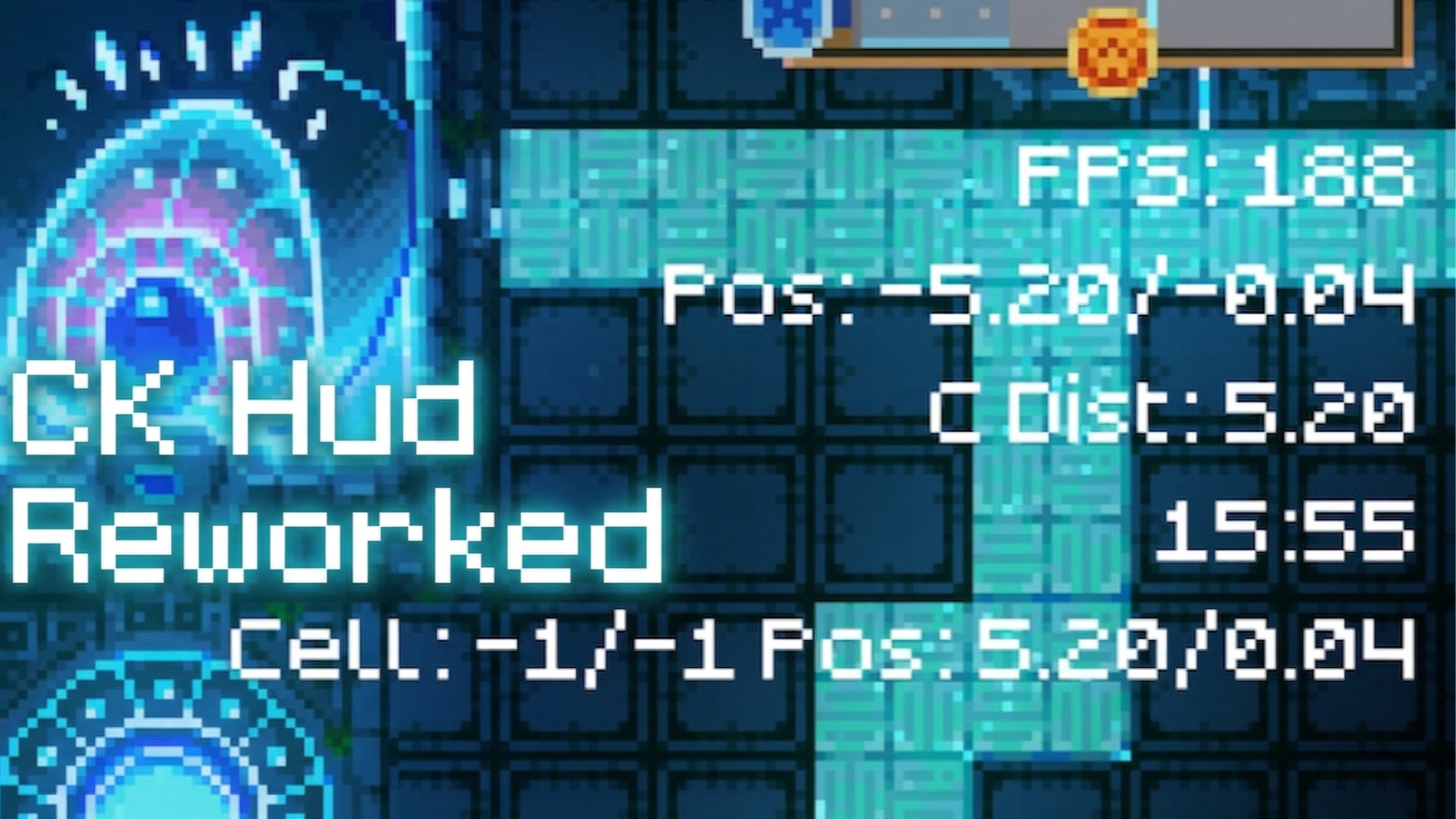

About CK Hud Reworked
From mod.ioA continuation of the original CKHud by super-miner, updated for Core Keeper 1.2. Displays FPS, position, center distance, time, and spawn cell as a customizable HUD overlay. Toggle with F1.
CK Hud Reworked
A continuation of the original CKHud by super-miner, updated for Core Keeper 1.2. Displays various stats as a customizable HUD overlay. Toggle with F1 (rebindable in settings).
It works without any of the setup mentioned below — the setup is purely optional for people who want more customization.
Configuring your hud:
The hud can be configured by modifying the files located at Users\<user>\AppData\LocalLow\Pugstorm\Core Keeper\Steam\<number>\mods\CKHUD\.... Each file corresponds to a different setting — modify the value parameter within that file (the part after "value":). Most settings are self-explanatory, but see the Config settings section below for details.
Config settings:
- HudStart — The uppermost Y coordinate of the hud.
- LineSpacing — The space between lines of text.
- NumRows — The total number of hud rows.
- TextColor — The color of your hud text in RGBA 0-1 format.
- CompactMode — Shorter labels for a more compact display (enabled by default).
- HudEnabled — Toggle the entire hud on or off.
- Layout — Which components to display and in what order. See Components section below.
Components:
Components are the individual pieces of information shown by the hud. They can be changed by editing the Layout config. The ; character separates different lines, and , separates multiple components on the same line. Components are case sensitive.
- FPS — Your frames per second.
- RefreshRate — How often to update the FPS number.
- FPSCap — Your maximum FPS as set by the game.
- Position — Your position in the world.
- DecimalPlaces — How many decimal places to show.
- CenterDistance — Your distance from the center of the world (useful for finding structures and bosses).
- DecimalPlaces — How many decimal places to show.
- LocalComputerTime — The current time from your computer (adapts to your system's 12h/24h format).
- SpawnCell — The current spawning cell and your position within it (useful for building farms).
- DecimalPlaces — How many decimal places to show.
Default layout: FPS;Position;SpawnCell;CenterDi stance;LocalComputerTime
Requirements:
- Core Keeper 1.2.0.6
- CoreLib 4.0.0+
Known limitations:
DPS and MaxDPS tracking are currently disabled due to API changes in Core Keeper 1.2. Working on a fix — see the GitHub repo for updates.
Source code & issues:
github.com/Subbok/CKHud — report bugs or ask questions there.
Highlights
From source dataFootprint
Rated a light load on a server.
Last update
Its author last shipped an update 8 mo ago.
CK Hud Reworked on Nxeon
From our catalogue- One-click install
- Supported on Nxeon Core Keeper servers. We download it from mod.io, place it, and restart the server.
- Server side
- Client-only: it runs in players’ own games, so it can’t be installed on a server
- Server load
- light
- Smallest plan we suggest
- Core Keeper — 2 GB (2 GB RAM). This follows our own load rating above, not a benchmark.
- Latest build
- 5900960_modfile-4jq1.zip, released 2026-03-23
Run CK Hud Reworked on a Core Keeper server
Pick a server or deploy a new one above; it is installed in one click.
What kind of mod it is
From the catalogQuality of life & UI
Small conveniences, tweaks and interface improvements players notice straight away.
Client-side mod
From source side supportmod.io lists CK Hud Reworked as not supported on servers. It runs in players’ own games, not on your server.
Compatibility
- Game
- Core Keeper
- Runs on
- Client only
Verified at the source
- ✓mod.ioOfficial listing, checked 2026-11-04Open ↗
- ✓AuthorSuddoku, as published on mod.io
- ✓LicenseNot published by the sourceFree















