
About CK-QOL.ConfigUI
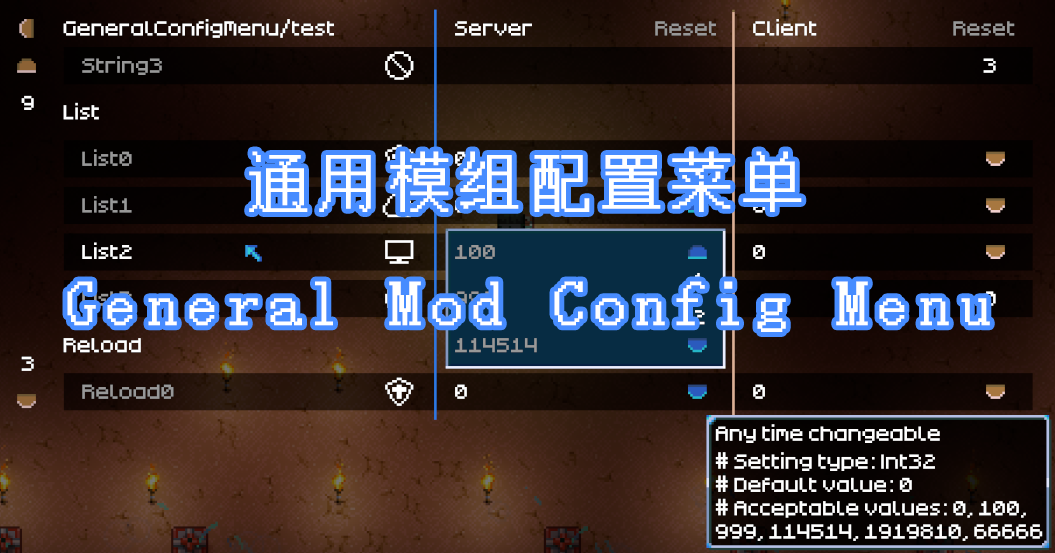
From mod.ioThis mod lets you open an UI to configure mod settings while in-game.
This mod lets you open an UI to configure mod settings while in-game. Only working for mods which are using CoreLib's .cfg file system.
By default you can open the menu with "CTRL + Y" while at the main menu or in-game.
The hot key can be changed in the default controls menu of the game.
May or may not need a Hotkeys reset to default.
Highlights
From source dataGame versions
Supports 10 Core Keeper versions, the newest being 1.0.0.6.
Footprint
Rated a light load on a server.
Last update
Its author last shipped an update 22 mo ago.
CK-QOL.ConfigUI on Nxeon
From our catalogue- One-click install
- Supported on Nxeon Core Keeper servers. We download it from mod.io, place it, and restart the server.
- Server side
- Client-only: it runs in players’ own games, so it can’t be installed on a server
- Server load
- light
- Smallest plan we suggest
- Core Keeper — 2 GB (2 GB RAM). This follows our own load rating above, not a benchmark.
- Latest build
- 1.0.3, released 2025-01-04
Run CK-QOL.ConfigUI on a Core Keeper server
Pick a server or deploy a new one above; it is installed in one click.
What kind of mod it is
From the catalogCosmetics, visuals & audio
Skins, textures, shaders, models and sound — how the game looks and sounds.
Client-side mod
From source side supportmod.io lists CK-QOL.ConfigUI as not supported on servers. It runs in players’ own games, not on your server.
Compatibility
- Game
- Core Keeper
- Runs on
- Client only
- Game versions
- 1.0.0.6 and 9 earlier
Verified at the source
- ✓mod.ioOfficial listing, checked 2026-11-04Open ↗
- ✓AuthorDrSalzstreuer, as published on mod.io
- ✓LicenseNot published by the sourceFree