
About Clearventory
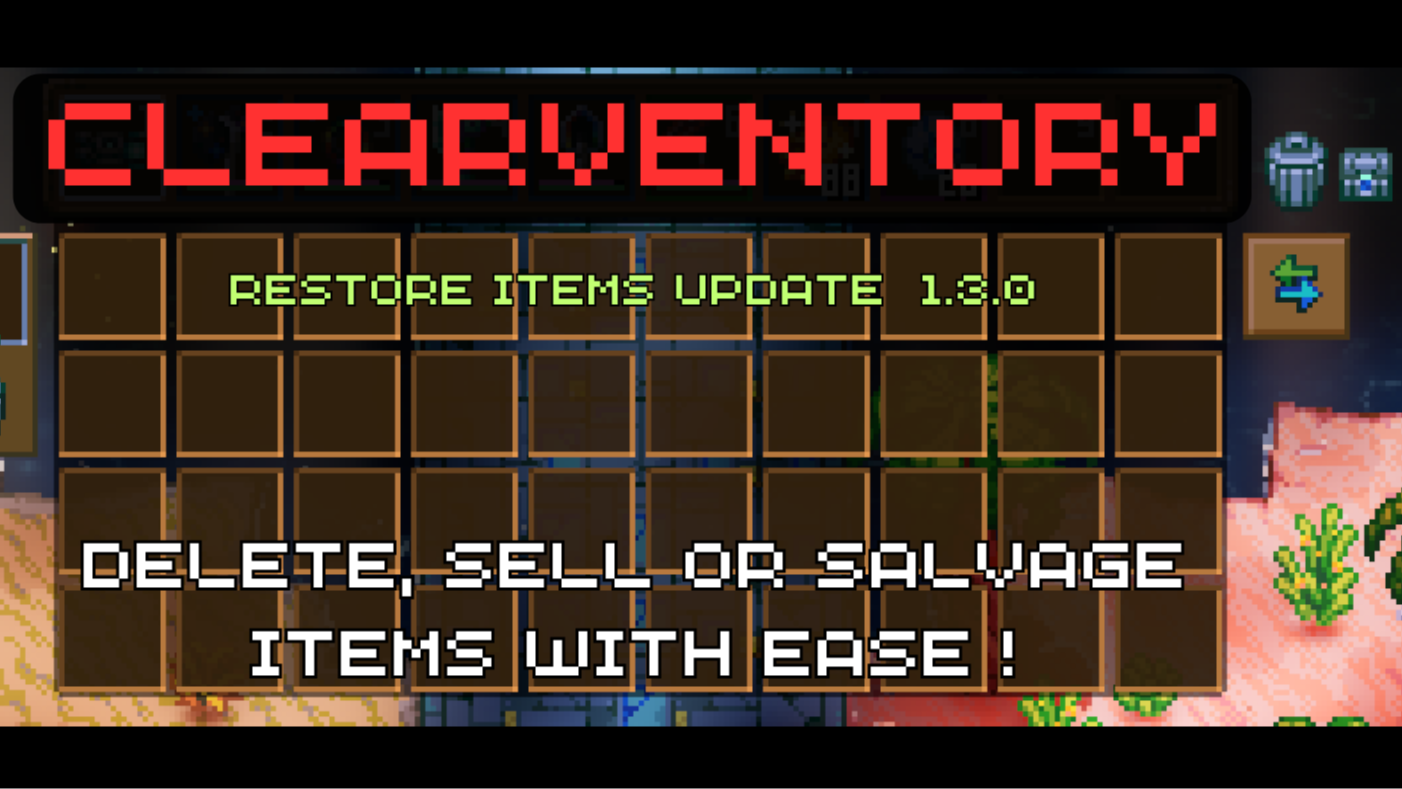
From mod.ioSell, Salvage or Delete items from your inventory or any chest! ( Restore update LIVE )
For XBOX Controllers
If you want to use new clear modes feature you must change your controls as such;
- Enter Controls menu and find "UI Second Interact" and assingn an input to it ( I prefer "right shoulder" input for it )
⚠️ Use at Your Own Risk ⚠️ Use at Your Own Risk ⚠️ Use at Your Own Risk ⚠️ Use at Your Own Risk ⚠️ Use at Your Own Risk ⚠️ Use at Your Own Risk ⚠️
Clearventory: Streamline Your Core Keeper Experience
Tired of managing unnecessary items one by one in Core Keeper? Clearventory is here to simplify your gameplay. This mod introduces intuitive features that allow you to quickly clear your inventory or chests with just a few clicks.
Key Features
1. Instant Inventory and Chest Clearing
- Inventory Clear Button: Added directly to your player inventory UI, this button lets you clear selected items effortlessly. (Your Hotbar items remain untouched.)
- Chest Clear Button: Manage chest contents with ease using the new clear button in the chest UI.
2. Confirmation Mechanism
- Prevent Accidental Actions: A confirmation step ensures you don't clear items unintentionally.
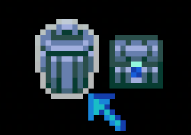
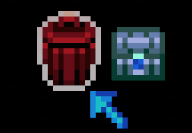
- First Left-Click: Activates confirmation mode—the button turns red when hovered.
- Second Left-Click: Confirms and executes the action on selected items.
- Right-Click: Cancels the action and resets the button.
3. Restore Items Mechanism.
Whenever you DELETE (NOT SELL OR SALVAGE) items from any inventory, there will be a new button that will appear near clear button. You can use this new RESTORE button to retrieve mistakely deleted items.
-
- Left-Click: Restores previous items that are deleted from specified inventory.
4. Flexible Clearing Modes
Choose how you want to handle unwanted items:
- Delete Mode: Permanently removes items matching the selected filter.
- Sell Mode: Sells items for their coin value. (Items with zero value are ignored.)
- Salvage Mode: Salvages applicable items to reclaim resources.
- Disabled Mode: Temporarily disables the Clearventory feature for added safety.
Easy Mode Switching:
- Right-Click on the clear button to cycle through modes.
- Visual Indicators: Unique icons and tooltips help you identify the current mode.
5. Advanced Filtering System
Customize which items to act upon using predefined categories:
- All Items: Includes every item except Hotbar items.
- Placeables: Items that can be placed in the world.
- Tools & Weapons: All types of tools and weapons.
- Armor & Equipables: Armor pieces and wearable accessories.
- Consumables: Food, potions, and other consumables.
- Valuables: Valuable items, unique crafting components, and key items.
- Miscellaneous: Critters, pets, creatures, and non-usable items.
Simple Filter Selection:
- Filter Button: Located next to the clear button for quick access.
- Left-Click: Cycle forward through filter categories.
- Right-Click: Cycle backward through filter categories.
- Distinct Icons and Descriptions: Easily identify the active filter.
 </td> <td>
 </td> <td>
 </td> <td>
 </td> <td>
 </td> </tr> <tr> <td style="text-align:center;">
 Delete Mod / Default State
Left Click -> Go Confirm State
Right Click -> Go Sell Mode
</td> <td style="text-align:center;">Delete Mode / Confirm State
Left Click -> Delete Inventory
Right Click -> Cancel / Go Default State
</td> <td style="text-align:center;">Sell Mode
Left Click -> Go Confirm State
Right Click -> Go Salvage Mode
</td> <td style="text-align:center;">Salvage Mode
Left Click -> Go Confirm State
Right Click -> Go Disabled Mode
</td> <td style="text-align:center;">Disabled
Left Click ->Nothing
Right Click -> Go Delete Mode
</td> </tr> </tbody> </table>
Filters:
<table class="table-auto"> <tbody> <tr> <td>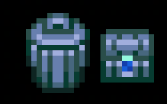 </td> <td>
 </td>
</td>Highlights
From source dataGame versions
Supports 2 Core Keeper versions, the newest being 1.0.0.10.
Footprint
Rated a light load on a server.
Last update
Its author last shipped an update 2 yr ago.
Clearventory on Nxeon
From our catalogue- One-click install
- Supported on Nxeon Core Keeper servers. We download it from mod.io, place it, and restart the server.
- Server side
- Client-only: it runs in players’ own games, so it can’t be installed on a server
- Server load
- light
- Smallest plan we suggest
- Core Keeper — 2 GB (2 GB RAM). This follows our own load rating above, not a benchmark.
- Latest build
- 1.3.0, released 2024-10-18
Run Clearventory on a Core Keeper server
Pick a server or deploy a new one above; it is installed in one click.
What kind of mod it is
From the catalogQuality of life & UI
Small conveniences, tweaks and interface improvements players notice straight away.
Client-side mod
From source side supportmod.io lists Clearventory as not supported on servers. It runs in players’ own games, not on your server.
Compatibility
- Game
- Core Keeper
- Runs on
- Client only
- Game versions
- 1.0.0.10 and 1 earlier
Verified at the source
- ✓mod.ioOfficial listing, checked 2026-10-31Open ↗
- ✓AuthorMaskoliver, as published on mod.io
- ✓LicenseNot published by the sourceFree