
About Enemy Summoner
From mod.ioCraft the Summoning Altar, place it on the ground and wire it to electricity. Walk up to it and pick a figurine from the list. From then on the altar does the rest by itself: as soon as it has power it summons that creature, and it will not summon...
Enemy Summoner
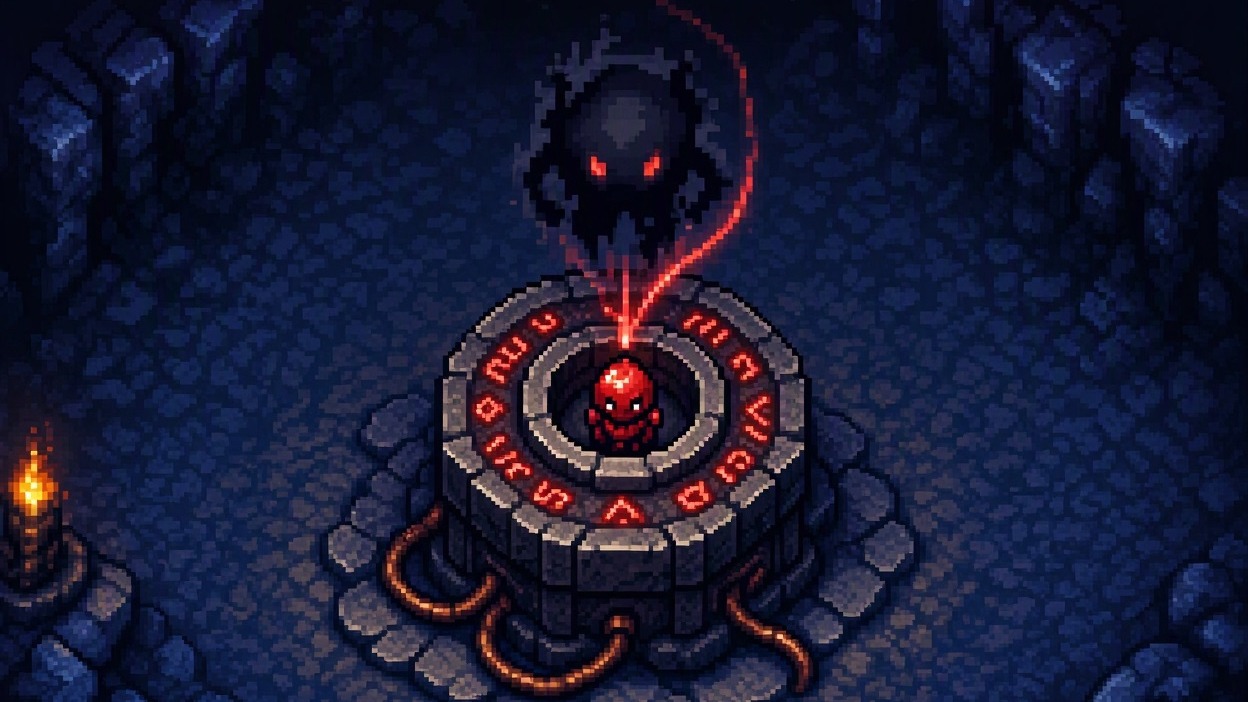
Craft the Summoning Altar, place it on the ground and wire it to electricity. Walk up to it and pick a figurine from the list. From then on the altar does the rest by itself: as soon as it has power it summons that creature, and it will not summon another until the first one is dead.
It is the Materializer you always wanted - it drops loot, and it is not fussy about which figurines it will take.
What it does
Figurines, and nothing else. The list is every figurine in the game, with its own picture and its own name. No animals, no oddities, no half-creatures from inside other monsters - just the things you would actually want to farm.
No button to press. Power it, load a figurine, and it runs. The altar decides when; you decide what.
One at a time. After it summons, the altar waits. Only once that creature is dead does it start the next one. That is what makes it a farm rather than a flood.
They drop loot. This is the whole point, and it is the one thing the Materializer will not do for you. Everything a creature normally drops, it drops here. If you would rather it did not, there is a setting.
Set it and leave it. Each altar keeps its own figurine through saves and reloads, so a farm you build once keeps working. Walk up to an altar and it shows you what it is loaded with.
Runs on power. No electricity, no summoning. Cut the power and the altar stops; restore it and it picks up where it was.
Search as you type. Type any part of a name to narrow the list.
Bosses are opt-in. The Materializer refuses boss figurines outright. This altar will take them, but only if you turn them on - and it asks first.
Crafting
The Summoning Altar is crafted for 8 Iron Bars and 2 Ancient Gemstones at the My Mods Table workbench, alongside everything else of mine. One bench, one place to look.
Requirements
My Mods Table is required. It is the only bench that crafts the Summoning Altar, so without it the altar cannot be made. It is a small, free mod that adds a single workbench; installing it also tidies up every other mod of mine into the same place.
Settings
Playable with no setup. With the Mod Settings Menu and Mod Settings Proxy mods installed, four options appear in the game's own settings screen:
List boss figurines too - off by default. See the warning below.
Ask before choosing a boss - on by default, and worth leaving on.
Summoned creatures drop loot - on by default. Turn it off and summoned creatures drop nothing, the way the Materializer's do.
Enemies cannot break the altar or its wiring - on by default. Keeps the altar, its generator and everything on the same circuit safe from enemy attacks, from their explosions, and from your own pets, minions and turrets swinging at the wrong thing. Your own tools still pick all of it back up as normal.
A warning about bosses
Bosses in Core Keeper are not just strong enemies. Several of them are tied to world state - arena walls, unique drops, the sequence that opens the next area. Summoning one outside its own arena can produce a fight the world was never arranged for. It will not corrupt your save, but it can leave a boss standing somewhere the game never meant to put one. That is why they are off by default, why the confirmation exists, and why the Materializer refuses them altogether.
Urschleim is only partly working. It is built out of a hidden centre that grows its own body segments, and away from its own cavern that construction does not always finish - you can get a partial worm, or nothing visible at all. If you want it, summon it in its own area. The other bosses are not affected.
Multiplayer
Works in single player and when you are hosting. If you are a client connected to somebody else's server, the window opens and your choice is sent to the server, which does the summoning - so an altar you set up on somebody else's world works for everyone on it.
Compatibility
- Adds one placeable machine and one window. Changes no existing creature, drop, or spawn rule.
- Adds one recipe to the My Mods Table workbench, and nothing to any of the game's own benches.
- Nothing is summoned unless an altar is powered and loaded, so removing the mod removes only the altar.
- Safe to add to an existing world.
Missing a creature?
The list is built from the figurines in the game, so a creature with no figurine cannot appear on it, and a few have needed to be matched up by hand. If something you expected is not there, say so in the Discussion tab on this page - name the creature and it can be added.
Highlights
From source dataFootprint
Rated a light load on a server.
Last update
Its author last shipped an update 31d ago.
Enemy Summoner on Nxeon
From our catalogue- One-click install
- Supported on Nxeon Core Keeper servers. We download it from mod.io, place it, and restart the server.
- Server side
- Required on the server
- Server load
- light
- Smallest plan we suggest
- Core Keeper — 2 GB (2 GB RAM). This follows our own load rating above, not a benchmark.
- Latest build
- 1.6.6, released 2026-10-03
Recent builds
| Build | Released | Game versions | Loaders |
|---|---|---|---|
| 1.6.6 | 2026-10-03 | n/a | n/a |
| 1.6.1 | 2026-09-30 | n/a | n/a |
Run Enemy Summoner on a Core Keeper server
Pick a server or deploy a new one above; it is installed in one click.
What kind of mod it is
From the catalogWeapons, items & crafting
New weapons, gear, items and the recipes to make them.
Runs on your server
From source side supportmod.io lists Enemy Summoner as required on the server. Check its mod.io page to see whether players need it too.
Compatibility
- Game
- Core Keeper
- Runs on
- Serverrequired on the server
Verified at the source
- ✓mod.ioOfficial listing, checked 2026-11-04Open ↗
- ✓AuthorSharpybara, as published on mod.io
- ✓LicenseNot published by the sourceFree