
About Linux mod.io fix
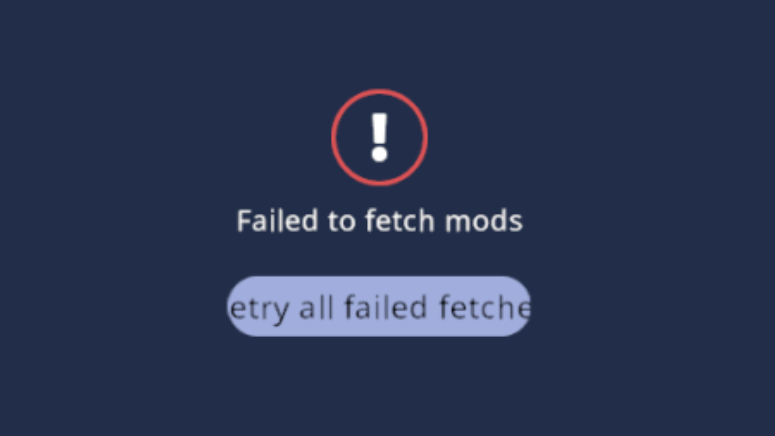
From mod.ioFixes "Failed to fetch mods" errors when entering the mods menu on Linux.
YOU CAN FIX IT MANUALLY (READ BELOW), in fact, this is what I would recommend. This mod is aimed at the people that are not comfortable with a terminal or people on handheld devices like the Steam Deck.
After the fix is applied, the mod can be uninstalled.
What this does
The mod simply copies 3 files to another location. To do this manually, use these commands and restart core keeper:
mkdir -p "$HOME/.steam/steam/steamapps/common/Core Keeper/CoreKeeper_Data/MonoBleedingEdge/etc/mono/4.5"cp "$HOME/.steam/steam/steamapps/common/Core Keeper/CoreKeeper_Data/StreamingAssets/Patcher/Linux/Core Keeper Patcher_Data/MonoBleedingEdge/etc/config" "$HOME/.steam/steam/steamapps/common/Core Keeper/CoreKeeper_Data/MonoBleedingEdge/etc/config"cp "$HOME/.steam/steam/steamapps/common/Core Keeper/CoreKeeper_Data/StreamingAssets/Patcher/Windows/MonoBleedingEdge/etc/mono/4.5/machine.config" "$HOME/.steam/steam/steamapps/common/Core Keeper/CoreKeeper_Data/MonoBleedingEdge/etc/mono/4.5/machine.config"
Or if you're OK with running Core Keeper inside Proton, you can force the use of it in steam.
The more technical explanation:
For some reason, the files that the Mono runtime looks for when setting up http/https web request handlers is missing on the Linux core keeper installation.
This manifests itself as this error chain:
1. System.Net.WebRequest fails with NotSupportedException: The URI prefix is not recognized.
2. mod.io requests fail as HTTP ERROR [0 0] with WebRequest is null
n2 is what we see in the Player.log, but the cause is that Mono never loads webRequestModules due to the missing machine.config
Thankfully for us, Core Keeper ships a "Patcher" project that contains the exact files we need. By copying them to the path that mono expects, the mod.io networking stack gets properly initialized.
Highlights
From source dataFootprint
Rated a light load on a server.
Last update
Its author last shipped an update 8 mo ago.
Linux mod.io fix on Nxeon
From our catalogue- One-click install
- Supported on Nxeon Core Keeper servers. We download it from mod.io, place it, and restart the server.
- Server side
- Client-only: it runs in players’ own games, so it can’t be installed on a server
- Server load
- light
- Smallest plan we suggest
- Core Keeper — 2 GB (2 GB RAM). This follows our own load rating above, not a benchmark.
- Latest build
- 1.0.0, released 2026-02-26
Run Linux mod.io fix on a Core Keeper server
Pick a server or deploy a new one above; it is installed in one click.
What kind of mod it is
From the catalogQuality of life & UI
Small conveniences, tweaks and interface improvements players notice straight away.
Client-side mod
From source side supportmod.io lists Linux mod.io fix as not supported on servers. It runs in players’ own games, not on your server.
Compatibility
- Game
- Core Keeper
- Runs on
- Client only
Verified at the source
- ✓mod.ioOfficial listing, checked 2026-11-03Open ↗
- ✓Authorgincodes, as published on mod.io
- ✓LicenseNot published by the sourceFree