
About Master Cooking
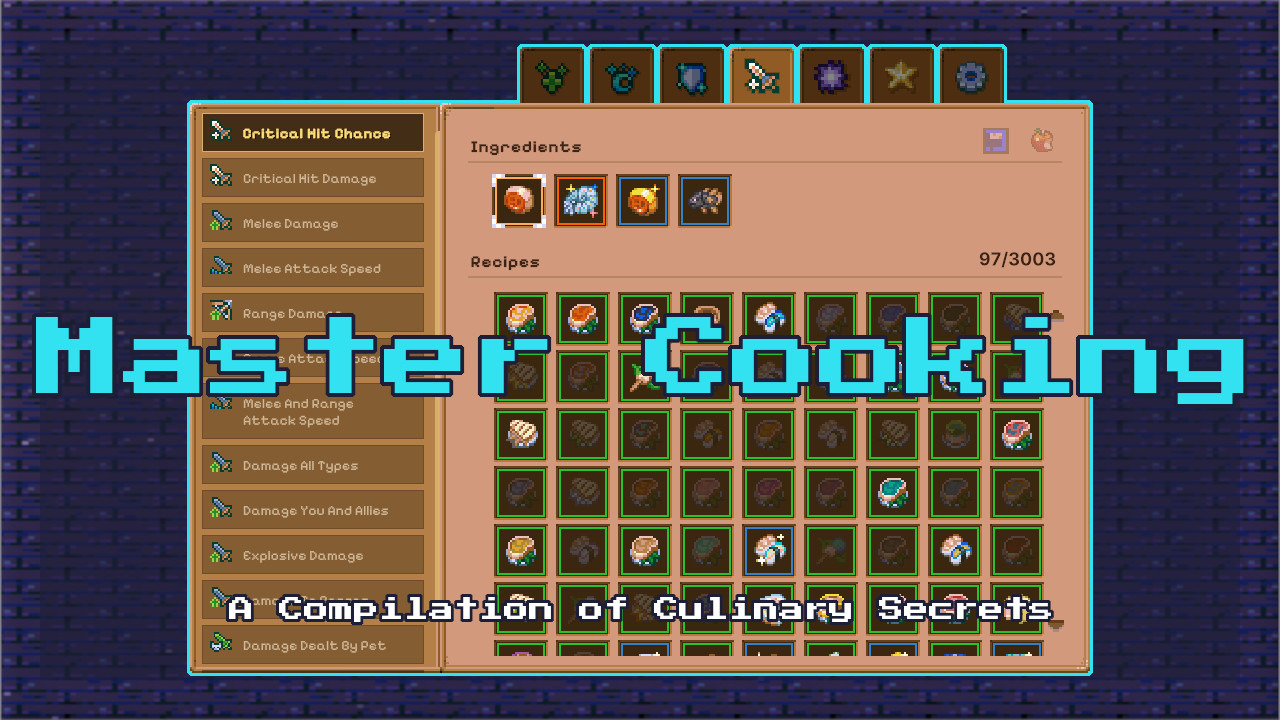
From mod.ioMaster Cooking puts every recipe in the game into one beautiful cookbook. Browse by effect, filter by ingredients on hand, and send everything to your pots automatically.
Master Cooking
Master Cooking puts every recipe in the game into one beautiful cookbook. Browse by effect, filter by ingredients on hand, and send everything to your pots automatically.
Works on Core Keeper 1.3+, multiplayer and dedicated servers.
FEATURES
Master Cooking organizes every recipe into a clean, searchable cookbook. Browse by Health, Magic, Defense, Offense, or Utility, then drill down into specific effects. Each ingredient shows its exact stats, and every recipe tooltip reveals the combined result, ingredient availability in your inventory and nearby chests, and whether it's craftable right now.
Mark your favorites with the middle mouse button. A simple left click sends one recipe to the pot, while holding Ctrl sends ten and holding Shift sends up to a hundred, as long as there are enough pots nearby. If you enable Instant Food in the settings, an Alt click drops the finished dish straight into the world. Hosts can also toggle Instant Cooking to reduce all timers to zero, or press a single button to unlock every recipe in the game.
v1.0.1 Added new config option: “Max Cooking Quality” - when enabled, cooking will always grant an extra dish of the highest available quality (Epic or Rare) in addition to the regular cooking result. This bonus also applies when using the “Instant Food” feature (Alt+Click on a recipe): the instantly created food will be of maximum quality if both options are active.
v1.0.1 Added new config option: “Double Cooking XP“ - Double XP on everything you cook.

Filters: Enable or disable already discovered recipes, and show or hide recipes you don't have the ingredients for
HOTKEYS
- Left Click: Send 1 recipe to the nearest cooking pot.
- Ctrl + Left Click: Send 10 recipes to nearby pots.
- Shift + Left Click: Send up to 100 recipes to every available pot nearby.
- Middle Mouse Button: Mark/unmark favorites.
- Alt + Left Click: Drop the finished dish directly into the world (requires Instant Food enabled in settings).
- Escape: Close the cookbook.
HOW IT WORKS
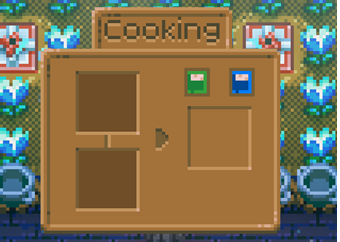
- Open the cookbook via the blue button inside the cooking station.
- Browse categories and subcategories, then click any ingredient to see its recipes.
- Filter by undiscovered or craftable, and middle‑click to save favorites.
- Left‑click a recipe to cook one, Ctrl+click for ten, or Shift+click for up to 100 if pots are nearby.
- With Instant Food enabled, Alt+click drops the finished dish instantly.
- Hosts can enable Instant Cooking.
- Press Escape to close the cookbook.
CREDITS
Created by Parcew
Inspired by the outstanding cooking spreadsheet by Zero Gravitas.
Thank you for the countless hours you've dedicated to creating resources that benefit the entire Core Keeper community.
Published with permission. Currently maintained by Aldria & Ninakor.
Some images were thanks to Moorowl.
Thanks for the ideas Xode, and everyone who contributed to the mod.
FEEDBACK & SUPPORT
Discord: @parcew (preferred)
You can also leave a comment on the mod page.
LINKS
Modding guide: https://modding.corekeepergame.com/
My other mods: https://mod.io/u/parcew/
Support my work: https://ko-fi.com/parcew
LICENSE
This mod is protected by the Parcew Mod License. Re-uploading, redistributing, or including this mod (or any of its files, assets, prefabs, or other original content) in other mods or packs without written permission is not allowed.
Full license: https://github.com/parcew/modding/blob/main/LICENSE.md
Permission requests: Discord parcew
This mod is not affiliated with or endorsed by Pugstorm.
Highlights
From source dataGame versions
Built for Core Keeper 1.2.1.5.
Footprint
Rated a light load on a server.
Last update
Its author last shipped an update 43d ago.
Master Cooking on Nxeon
From our catalogue- One-click install
- Supported on Nxeon Core Keeper servers. We download it from mod.io, place it, and restart the server.
- Server side
- Required on the server
- Server load
- light
- Smallest plan we suggest
- Core Keeper — 2 GB (2 GB RAM). This follows our own load rating above, not a benchmark.
- Latest build
- 1.0.4, released 2026-09-22
Run Master Cooking on a Core Keeper server
Pick a server or deploy a new one above; it is installed in one click.
What kind of mod it is
From the catalogQuality of life & UI
Small conveniences, tweaks and interface improvements players notice straight away.
Runs on your server
From source side supportmod.io lists Master Cooking as required on the server. Check its mod.io page to see whether players need it too.
Compatibility
- Game
- Core Keeper
- Runs on
- Serverrequired on the server
- Game versions
- 1.2.1.5
Verified at the source
- ✓mod.ioOfficial listing, checked 2026-10-20Open ↗
- ✓AuthorParcew, as published on mod.io
- ✓LicenseNot published by the sourceFree