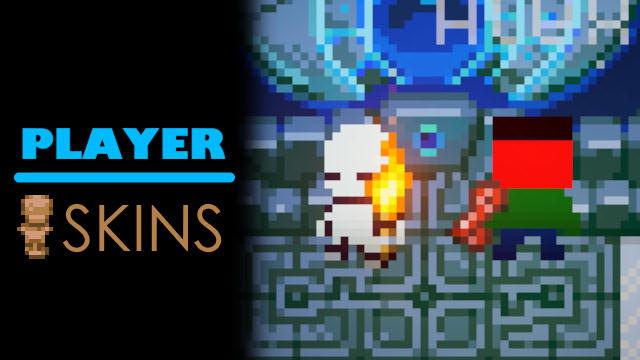

About Player Skins
From mod.ioAllows you to set a custom skin for your character which other players will be able to see (if they also have he mod).
Only use this mod with people you trust.
This mod sends skin data between clients and although it is very very unlikely that this system can be exploited you should still exercise some caution.
This mod adds the ability to add custom skins to your character and for other players with the mod installed to see these skins.
Using Skins:
Place a valid skin file named Skin.png in your PlayerSkins/Skins folder. The PlayerSkins/Skins folder is located in your mod configs directory (AppData\LocalLow\Pugstorm\Core Keeper\Steam\<number>\mods).
Making Skins:
Upon running this mod one it will create a template file at PlayerSkins/Skins/Template.png this template can be used as your guideline for making a skin. Open the template in any suitable image editing program and draw your skin.
Once you have created your skin save it to Skin.png in the same folder as the template.
Grids
When making skins I find it helpful to have a grid with cells 26 x 26 pixels and a (8, 5) offset.
Sharing Skins:
I'm not sure where where the best place to share skins is but for now you can share skins on the Core Keeper discord at Available Mods>Player Skins (Link).
This mod is currently being developed, message me in the Core Keeper Discord>Available Mods>Player Skins (Link) section or dm me with any suggestions/bugs (discord: super_miner_1).
Highlights
From source dataGame versions
Built for Core Keeper 1.2.0.3.
Footprint
Rated a light load on a server.
Last update
Its author last shipped an update 3 mo ago.
Player Skins on Nxeon
From our catalogue- One-click install
- Supported on Nxeon Core Keeper servers. We download it from mod.io, place it, and restart the server.
- Server side
- Required on the server
- Server load
- light
- Smallest plan we suggest
- Core Keeper — 2 GB (2 GB RAM). This follows our own load rating above, not a benchmark.
- Latest build
- 1.0.6, released 2026-08-12
Run Player Skins on a Core Keeper server
Pick a server or deploy a new one above; it is installed in one click.
What kind of mod it is
From the catalogCosmetics, visuals & audio
Skins, textures, shaders, models and sound — how the game looks and sounds.
Runs on your server
From source side supportmod.io lists Player Skins as required on the server. Check its mod.io page to see whether players need it too.
Compatibility
- Game
- Core Keeper
- Runs on
- Serverrequired on the server
- Game versions
- 1.2.0.3
Verified at the source
- ✓mod.ioOfficial listing, checked 2026-11-05Open ↗
- ✓AuthorFlown_, as published on mod.io
- ✓LicenseNot published by the sourceFree