






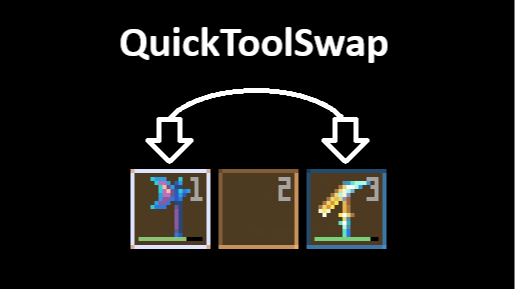

About QuickToolSwap
From mod.ioAllows to efficiently manage items by temporarily swapping them into your hand based on what you're looking at.
Introduction
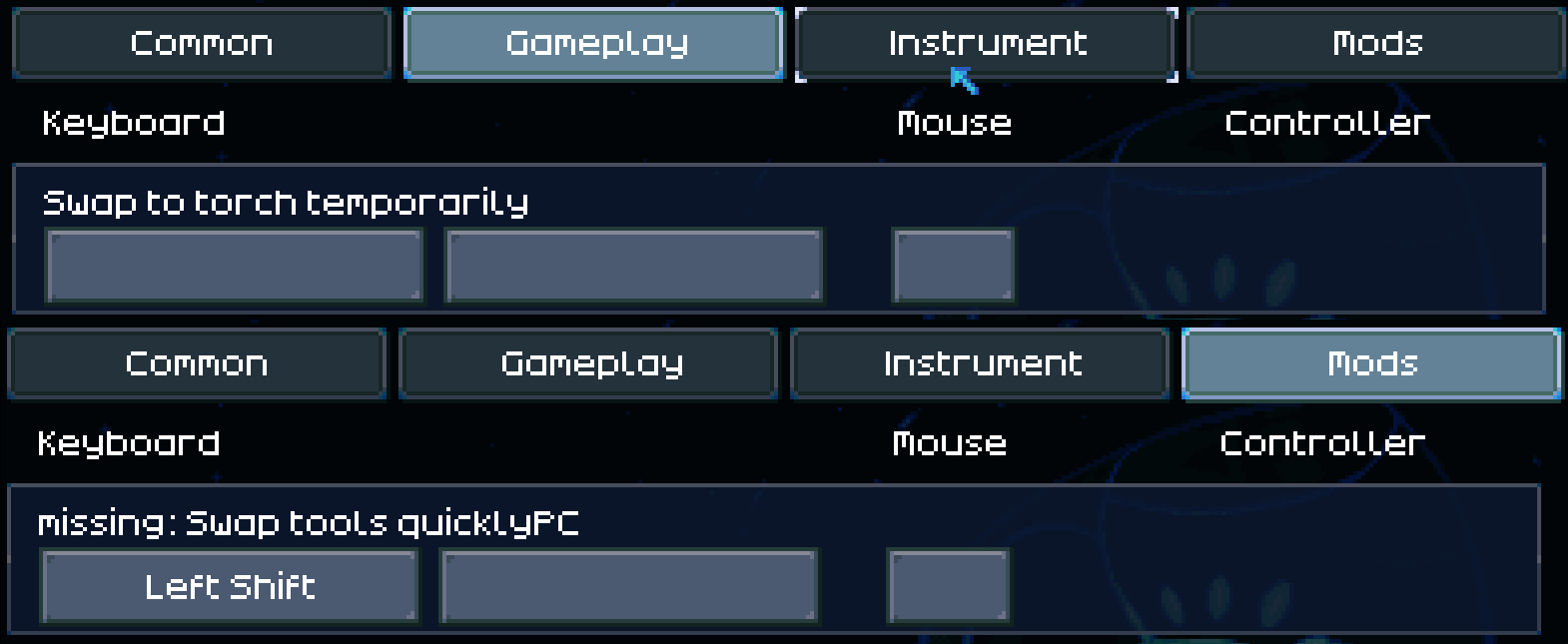
⚠️Important: For this mod to work correctly, you should disable Swap to torch temporarily and assign a key to Swap tools quickly in the settings.
Bothered by the limited space in your hotbar? With this mod, you can place items anywhere in your inventory, and they’ll temporarily swap into your hand based on what you’re looking at, making item management more efficient and intuitive.
Usage
To temporarily replace the currently selected item in your hotbar with another item, hold down the assigned key. Once you've swapped an item, you won’t need to continue holding the key as long as you’re actively using it, whether you're fishing or mining.
Mappings
This section outlines the items that will be selected based on what you're looking at:
- Catching: Any critter -> Bug net
- Farming: Any plant, watered ground, ground slime -> Best hoe from inventory
- Fishing: Any water -> Best fishing rod from inventory
- Mining: Any wall or ore -> Best hand drill or pickaxe from inventory
- Digging: Any digging spot -> Best shovel from inventory
Configuration
If you want to add new mappings or edit the existing ones, you can adjust the configuration file located at%appdata%\LocalLow\Pugstorm\Core Keeper\Steam\[your steam id]\mods\QuickToolSwap\config.cfg
Here's an example snippet from the configuration:
<pre># You can name each section as you like, but each must include activeOn and priorityList. [Mining]
Indicates when the item gets selected, based on what you're looking at.
This should only include internal names for object ids or tile types.
activeOn = ore, wall
Lists the items to be selected when the activeOn condition is met, ordered by preference from highest to lowest.
This should only include internal names for object ids.
priorityList = LightningGun, LaserDrillTool, LegendaryMiningPick, [...], CopperMiningPick, WoodMiningPick
</pre> For references for internal names, check:
Feedback
Feel free to leave a comment if you have any questions, bug reports, or suggestions.
Highlights
From source dataGame versions
Built for Core Keeper 1.2.0.7.
Footprint
Rated a light load on a server.
Last update
Its author last shipped an update 7 mo ago.
QuickToolSwap on Nxeon
From our catalogue- One-click install
- Supported on Nxeon Core Keeper servers. We download it from mod.io, place it, and restart the server.
- Server side
- Client-only: it runs in players’ own games, so it can’t be installed on a server
- Server load
- light
- Smallest plan we suggest
- Core Keeper — 2 GB (2 GB RAM). This follows our own load rating above, not a benchmark.
- Latest build
- 1.1.6, released 2026-04-05
Run QuickToolSwap on a Core Keeper server
Pick a server or deploy a new one above; it is installed in one click.
What kind of mod it is
From the catalogQuality of life & UI
Small conveniences, tweaks and interface improvements players notice straight away.
Client-side mod
From source side supportmod.io lists QuickToolSwap as not supported on servers. It runs in players’ own games, not on your server.
Compatibility
- Game
- Core Keeper
- Runs on
- Client only
- Game versions
- 1.2.0.7
Verified at the source
- ✓mod.ioOfficial listing, checked 2026-11-05Open ↗
- ✓Authorthomas1267, as published on mod.io
- ✓LicenseNot published by the sourceFree















