







About Shift+Click
From mod.ioThis mod provides a better experience when moving items from hotbar, inventory and chest storages.
This mod is now integrated with CK QOL!
Shift+Click
QOL Inventory mod for Core Keeper.
This mod provides a better experience when moving items from hotbar, inventory and chest storages.
Usage
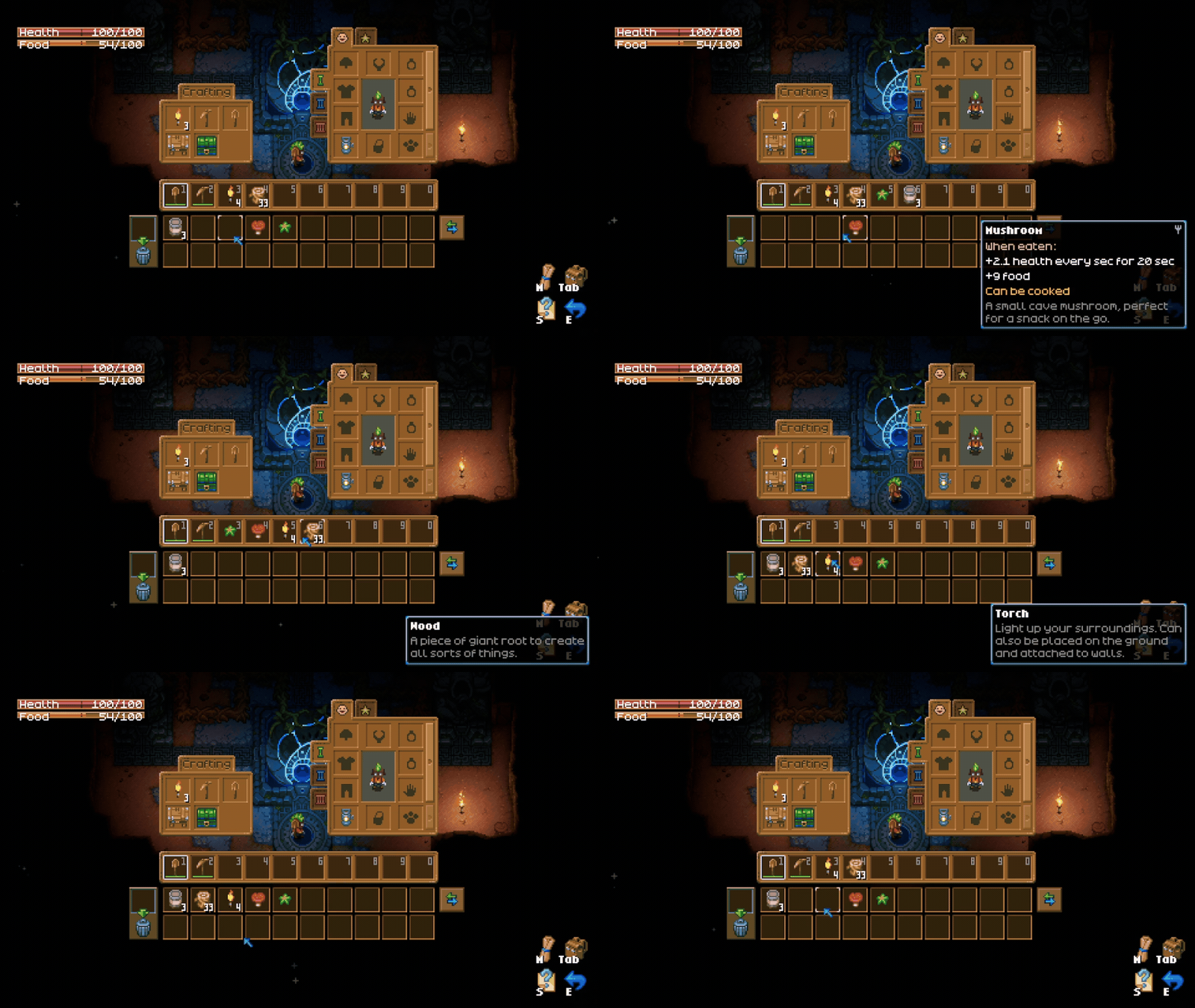
Hold ModifierKey and click on item you want to move. The selected item will be moved to next available inventory/hotbar or chest slot.
ModifierKey
- Keyboard:
LShift - Controller:
R2 / Right trigger
Default
ModifierKeycan be changed in the settings menu.
<img src="https://raw.githubusercontent.com/HubertLipinski/ShiftClick/main/img/settings.png" alt="Settings -> Controls -> [ShitClick] Key modifier" width="960" height="99">
Feedback
If You have any feedback or You have found a bug, feel free to create an issue
Changelog
v1.2.0
- Controller support has been implemented
- The modifier key can now be customized in the settings menu. The default values are LShift for the keyboard and R2 for the controller.
- Following dependencies are now required:
CoreLibandCoreLib.RewiredExtension
v1.1.1
- Fixed multiplayer issues due to logic not being properly handled.
- Fixed issues when using utility UI such as cooking pots, furnaces, merchants etc. Default game behavior is now expected.
v1.1.0
- Added chest storage support
- Fixed issues with inventory equipment
- Stackable items are now properly handled
Highlights
From source dataGame versions
Supports 2 Core Keeper versions, the newest being 1.0.0.6.
Footprint
Rated a light load on a server.
Last update
Its author last shipped an update 2 yr ago.
Shift+Click on Nxeon
From our catalogue- One-click install
- Supported on Nxeon Core Keeper servers. We download it from mod.io, place it, and restart the server.
- Server side
- Client-only: it runs in players’ own games, so it can’t be installed on a server
- Server load
- light
- Smallest plan we suggest
- Core Keeper — 2 GB (2 GB RAM). This follows our own load rating above, not a benchmark.
- Latest build
- 1.2.0, released 2024-09-19
Run Shift+Click on a Core Keeper server
Pick a server or deploy a new one above; it is installed in one click.
What kind of mod it is
From the catalogQuality of life & UI
Small conveniences, tweaks and interface improvements players notice straight away.
Client-side mod
From source side supportmod.io lists Shift+Click as not supported on servers. It runs in players’ own games, not on your server.
Compatibility
- Game
- Core Keeper
- Runs on
- Client only
- Game versions
- 1.0.0.6 and 1 earlier
Verified at the source
- ✓mod.ioOfficial listing, checked 2026-10-31Open ↗
- ✓AuthorTrolxu, as published on mod.io
- ✓LicenseNot published by the sourceFree















