






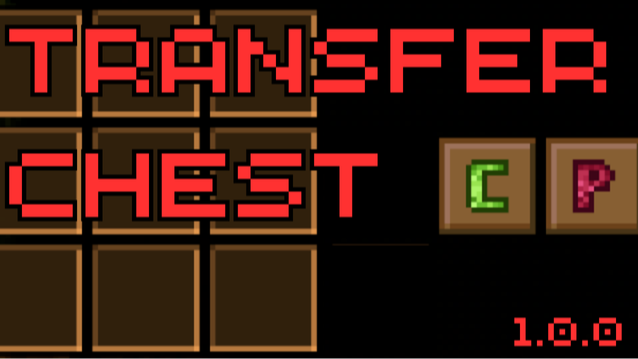

About Transfer Chest
From mod.ioMove your items between chests with one click!
[XBOX Controller Supported]
The TransferChest mod streamlines your inventory management by allowing you to easily transfer items between chests. With the simple click of a button, you can copy the contents of one chest and transfer them into another, saving you time and effort when organizing your storage every time you want to move chests.
Current version limits user to move items between chests only in the visible area.
Features
-
Copy Chest Contents: A new "Copy" button lets you copy all the items from a chest. The copied contents are stored temporarily until you're ready to paste them elsewhere.
-
Paste Chest Contents: The "Paste" button allows you to transfer the copied items into another chest seamlessly. Once transfered, the items are removed from the temporary storage.
-
Custom Icons: The mod includes custom icons for the Copy and Paste buttons, making them easily identifiable within the chest UI.
-
Integrated UI Placement: The buttons are conveniently placed next to the existing Sort button in the chest interface for quick access.
How to Use
-
Copy Items:
- Open a chest containing items you wish to transfer.
- Click the Copy button (identified by the custom copy icon).
- A confirmation message will indicate that the chest contents have been copied.
-
Paste Items:
- Open the destination chest where you want to place the items.
- Click the Paste button (identified by the custom paste icon).
- The items will be transferred into the chest, and the temporary storage will be cleared.
Note: The Paste button becomes active only when there are items copied and ready to be pasted.
My Other Mods:
- Clearventory : Sell, Salvage or Delete items from your inventory or chest with ease !
- ExtendedCraftingRange+: Enhance your crafting experience by significantly extending the range of your crafting
- Price Tag: A simple mod displays the value of items directly on their tooltip.
- Close Keeper: Simple mod adds a zoom in feature.
- 2.5D Keeper: Experience Core Keeper in 2.5D Mode!
- Skip Intro: Simple mod that skips loading screen
- Auro Door Rework: A mod that automaticly opens and closes doors and fence doors.
- Water Priority Overhaul: A mod for modifying how each water type interract with eachother.
Support
For questions, bug reports, or suggestions, please contact @Maskoliver through Discord
Highlights
From source dataGame versions
Supports 2 Core Keeper versions, the newest being 1.0.0.8.
Footprint
Rated a light load on a server.
Last update
Its author last shipped an update 2 yr ago.
Transfer Chest on Nxeon
From our catalogue- One-click install
- Supported on Nxeon Core Keeper servers. We download it from mod.io, place it, and restart the server.
- Server side
- Client-only: it runs in players’ own games, so it can’t be installed on a server
- Server load
- light
- Smallest plan we suggest
- Core Keeper — 2 GB (2 GB RAM). This follows our own load rating above, not a benchmark.
- Latest build
- 1.0.0, released 2024-10-14
Run Transfer Chest on a Core Keeper server
Pick a server or deploy a new one above; it is installed in one click.
What kind of mod it is
From the catalogQuality of life & UI
Small conveniences, tweaks and interface improvements players notice straight away.
Client-side mod
From source side supportmod.io lists Transfer Chest as not supported on servers. It runs in players’ own games, not on your server.
Compatibility
- Game
- Core Keeper
- Runs on
- Client only
- Game versions
- 1.0.0.8 and 1 earlier
Verified at the source
- ✓mod.ioOfficial listing, checked 2026-10-31Open ↗
- ✓AuthorMaskoliver, as published on mod.io
- ✓LicenseNot published by the sourceFree















