






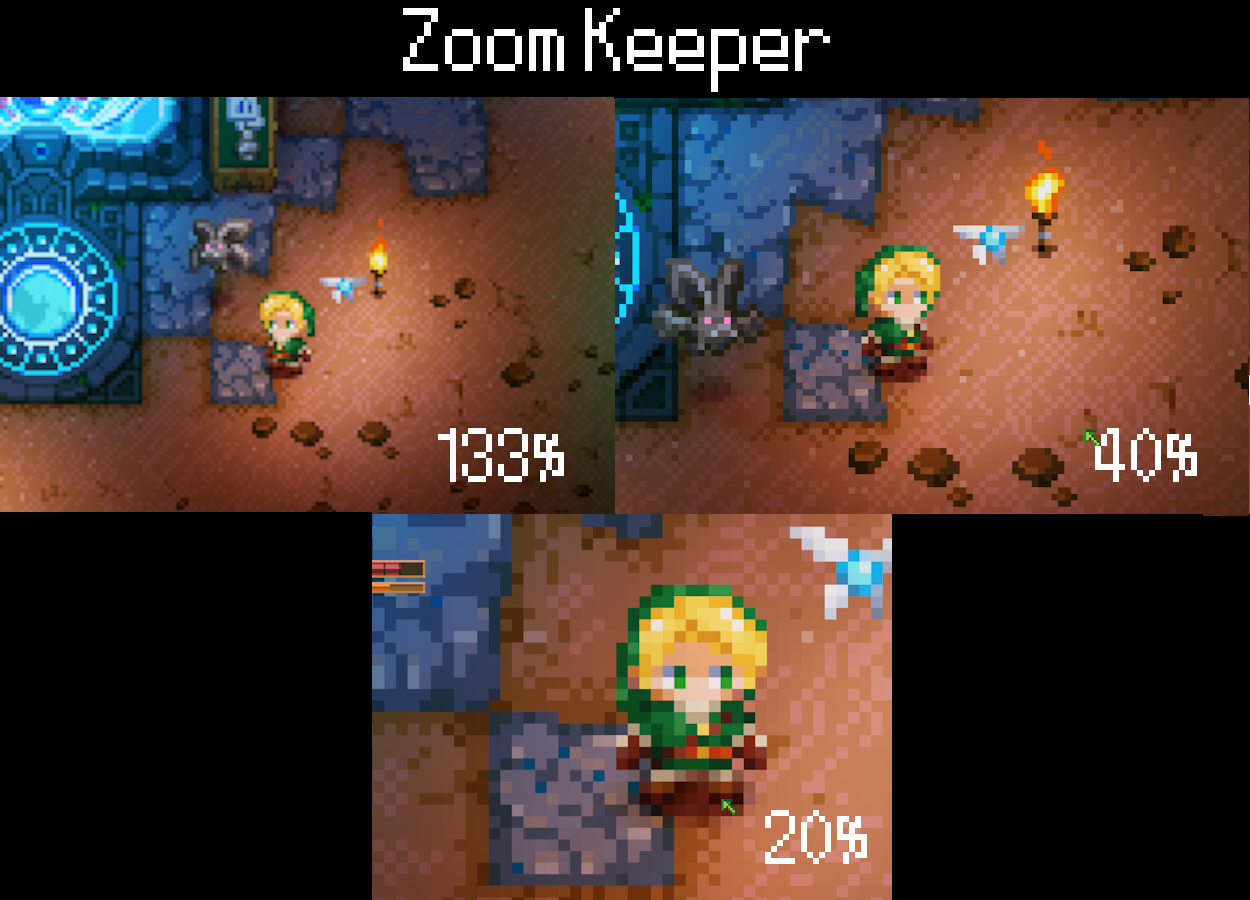

About Zoom Keeper
From mod.ioZoom in and out in 10% steps, from 200% down to 10%! Ctrl + Page Up/Down on keyboard, hold R3 + D-Pad on controller. No config, no dependencies.
Zoom Keeper
Ever wanted a closer look at your base? Or a bit more of the map? Now you can!
Zoom in and out step by step, up to 200%. 100% is the normal view.
Controls
Keyboard: Ctrl + Page Up / Ctrl + Page Down (you can change them)
Controller: hold R3 + D-Pad Up / Down
No dependencies. Just install it and zoom.
Settings
Everything is in Options > Gameplay, at the end of the list:
- your own zoom keys
- up to 5 zoom presets with their own keys (25, 50, 100, 150 and 200% by default), change the % with left / right
- smooth or instant preset jumps
- turn the zoom % off, or hide it together with the game UI
To set a key, select the entry and press the new one. Ctrl, Shift, Alt and AltGr work as modifiers. Escape cancels, Backspace removes the key.
Config file
Everything is saved to ZoomKeeper/config.json in the game's mod config folder. the game first. Keys use Unity key names, like "Ctrl+PageUp" or "LeftBracket" for [.
Good to know
- Above ~130% the screen edges can look empty, the game just doesn't load tiles that far out.
- Leaving the world resets the zoom to 100%.
- Typing in chat won't zoom by accident.
Based on the idea of Close Keeper by Maskoliver, rebuilt for the current version without CoreLib.
License: Free to play & stream. No re-uploads or reuse without Permission
Full license | Discord: lordofcloud
Highlights
From source dataFootprint
Rated a light load on a server.
Last update
Its author last shipped an update 20d ago.
Zoom Keeper on Nxeon
From our catalogue- One-click install
- Supported on Nxeon Core Keeper servers. We download it from mod.io, place it, and restart the server.
- Server side
- Client-only: it runs in players’ own games, so it can’t be installed on a server
- Server load
- light
- Smallest plan we suggest
- Core Keeper — 2 GB (2 GB RAM). This follows our own load rating above, not a benchmark.
- Latest build
- v1.0.4, released 2026-10-14
Recent builds
| Build | Released | Game versions | Loaders |
|---|---|---|---|
| v1.0.4 | 2026-10-14 | n/a | n/a |
| v1.0.3 | 2026-10-05 | n/a | n/a |
| v1.0.2 | 2026-10-04 | n/a | n/a |
| v1.1.0 | 2026-10-02 | n/a | n/a |
Run Zoom Keeper on a Core Keeper server
Pick a server or deploy a new one above; it is installed in one click.
What kind of mod it is
From the catalogQuality of life & UI
Small conveniences, tweaks and interface improvements players notice straight away.
Client-side mod
From source side supportmod.io lists Zoom Keeper as not supported on servers. It runs in players’ own games, not on your server.
Compatibility
- Game
- Core Keeper
- Runs on
- Client only
Verified at the source
- ✓mod.ioOfficial listing, checked 2026-11-03Open ↗
- ✓AuthorLordOfCloud, as published on mod.io
- ✓LicenseNot published by the sourceFree















