






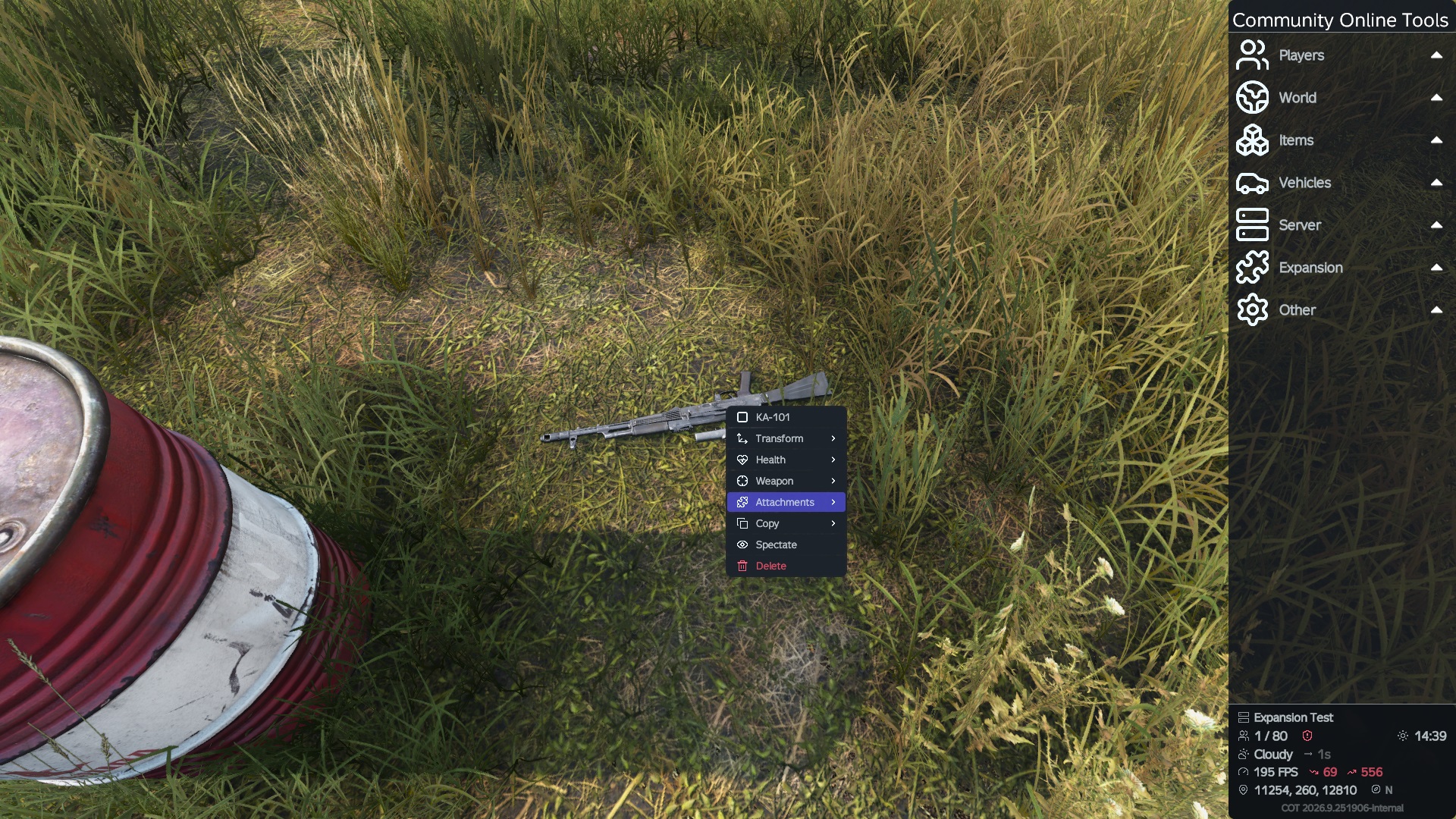
About Community-Online-Tools-Test
From Steam WorkshopServer Installation Instructions: Copy/Paste @Community-Online-Tools into server root directory. Copy/Paste @Community-Online-Tools/Keys/Bsign file to server root keys folder. Locate default profile…
Server Installation Instructions:
[olist] [*] Copy/Paste @Community-Online-Tools into server root directory.
[*] Copy/Paste @Community-Online-Tools/Keys/Bsign file to server root keys folder.
[*] Locate default profile file folder. If one is not in server root one will need to be made. Admin or Config is sometimes default Profile folder. If making one then the function -profiles=yourprofilename will be needed to identify profile existance. This function can be used in a custom launch parameter, statup command, or from your .bat file.
[*] Inside of your Profile folder will need to create folder called "CommunityOnlineTools" and a folder called "PermissionsFramework"
[*] Inside CommunityOnlineTools create a folder called "ItemSets" and a folder called "Vehicles". Inside PermissionsFramework create a folder called "Permissions" a folder called "Players" and a folder called "Roles".
[*] Do nothing to CommunityOnlineTools.
[*] Inside PermissionsFramework/Players folder create a .json file Named your Steam64_id. A .json file can be made by first making a new text file open it save as change file type to all files then Name It with .json at the end and pick save location. (Desktop) Inside of your Steam64_id.json paste only this link
[*] Activate mode Via Server Provider Launch Perameter,Startup command or .bat file. -mod=@CF-Test;@Community-Online-Tools-Test Load @CF-Test and @Community-Online-Tools-Test client side as well from DayZ Launcher.
[*] At this point can fill in your Steam64_id but leave GUID blank "" Your Guid is Unknown at this time. Select parameters and check Profile Name and type your perffered online name. Start Game and join your server. After join server Leave server and shutdown server.
[*] Enter you server files. Find your Server logs. Find Server_Console.log for most. Search for your name or UID its a long sting of Chars nums and specials. Paste that in your Players Steam64_id.json file in the GUID "".
[*] Start your sever. Join your server you now have Admin privilages. Press "End" to turn on COT if doesnt work try changing its key binding.[/olist]
Highlights
From source dataFootprint
Rated a light load on a server.
Last update
Its author last shipped an update 10d ago.
Community-Online-Tools-Test on Nxeon
From our catalogue- One-click install
- Not available. One-click install isn't available for this game's mods yet. Download it and upload it to your server in Files.
- Server load
- light
- Smallest plan we suggest
- DayZ — 6 GB (6 GB RAM). This follows our own load rating above, not a benchmark.
- Latest build
- 2026-10-06, released 2026-10-06
Game versions by loader
| Loader | Game versions | Newest |
|---|---|---|
| Workshop |
From 2 recorded builds of Community-Online-Tools-Test.
Recent builds
| Build | Released | Game versions | Loaders |
|---|---|---|---|
| 2026-10-06 | 2026-10-06 | n/a | Workshop |
| 2026-07-15 | 2026-07-15 | n/a | Workshop |
Dependencies
- Required: CF-Test
Declared by the newest build that lists any. Required ones are installed with it on one-click installs.
Run Community-Online-Tools-Test on a DayZ server
Deploy a server above, then upload the file in Files.
What kind of mod it is
From the catalogWeapons, items & crafting
New weapons, gear, items and the recipes to make them.
Compatibility
- Game
- DayZ
Verified at the source
- ✓Steam WorkshopOfficial listing, checked 2026-10-10Open ↗
- ✓AuthorJacob_Mango, as published on Steam Workshop
- ✓LicenseNot published by the sourceFree














